
 WhatsApp: +86 16626708626
 Email:
  Phone: +86 16626708626
Description
Key Technical Specifications
| Parameter | Value |
|---|---|
| Manufacturer | KUKA |
| Part / Reference Number | 00-117-391 (secondary ref: DSE-IBS C33) |
| Alternate Reference | 00-117-336 |
| Compatible Hardware Revisions | 1.10, 1.20, 1.40 |
| Controller Platform | KRC2, KRC2 ED05 |
| Function | Auxiliary DSE card for >8-axis configurations |
| Interconnect | DSE XA21 connector to secondary RDC |
| Installation Location | Top cabinet, between MFC and primary DSE card |
| Country of Origin | Germany |
| Condition Offered | New Surplus / New Original |
| Voltage / Current Ratings | Not independently verified — confirm against your cabinet’s wiring diagram before install |
Product Introduction & Supply Chain Strategy
The DSE-IBSC33-1 is the auxiliary servo-electronics interface card KUKA specifies for KRC2 and KRC2 ED05 cabinets that need more than 8 controlled axes — it bridges the MFC to a second RDC card, extending axis capacity for robots running linear tracks or added tool motors.
Buying this as New Surplus makes sense on a KRC2/ED05 platform because KUKA has moved production forward for years, making OEM lead times unpredictable. New Surplus stock lets you cover a failure without gambling on used-market wear or waiting weeks on a discontinued-part quote.
Installation & Configuration Guide
Stage 1 — Pre-Installation (Prep & Safety)
Lock out and tag out the cabinet’s main disconnect before opening any panel. Put on a grounded ESD wrist strap — this card handles servo-position data, and static discharge can corrupt or damage it silently. Before touching anything, photograph the existing DIP switch settings and every wire terminating on the old card; label each connector.
Stage 2 — Removal
Release the card’s retaining screws/clips fully before pulling it — DSE cards seat into a backplane connector, and pulling at an angle bends pins. Ease it straight out, supporting both ends evenly.
Stage 3 — Installation (Clone & Seat)
Match the DIP switch and jumper configuration from your photos exactly before inserting the replacement — mismatched axis addressing is the most common cause of a “card not found” fault after a swap. Seat the card straight into the backplane slot and confirm it’s fully home before reconnecting the XA21 data link to the second RDC.
Stage 4 — Power-On & Testing
Before powering the cabinet, verify there’s no short across the 24 V rails feeding the card. On power-up, check the card’s status LEDs — a steady RUN with no ERR indicates the backplane link and axis communication came up clean. Reload your robot’s axis configuration and confirm all added axes respond before returning the cell to production.
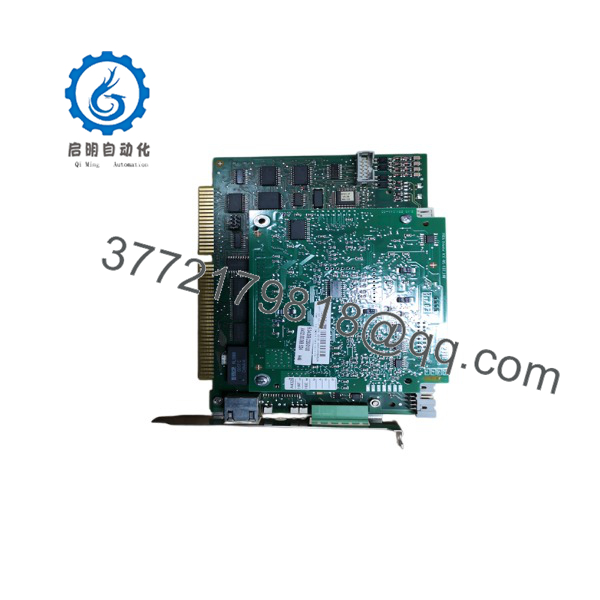
DSE-IBSC33-1
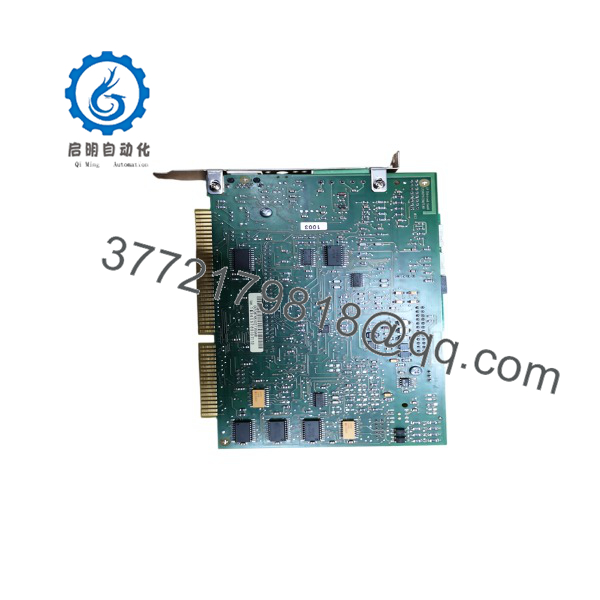
DSE-IBSC33-1
Firmware/Software Versions & Upgrade Notes
Hardware revisions 1.10, 1.20, and 1.40 have shipped for this card. Because KUKA ties DSE card compatibility to the controller’s KRC2/KSS software version, don’t assume a newer hardware revision drops in cleanly on an older KSS install — verify against your system documentation before swapping revisions. If you’re doing a hardware replacement on a running cell, avoid also upgrading KSS or firmware at the same time; isolate variables so a fault after the swap points clearly to either the card or the software, not both at once.
Frequently Asked Questions (FAQ)
Is this actually new, or just cleaned-up used stock?
It’s New Surplus — meaning the card was never installed in a running cell. It carries KUKA’s original OEM packaging and hasn’t seen backplane wear or field exposure the way a pulled unit would.
Why isn’t this priced at full OEM list?
New Surplus inventory comes from sourcing OEM stock outside KUKA’s direct list-price channel — you get the same new-condition part without paying the current-catalog markup on a legacy platform.
Is the /ED05 platform still supported, or should I be worried about EOL?
/ED05 is a mature platform, and KUKA’s newer controllers have moved on from it. If your plant runs several ED05 cells, this is a good candidate for a last-time-buy on critical spares rather than relying on the open market when one fails.
Can I hot-swap this card without powering down the cabinet?
No — DSE cards sit on the servo backplane and aren’t rated for hot insertion. Always lock out the cabinet before removal or installation.
Will I lose my robot’s program or axis calibration when I swap this card?
No — axis configuration and programs live in the controller’s KCP/PC side, not on the DSE card itself. That said, always back up your cell’s configuration before any hardware change as standard practice.
What warranty comes with a New Surplus card like this?
Expect a standard 1 year warranty window on genuine New Surplus stock — get this in writing from your supplier before purchase, along with a serial number you can verify.



