
 WhatsApp: +86 16626708626
 Email:
  Phone: +86 16626708626
Description
3. Key Technical Specifications
| Parameter | Specification / Value |
|---|---|
| Manufacturer | Lam Research |
| Part Number | 685-069171-100 |
| Model Number (M/N) | 5500640128 |
| Module Type | Optical Emission Spectrometer (OES) Assembly |
| Application | Plasma Etch & Deposition Endpoint Detection |
| Interface Ports | Optical Fiber Port (30J1), Serial Sub-D (DB-9), USB (30J2) |
| Input Supply | Isolated DC Power via Backplane/Interface Connector |
| Enclosure Type | Shielded Aluminum Housing with Convection Vents |
| Operating Environment | Cleanroom Semiconductor Tool Bay (18°C to 24°C) |
| Packaging | Factory Sealed Protective Cleanroom Bag |
4. Product Introduction & Supply Chain Strategy
This product is a Brand New Surplus unit. It is not used, not pulled from a decommissioned fab, and not refurbished. All modules undergo rigorous quality verification to ensure OEM-level reliability. The Lam Research 685-069171-100 Spectrometer Unit monitors plasma spectral lines through optical fiber feeds to determine exact etch endpoints in real time.
Securing this optical assembly as New Surplus is a critical risk-mitigation strategy for fab engineers and maintenance teams. Optical spectroscopy units are central to preventing under-etching or over-etching on advanced silicon nodes. Sourcing a replacement unit during an unexpected chamber fault can result in weeks of OEM lead times, causing expensive tool downtime and wafer scrap. Refurbished optical sensors often suffer from degraded internal diffraction gratings, drifted CCD array calibration, and compromised optical seals. Purchasing genuine New Surplus guarantees factory-level spectral accuracy, dark-current stability, and lower Total Cost of Ownership (TCO).
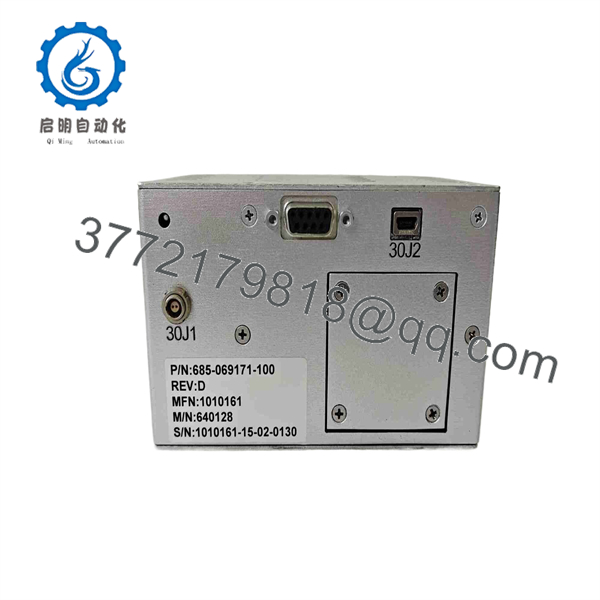
685-069171-100
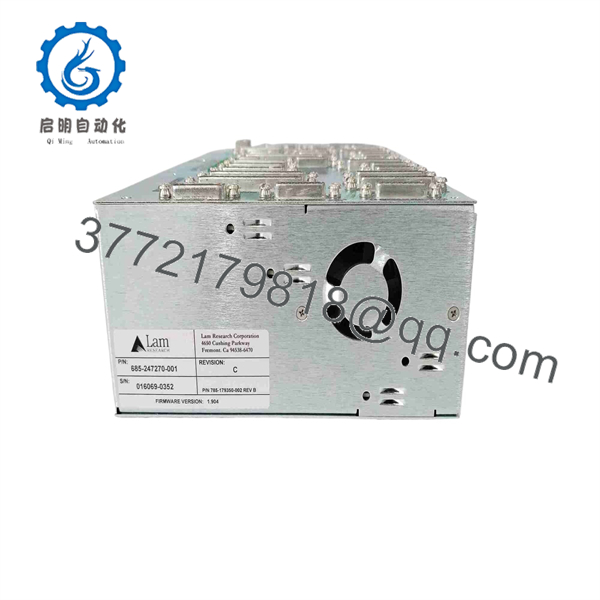
685-069171-100
5. Installation & Configuration Guide
Stage 1: Pre-Installation (Prep & Safety)
- Enforce full Lock-Out/Tag-Out (LOTO) protocols on the chamber process module and disconnect DC logic power feeds.
- Put on cleanroom-compliant nitrile gloves and an ESD wrist strap before handling the spectrometer housing.
- Inspect the fiber optic cable tip and protective cap on the replacement unit for contamination or physical damage.
Stage 2: Removal
- Carefully unscrew and disconnect the fiber optic cable from port 30J1, installing a clean dust cap over the exposed fiber ferrule immediately.
- Unplug interface cables from port 30J2 (USB/Serial) and auxiliary power connections.
- Remove chassis mounting screws and slide the old spectrometer assembly clear of the tool rack.
Stage 3: Installation (Clone & Seat)
- Position the replacement 685-069171-100 module into the tool mounting bracket and tighten retaining screws.
- Clean the fiber optic connector end-face using isopropyl alcohol wipes and insert it securely into port 30J1.
- Reattach interface data cables (30J2) and secure line locking screws.
Stage 4: Power-On & Testing
- Restore power to the tool bay and launch the Lam tool diagnostic software interface.
- Verify communication with spectrometer M/N 5500640128 and run an optical baseline dark-current calibration test.
- Initiate a test plasma ignite sequence to confirm full spectral response and active endpoint signal tracing.
1
Pre-Installation & Setup
Power isolation & ESD safety
1.Pre-Installation & Setup:Power isolation & ESD safety.
Isolate chamber power using LOTO protocols. Don nitrile gloves and an ESD wrist strap, then inspect optical interfaces on the new unit.
2
Module Removal
Fiber optics extraction
2.Module Removal:Fiber optics extraction.
Disconnect the optical fiber from port 30J1 and cap it immediately. Unplug communication connectors and remove mounting hardware.
3
Hardware Installation
Chassis mounting & fiber attachment
3.Hardware Installation:Chassis mounting & fiber attachment.
Secure the new 685-069171-100 module to the mounting bracket. Clean fiber tips and attach all communication and optical lines.
4
Validation & Operational Test
Dark calibration & plasma test
4.Validation & Operational Test:Dark calibration & plasma test.
Power up the tool bay. Perform an optical dark-current baseline calibration in software and run a plasma test to verify endpoint detection.
6. Firmware/Software Versions & Upgrade Notes
- Software Integration: Native integration across Lam Research tool software suites supporting optical endpoint detection on 2300, Kiyo, and Flex chamber platforms.
- Optical Calibration: Spectrometer waveband mapping is stored in onboard EEPROM; always run dark-current and wavelength verification procedures in tool diagnostics after hardware swap.
- Optical Warning: Never touch the exposed optical fiber end-face with bare hands. Skin oils will burn under high-intensity plasma emission light, causing permanent insertion loss and signal degradation.
7. Frequently Asked Questions (FAQ)
Q: Is the Lam Research 685-069171-100 spectrometer assembly brand new or refurbished? A: This unit is 100% Genuine New Surplus. It has never been deployed in an active production tool, features clean optical ports, and comes sealed in protective cleanroom packaging.
Q: Why choose New Surplus over a refurbished optical spectrometer? A: Refurbished spectrometers often suffer from sensor degradation, internal mirror misalignment, and thermal drift. In precision etch processes, inaccurate spectral readings cause premature endpoint calls and scrapped wafer lots. New Surplus guarantees factory-calibrated optical sensitivity and long-term repeatability.
Q: Does this unit require external calibration software upon installation? A: Hardware identification is automatic via the tool control software, but a standard dark-current reference calibration must be performed through the Lam software interface after installation.
Q: What fiber optic connector style does port 30J1 use? A: Port 30J1 utilizes a precision optical ferrule connector designed specifically for high-efficiency UV-Vis optical fiber transmission from the chamber viewports.
Q: What warranty coverage applies to this spare part? A: We back this 685-069171-100 module with a comprehensive 1-year replacement warranty, delivering total operational confidence compared to standard short-term used surplus terms.



