
 WhatsApp: +86 16626708626
 Email:
  Phone: +86 16626708626
Description
Key Technical Specifications
- Function: Star Multiplexer — converts daisy-chain RS-485 topology to star topology
- Downstream Ports: 8x RS-485 (2-wire) or 4x RS-485 (4-wire), field-selectable
- Upstream Interface: RS-232 (direct) or RS-485 (multidrop) to host ISC or OnGuard server port
- Repeater Function: Each downstream port supports up to 4,000 ft (1,219 m) run
- Compatible Devices: LNL-1100, LNL-1200, LNL-1300, LNL-1320 (Series 1/2/3 modules)
- Power Input: 12 VDC
- Diagnostics: On-board LEDs for Power, Upstream (Host) Comms, Downstream (Device) Comms
- Enclosure Requirement: Minimum 12″ x 10″ x 4″ if not mounted in a standard Lenel cabinet
- Typical Use Case: Retrofit jobs where existing home-run wiring needs to feed a star-wired panel room instead of a daisy chain
❗ Note: Lenel’s public datasheet for this legacy unit is thin on some parameters (operating temp, exact current draw). Confirm against the OEM install sheet or your Lenel rep before spec’ing this into a submittal — don’t pull numbers from memory on a discontinued unit.
Product Introduction
The Lenel LNL-8000 is a Star Multiplexer built to sit downstream of any Lenel Intelligent System Controller (ISC) or OnGuard server host port. It takes one upstream RS-485 or RS-232 connection and branches it into eight independent RS-485 downstream ports, each capable of repeating signal out to 4,000 ft.
It’s the part you reach for on retrofit jobs — sites with existing home-run wiring back to a panel closet where a daisy chain topology doesn’t match the physical cable plant. Rather than rewiring, the LNL-8000 lets you keep the star pattern and still talk to standard LNL-1100/1200/1300/1320 door hardware.
Troubleshooting Quick Reference
| Symptom | Possible Cause | Relevance to this Part | Quick Check Method | Recommendation |
|---|---|---|---|---|
| No power LED | 12 VDC supply failure or blown fuse upstream | ❌ Low | Measure 12 VDC at the input terminals with a multimeter | Check the power supply/transformer before replacing the multiplexer |
| Host comm LED dark, downstream LEDs fine | Upstream RS-232/RS-485 link to ISC down | ✅ High | Verify wiring at the upstream terminal block, check ISC port config | Confirm ISC port settings match; if wiring and settings check out, unit likely needs replacement |
| One downstream port dead, others fine | Failed driver on that specific port, or bad field wiring | ❌ Low | Swap the suspect downstream cable to a known-good port | Isolate wiring first — single-port failure on the multiplexer itself is uncommon |
| All downstream devices offline simultaneously | Multiplexer failure, or upstream signal loss | ✅ High | Check host comm LED status and upstream cabling | If upstream is confirmed good and all ports drop together, the unit itself is the likely fault |
| Intermittent dropouts across all ports | Wire run exceeds 4,000 ft spec, termination/grounding issue | ❌ Low | Check cable length and end-of-line termination resistors | Usually a wiring/topology issue, not the multiplexer — verify distance and termination before swapping hardware |
If you’re still stuck after running through these checks, contact technical support with photos of the wiring, LED status, and any diagnostic log from OnGuard — that cuts the back-and-forth down considerably.
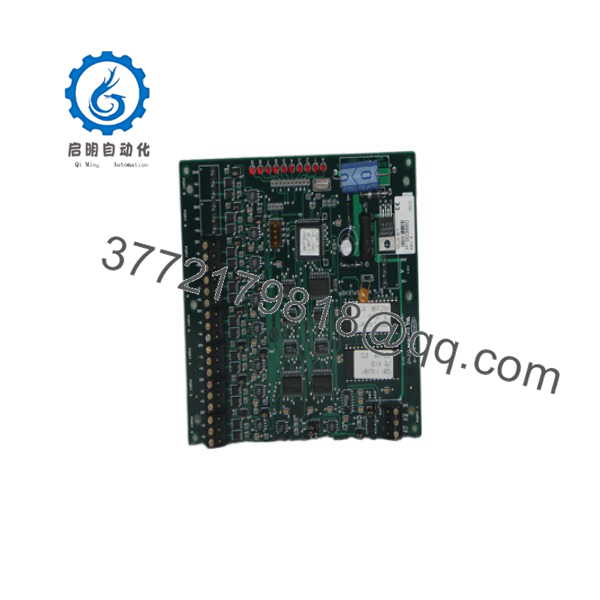
LNL-8000
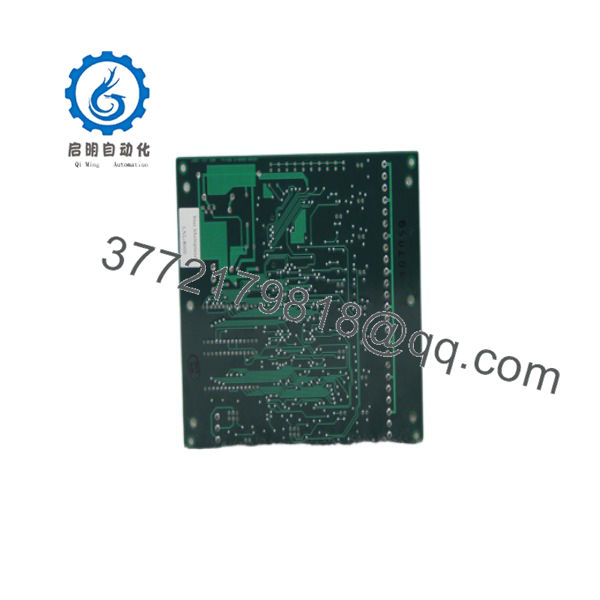
LNL-8000
Frequently Asked Questions (FAQ)
Is the LNL-8000 still supported by Lenel?
It’s been moved to legacy status. Lenel now points new installs toward IP-to-the-door modules like the LNL-1300E/1324E, or LNL-X Series controllers that have multiple native ports built in and don’t need a separate multiplexer. If you’re maintaining an existing star-topology install, the LNL-8000 is still the right replacement part — just don’t spec it into new designs.
Can I use this to replace a CASI 8RP board?
Some listings position related M-Series multiplexer hardware as an optional swap for a legacy CASI 8RP board. That’s a different SKU family (LNL-8000-M5) than the base LNL-8000 covered here — confirm which one your rack actually needs before ordering, since the M5 variant is built for M-Series controllers specifically.
Do I need to reconfigure anything when I swap this in?
Yes. Check the upstream port mode (RS-232 vs RS-485 multidrop) and the downstream port count setting (8x 2-wire vs 4x 4-wire) match what your existing wiring expects. To be honest, this is where most install headaches come from — the hardware swap is easy, the topology settings are where techs get burned.
Does swapping this out wipe any programming?
No cardholder or badge data lives on the multiplexer itself — that’s all on the ISC or host server. The is a pass-through device, so there’s nothing to back up or restore on the unit itself.
Is this new or refurbished, and why is it priced below list?
Condition varies by seller and stock batch — confirm whether you’re getting New Original/New Surplus or a tested Refurbished unit before you order. Pricing below original MSRP on a legacy part is normal; it reflects Lenel discontinuing active production, not a compromised unit, assuming the seller can show test documentation.
What’s the warranty on a surplus unit like this?
Ask the specific seller directly — warranty terms on surplus/legacy hardware vary a lot by supplier and aren’t standardized across the industry the way factory-new product is.
Will this work with my existing LNL-1300 door modules?
Yes, standard Series 1/2/3 devices (LNL-1100, LNL-1200, LNL-1300, LNL-1320) are compatible downstream of the . Verify firmware compatibility against your OnGuard version before going live — older field devices paired with a newer OnGuard release can throw comms errors that have nothing to do with the multiplexer itself.



