
 WhatsApp: +86 16626708626
 Email:
  Phone: +86 16626708626
Description
Key Technical Specifications
| Parameter | Value |
|---|---|
| Manufacturer | Leuze electronic |
| Model | DDLS 200200.1-60 |
| Product Series | DDLS 200 |
| Product Type | Optical data transmission system |
| Transmission Medium | Infrared optical link |
| Operating Range | Up to 200 m for the 200 variant |
| Transmission Rate | Up to 2 Mbit/s |
| Transmission Method | Contactless, transparent data transmission |
| Interface Family | Fieldbus / serial interface variant-dependent |
| Typical Protocols | PROFIBUS, Interbus, CAN/DeviceNet, RS422, RS485 |
| Optical Source | Infrared |
| Application | Moving machine sections / material handling |
| Supply Voltage | Verify exact -60 variant from OEM documentation |
| Connector Version | Verify exact hardware suffix |
| Housing / Protection | Verify exact -60 hardware variant |
| Condition | New Original / New Surplus / Tested Used |
The DDLS 200 family is designed for contactless transmission of data between fixed and moving machine sections. Leuze documentation describes the family as supporting interfaces including PROFIBUS, Interbus, CAN/DeviceNet, RS422, and RS485, with transmission rates up to 2 Mbit/s and ranges up to 300 m depending on the variant.
Important: Do not treat the general DDLS 200 family specifications as a complete specification for DDLS 200200.1-60. The exact interface, connector configuration, power supply, and optical arrangement depend on the complete ordering code. Public listings also show related DDLS 200200.1-60-M12 variants, so the suffix must be checked carefully.
Product Introduction
The Leuze DDLS 200200.1-60 is an optical data transmission device in the DDLS 200 family. It provides contactless infrared communication between stationary and moving sections of an automated machine, avoiding cable chains or sliding contacts for the data link. The DDLS 200 family is used with material-handling equipment, high-bay storage systems, gantry cranes, and transfer systems.
The 200-series configuration is intended for applications requiring transmission over approximately 200 m, with the family supporting data rates up to 2 Mbit/s. Exact interface and connector details must be confirmed from the complete part number before replacement.
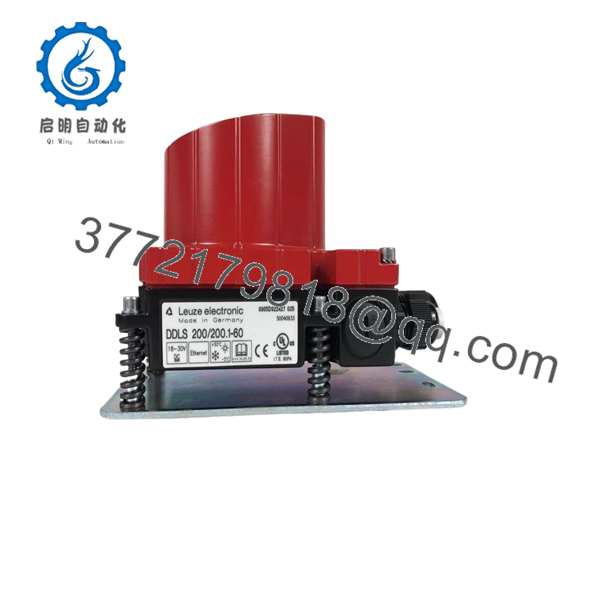
DDLS 200200.1-60
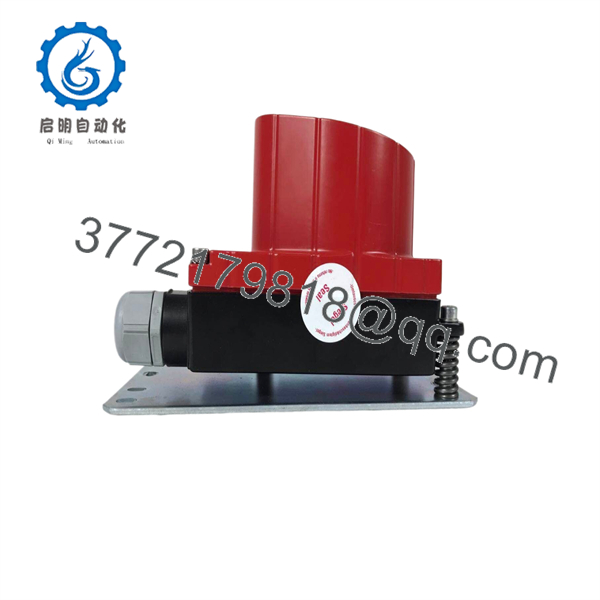
DDLS 200200.1-60
Installation & Configuration Guide
Stage 1: Pre-Installation Preparation — 10 minutes
⚠️ Safety First: Put the machine or material-handling system into its approved maintenance state. Isolate electrical power according to the site’s lockout/tagout procedure before disconnecting the DDLS unit.
Tools Required:
- ESD strap
- Insulated screwdriver set
- Multimeter
- Cable labels
- Smartphone/camera
- OEM installation documentation
- Alignment tools specified for the installation
Data Backup:
- Record the complete DDLS part number.
- Photograph the existing unit and all connectors.
- Record the opposite DDLS unit’s part number.
- Record interface settings and diagnostic LED status.
- Photograph the optical alignment and mounting position.
- Record cable routing and connector orientation.
❗ Do not order a replacement based only on “DDLS 200.” The DDLS 200 family contains multiple optical ranges, interfaces, connector configurations, and suffixes.
Stage 2: Removing the Old Module — 5–10 minutes
- Verify electrical isolation.
- Label every cable before disconnecting it.
- Disconnect the power and data connections using the connector locking mechanism.
- Do not pull directly on the cable.
- Release the mounting hardware.
- Remove the DDLS unit without disturbing the mounting reference unnecessarily.
- Inspect the mounting bracket.
- Check the optical window for dirt, scratches, or physical damage.
- Inspect connectors for corrosion or bent contacts.
⚠️ Do not disturb the alignment hardware unless necessary. With optical data transmission equipment, a mechanically correct electrical replacement can still fail communication if the optical axes are no longer aligned.
Stage 3: Installing the New Module — 10 minutes
- Verify the complete model: DDLS 200200.1-60.
- Confirm that the replacement has the same interface and connector arrangement.
- Install the unit in the original mounting position.
- Reconnect the power and data cables.
- Secure all connectors.
- Check the optical path between the two DDLS units.
- Remove protective packaging from the optical window.
- Confirm that nothing obstructs the infrared transmission path.
- Tighten the mounting hardware without changing the established alignment.
Self-Checklist:
- Exact suffix verified
- Interface verified
- Connector type verified
- Power wiring correct
- Data wiring correct
- Optical path clear
- Mounting secure
- Opposite DDLS unit identified
Stage 4: Power-On & Testing — 10–15 minutes
- Perform a final wiring inspection.
- Restore power according to the machine procedure.
- Observe the DDLS status LEDs.
- Check the optical link between both units.
- Verify that the connected PLC or fieldbus master detects the remote equipment.
- Check communication diagnostics.
- Test the machine while stationary.
- Move the machine through its normal travel range at reduced speed.
- Monitor communication during movement.
- Confirm that no intermittent communication errors occur at the ends of travel.
⚠️ If communication works while stationary but drops during travel, suspect alignment before replacing the electronics. Check mechanical alignment, vibration, mounting rigidity, optical-window contamination, and the opposite DDLS unit.
Technical Pitfalls — What Usually Causes Rework
1. ❗ Wrong Interface Variant
The DDLS 200 family covers several communication interfaces. A replacement with the wrong interface can look physically similar but will not provide the required fieldbus connection. Leuze identifies PROFIBUS, Interbus, CAN/DeviceNet, RS422, and RS485 variants within the family.
2. ❗ Optical Misalignment
This is the first thing I would check when a replacement works on the bench but fails during machine movement. The two optical heads must maintain their specified alignment throughout travel.
3. Contaminated Optical Window
Dust, oil mist, condensation, or mechanical damage at the optical window can reduce the communication margin. Clean the optical surface according to the manufacturer’s procedure rather than using an abrasive material.
4. Wrong Suffix
The difference between DDLS 200200.1-60 and related versions such as DDLS 200200.1-60-M12 is not cosmetic. Connector and electrical configuration can differ. Public product listings explicitly distinguish M12 versions within the DDLS 200 family.
5. Cable or Termination Problem
If the optical units show normal status but the PLC reports communication errors, check the fieldbus cable, termination, address configuration, and upstream communication device before condemning the DDLS.
Frequently Asked Questions (FAQ)
What is the Leuze DDLS 200200.1-60 used for?
It is used for contactless optical data transmission between moving and stationary machine sections. Typical applications include automated storage equipment, gantry systems, transfer cars, and other material-handling machinery.
What transmission distance does the DDLS 200200.1-60 support?
The 200 designation indicates the 200 m class within the DDLS 200 family. The family itself contains variants with different operating ranges, so do not apply the 200 m figure to every DDLS 200 product.
What communication protocols can DDLS 200 support?
Depending on the exact variant, the DDLS 200 family supports interfaces for PROFIBUS, Interbus, CAN/DeviceNet, RS422, and RS485. The exact protocol for DDLS 200200.1-60 must be confirmed from the complete ordering information or nameplate.
Can I replace DDLS 200200.1-60 with a DDLS 200200.1-60-M12?
Do not assume direct interchangeability. The M12 suffix identifies a different connection configuration in available product listings. Compare connector type, pinout, power supply, interface, and mounting requirements before substitution.
Does the DDLS require alignment after replacement?
Yes, alignment should be treated as a commissioning requirement. The optical link depends on the two devices maintaining a suitable line of sight. If the mounting bracket is disturbed, verify the optical link across the complete machine travel rather than checking communication at only one position.
Is the DDLS 200 series still available?
The DDLS 200 family has been established in industrial applications for many years, and specialist inventory sources continue to list multiple variants. However, availability and lifecycle status differ by exact ordering code.
What condition should I specify when purchasing?
Specify New Original / New Surplus, Factory Sealed, or Tested Used/Refurbished explicitly. For a replacement DDLS unit, request a photograph of the actual nameplate and connector side. This is particularly important because the DDLS 200 family contains numerous closely related variants.



