
 WhatsApp: +86 16626708626
 Email:
  Phone: +86 16626708626
Description
3. Key Technical Specifications
| Parameter | Specification Value |
| Manufacturer | Metso Automation (Valmet / Max Controls) |
| Part Number | D200137 |
| Module Type | Analog Input (AI) Processing Card |
| Input Channels | 16 Differential Channels |
| Input Signal Range | 4-20 mA, 1-5 V DC (Configurable per channel) |
| Analog-to-Digital Resolution | 16-Bit Architecture |
| Common Mode Rejection | > 100 dB at 50/60 Hz |
| Bus Power Consumption | 24 V DC ± 10%, 250 mA Nominal |
| Isolation Rating | 1500 V AC Channel-to-Bus |
| Operating Temperature | 0 to +60 °C (32 to 140 °F) |
| Humidity Limits | 5% to 95% Non-Condensing |
| Mounting Format | Rack / Subrack Chassis Installation |
4. Product Introduction & Supply Chain Strategy
The Metso D200137 is a high-density analog input module engineered for the MAX 1000 and MAX DNA distributed control systems. It converts field instrumentation signals—such as pressure transmitters, flow meters, and RTD converters—into calibrated digital data for real-time process monitoring across power generation, paper manufacturing, and heavy industrial facilities.
Sourcing the D200137 as New Surplus provides a capital-efficient buffer against sudden OEM obsolescence. Buying factory-fresh original surplus guarantees full 10-to-15-year component reliability, bypassing the risk of thermal stress and degraded electrolytic capacitors common in third-party refurbished components. Maintaining 1–2 verified spare units on-site safeguards your process against unscheduled outages that cost tens of thousands of dollars per hour.
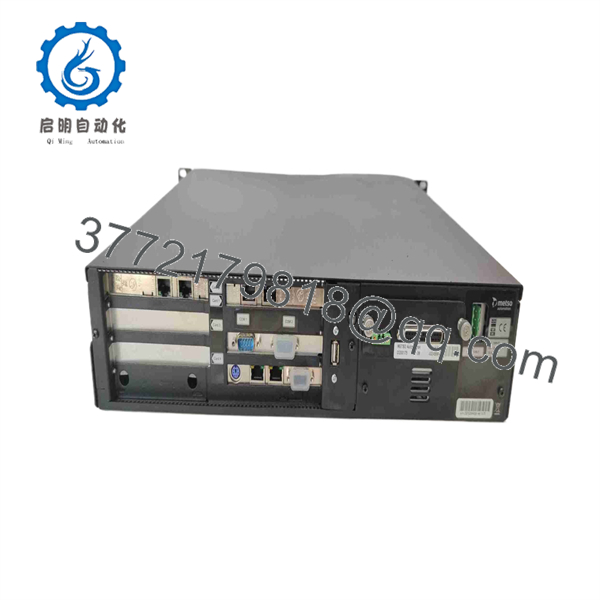
D200137
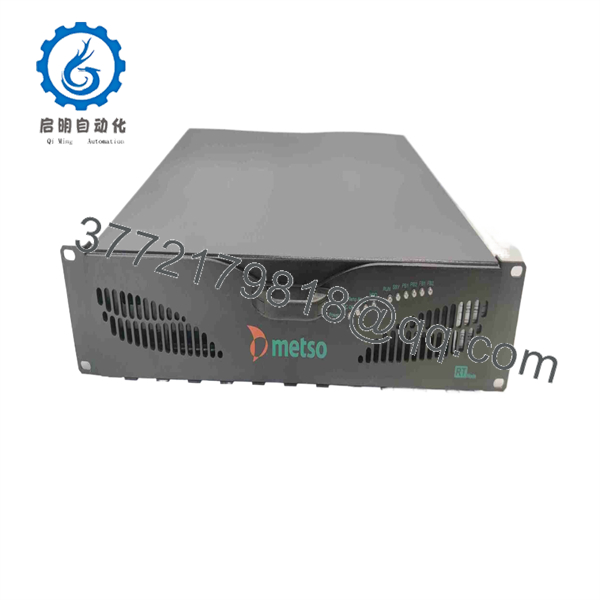
D200137
5. Installation & Configuration Guide
Stage 1: Pre-Installation (Prep & Safety)
- Enforce strict Lock-Out/Tag-Out (LOTO) protocols on the targeted rack power supply.
- Put on an ESD wrist strap connected to a verified earth ground point.
- Record all terminal block wiring layouts and take a high-resolution photo of the existing module’s DIP switch address settings.
Stage 2: Removal
- Unfasten the retaining screws securing the wiring arm and carefully swing it away from the card face.
- Release the upper and lower chassis ejector levers simultaneously.
- Pull the module straight out along its card guides to prevent bending the rear backplane connector pins.
Stage 3: Installation (Clone & Seat)
- Match the DIP switch configurations on the new D200137 to mirror the pulled module exactly.
- Align the module card edges with the subrack guides and slide it smoothly inward until the rear pins align.
- Press firmly on the ejector levers to lock the card flush against the backplane, then tighten all mounting screws.
Stage 4: Power-On & Testing
- Reattach the terminal block wiring harness and secure all retaining hardware.
- Restore power to the rack chassis; observe the module front panel status LEDs.
- Verify that the power LED glows steady green and the channel fault indicators remain clear before placing the loop back into active control.
6. Firmware/Software Versions & Upgrade Notes
- Baseline Compatibility: Requires MAX DNA / MAX 1000 System Software Revision 4.2 or higher for native hardware handshaking.
- Revision Matching: Ensure firmware revision levels match existing rack pairs when deploying this card into a redundant processing architecture.
- Firmware Swap Risks: Do not flash or alter module firmware during a live hardware swap. Firmware mismatches between the rack controller and input card can cause bus communication drops, resulting in lost analog input telemetry across the entire subrack.
7. Frequently Asked Questions (FAQ)
Is the Metso D200137 unit genuinely new and unissued?
Yes. Every unit we supply is guaranteed New Surplus / Original New stock from OEM excess inventory. These cards have never seen active duty in a plant cabinet, feature clean backplane pin surfaces, and remain in original anti-static packaging.
Why buy New Surplus instead of a cheaper refurbished module?
Refurbished modules often hide internal component aging, thermal stress, and micro-cracks under cleaned plastic covers. A single failed channel on a bargain refurbished card can trip an entire boiler or production line, costing significantly more in downtime than any initial procurement savings.
What is the lifecycle status of the D200137?
The Metso is a legacy, mature-lifecycle component. Because OEM production lines no longer prioritize these assemblies, strategic holding of New Surplus units is critical to maintaining system health without committing to a costly, full-scale DCS migration.
Can I hot-swap the while the rack is powered?
Hot-swapping is not recommended for this module generation. Removing the card under live load risks arcing across the backplane edge connectors and triggering transient voltage spikes that can trip neighboring I/O cards. Always isolate power to the local rack section before replacement.
What warranty coverage comes with this module?
We back this New Surplus Metso with a full 1-year replacement warranty. Every module passes strict electrical and functional bench tests prior to dispatch, delivering genuine OEM reliability at a lower Total Cost of Ownership (TCO).



