
 WhatsApp: +86 16626708626
 Email:
  Phone: +86 16626708626
Description
3. Key Technical Specifications
- Model: D201139L
- Manufacturer: Metso Automation (now Valmet)
- Type: Controller / Option / Interface module (related to IBC and motion control series)
- System Compatibility: Metso / Valmet automation and DCS platforms
- Related Family: D20113x series (including nearby modules such as D201138L)
- Typical Application: Process control, I/O interfacing, or motion-related functions in industrial systems
- Form Factor: Standard industrial module
Note: Exact function (controller, power, or option card), channel count, and electrical ratings should be verified against the physical module label or original system documentation, as public detailed datasheets are limited.
4. Product Introduction
The Metso / Valmet D201139L is an industrial automation module from the D20113x family used in process control and automation systems. It serves as a controller, interface, or option card within Metso and Valmet installations.
These modules are typically found in legacy DCS and automation architectures. Maintenance teams replace the D201139L when the original module fails or when restoring system functionality. Available units are primarily New Surplus, refurbished, or tested used stock.
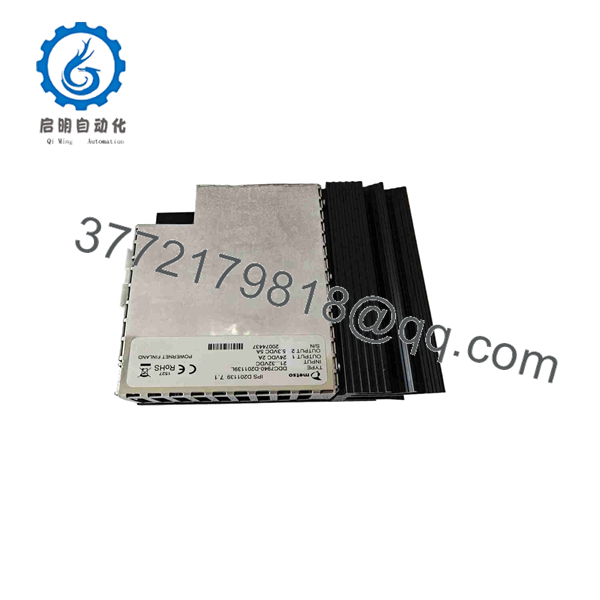
D201139L
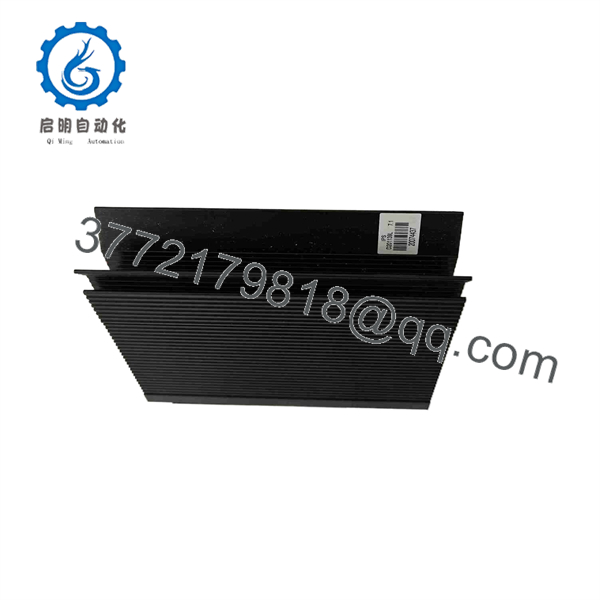
D201139L
5. Troubleshooting Quick Reference
| Symptom | Possible Cause | Relevance to this Part | Quick Check Method | Recommendation |
|---|---|---|---|---|
| System does not recognize module | Seating, power, or configuration issue | ✅ High | Reseat module and check power/status LEDs | Confirm slot and configuration |
| No communication with I/O or controller | Interface or backplane fault | ✅ High | Check backplane connections and related modules | Verify system diagnostics |
| Erratic operation | Hardware degradation or noise | ✅ Medium | Monitor status indicators and error logs | Inspect wiring and grounding |
| Module fails to power up | Supply voltage or internal fault | ✅ High | Measure supply voltage at the module | Replace if power is present but module is dead |
| Overheating | Overload or poor ventilation | ✅ Low | Check operating temperature | Ensure adequate cabinet cooling |
If the issue persists, record the exact part number and revision from the label, any diagnostic codes, and the system configuration before contacting support.
6. Frequently Asked Questions (FAQ)
Q: What systems use the D201139L?
A: It is designed for Metso Automation and Valmet control systems, part of the broader D20113x module family.
Q: How does it relate to D201138L or other nearby numbers?
A: The D20113x series includes several related controller and I/O modules (such as D201138L listed as an IBC controller). Exact functional differences depend on the specific suffix and revision.
Q: Is the D201139L still in production?
A: It is a legacy module. Current availability is primarily through New Surplus, refurbished, or residual stock channels.
Q: Can I substitute a different module from the same series?
A: Only if the replacement is confirmed form-fit-function compatible with the specific system. Incorrect substitution can cause configuration or operational issues.
Q: Why is pricing lower than a current Valmet module?
A: This is a discontinued or low-volume legacy module sold as New Surplus or tested used stock. Pricing reflects remaining inventory rather than current production cost. All units are functionally verified before shipment. Standard warranty is typically 12 months or as stated by the seller.
Q: What should I check before ordering a replacement?
A: Confirm the complete part number (including the “L” suffix) and revision on the existing module, note the system it is installed in, and verify compatibility requirements.



