
 WhatsApp: +86 16626708626
 Email:
  Phone: +86 16626708626
Description
Key Technical Specifications
| Parameter | Specification / Value |
| Manufacturer | Mitsubishi Electric |
| Part Number | AK-BX556M |
| Product Series | MELSEC Control System Series |
| Cable Length | 5.5 m (18 ft) |
| Connector Type | Dual high-density shielded backplane connectors |
| Application | Connects main base unit to expansion base units |
| Shielding | Full metallic braid and foil EMI shielding |
| Operating Temperature | 0 to +55 °C (+32 to +131 °F) |
| Bending Radius | Fixed installation: minimum 55 mm radius |
| Weight | Approx. 0.85 kg (1.87 lbs) |
Product Introduction & Supply Chain Strategy
The Mitsubishi AK-BX556M is a precision-engineered industrial extension cable designed to link main PLC base units to secondary expansion bases within Mitsubishi MELSEC control architecture. Extending up to 5.5 meters, this heavy-duty shielded cable transfers high-speed backplane communication signals without data corruption or signal attenuation across multi-cabinet industrial enclosures.
Sourcing this cable as New Surplus provides plant managers and panel builders with an optimal balance of immediate availability and budget efficiency. Industrial cables are often vulnerable to physical wear, crushing, or cable shield breakdown in harsh factory environments. Keeping a factory-fresh, unused AK-BX556M in safety stock eliminates long lead times during cabinet upgrades or emergency repairs, preventing extended production downtime and ensuring a low Total Cost of Ownership (TCO).
Installation & Configuration Guide
1.Pre-Installation & Safety Preparation:Disconnect control power before connecting backplane cables.
- Turn off and lock out the main power supplies to all connected PLC main and expansion base racks.
- Inspect the extension cable connectors and base unit expansion ports for bent pins, debris, or dust.
- Ensure the cable path maintains a minimum bending radius of 55 mm to prevent conductor fatigue.
2.Cable Routing & Mechanical Installation:
- Route the cable through dedicated low-voltage wiring ducting, keeping it separated from high-voltage motor or drive cabling to avoid noise interference.
- Align the connector keying on the AK-BX556M cable with the expansion port on the main PLC base unit.
- Push the connector straight into the port until it locks, then tighten the securing screws hand-tight.
3.Expansion Base Connection:
- Connect the opposite end of the AK-BX556M cable to the input port of the target expansion base unit.
- Secure the retaining screws firmly on both ends to maintain proper connector grounding and shielding.
- Verify that the total length of all series-connected expansion cables stays within the maximum allowable system bus limit.
4.Power-On & Communication Verification:
- Reapply power to the main and expansion base units simultaneously.
- Check the CPU status LEDs (RUN vs. ERR) to ensure the expansion base is recognized without bus error codes.
- Confirm I/O point mapping across all connected expansion racks via the programming software diagnostics window.
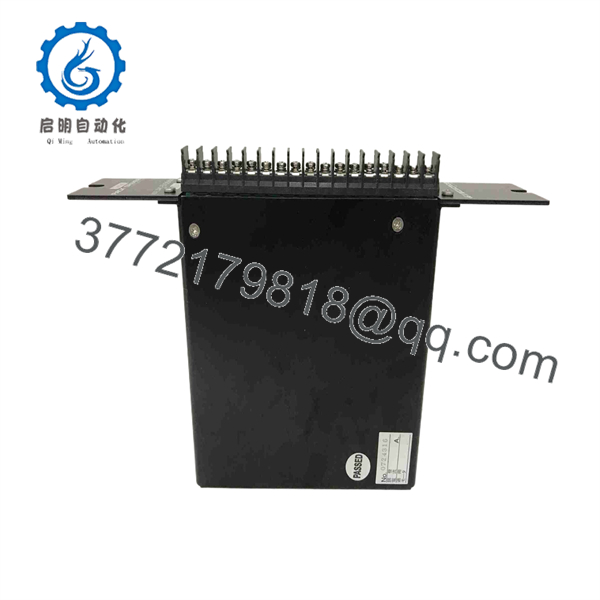
AK-BX556M
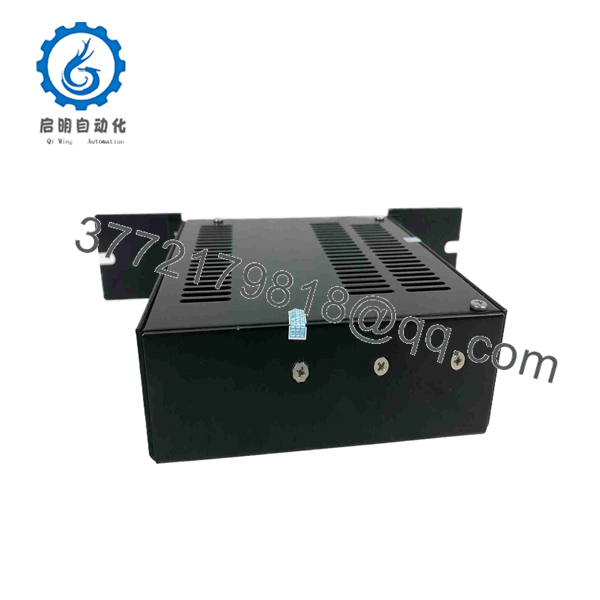
AK-BX556M
Firmware/Software Versions & Upgrade Notes
- System Length Limitations: Mitsubishi MELSEC systems impose strict maximum overall extension cable length limits (typically 13.2 m total across all connected extension cables in a system). Ensure the 5.5 m length of the AK-BX556M combined with other installed cables does not exceed the controller’s total allowable bus distance.
- Bus Termination: Certain expansion base models require dedicated end-of-bus termination connectors or internal DIP switch settings. Verify expansion rack configuration settings in your system manual before applying power.
- Cable Integrity: Never force or twist the connector body during insertion, as bent backplane connector pins can cause permanent bus communication faults across the entire PLC system.
Frequently Asked Questions (FAQ)
Is this Mitsubishi AK- cable genuine OEM and unused?
Yes, this cable is New Surplus (Original New). It is an authentic, factory-original Mitsubishi product sourced from project overstock and strategic spare inventories. It has never been deployed in an active production facility.
Why buy New Surplus cables instead of low-cost third-party or used cables?
Third-party or used expansion cables often feature inferior shielding, worn connector latches, or intermittent conductor breaks caused by prior flex stress. In a high-speed PLC backplane, a noisy or loose extension cable can cause intermittent CPU bus faults that shut down an entire production line. Buying New Surplus guarantees factory-grade noise immunity and mechanical reliability.
Can I connect multiple AK- cables together in series?
No. You cannot directly couple cables together. Each cable must connect directly between base unit expansion ports. Always ensure the sum of all individual cable lengths in the expansion chain remains within the maximum specified limit for your specific CPU family.
Can I plug or unplug this cable while the PLC is running?
No. Disconnecting an expansion cable while the system is powered will disrupt the PLC backplane bus, causing an immediate CPU trip (BASE W/O IN / BUS ERROR) and potentially corrupting running program logic. Always de-energize the PLC rack before servicing backplane cables.



