
 WhatsApp: +86 16626708626
 Email:
  Phone: +86 16626708626
Description
- Key Technical Specifications
| Parameter | Specification |
| Part Number | SST-PB3-CLX-RLL (1120160028) |
| System Compatibility | Allen-Bradley 1756 ControlLogix Chassis (Fits single slot) |
| Network Protocol | PROFIBUS DP-V0 & DP-V1 (Master Class 1 & 2, Slave) |
| Physical Interface | 1x DB9 Female Connector (RS-485 PROFIBUS Port) |
| Baud Rates | 9.6 kbps to 12 Mbps (Auto-baud support) |
| Backplane Current Draw | 850 mA @ 5 V DC, 1.7 mA @ 24 V DC |
| Configuration Software | Console Configuration Software / SST PROFIBUS Configuration Utility |
| Supported Slaves | Up to 125 PROFIBUS DP Slave nodes |
| Diagnostics | Onboard 4-character alphanumeric LED display & status LEDs |
| Isolation | 500 V galvanic isolation between PROFIBUS network and backplane |
| Operating Temperature | 0°C to +60°C (32°F to 140°F) |
- Product Introduction
The Molex SST-PB3-CLX-RLL (Brad Communications) is an in-chassis PROFIBUS DP communication scanner card engineered to fit directly into an Allen-Bradley 1756 ControlLogix chassis. It acts as a high-speed communication gateway, allowing ControlLogix PACs (Programmable Automation Controllers) to seamlessly read from and write to field instrumentation, variable frequency drives (VFDs), motor control centers (MCCs), and remote I/O devices operating on a PROFIBUS DP network.
Designed with support for PROFIBUS DP-V0 and DP-V1 protocols at baud rates up to 12 Mbps, the SST-PB3-CLX-RLL eliminates the need for external stand-alone protocol converters. Automation engineers specify the “-RLL” variant for streamlined ladder logic integration in Studio 5000 / RSLogix 5000 projects, where high-density I/O scanning, robust diagnostics, and fast backplane data throughput are critical for process automation and plant upgrades.
- Troubleshooting Quick Reference
| Symptom | Possible Cause | Relevance to this Part | Quick Check Method | Recommendation |
| Front LED display shows “ERR” or “NO CFG” | Module lacks a valid PROFIBUS configuration file or flash memory is unconfigured | ✅ High | Check 4-character LED readout on the front panel; connect via USB/Serial configuration port | Load valid .gsd network configuration file using the SST PROFIBUS Configuration software and download to module memory. |
| PROFIBUS Red LED ON (Bus Fault) | Cable wiring short, loose DB9 plug, missing termination resistors, or node address mismatch | ✅ High | Measure RS-485 line resistance between A and B lines (should read ~220 Ω with power OFF, ~110 Ω with active terminations) | Verify termination switches are set to ON at both physical endpoints of the PROFIBUS segment. Check that slave node addresses match configuration. |
| Backplane I/O communication fault in Studio 5000 | Electronic keying mismatch or incorrect slot configuration in Controller Tags | ❌ Low | Inspect I/O tree status in Studio 5000 for module connection fault code (e.g., 16#0108) | Ensure Module Profile in Studio 5000 matches exact slot placement, firmware revision, and requested packet interval (RPI). |
| Module display blank / Unresponsive | Backplane power failure or slot pin connector contamination | ✅ High | Re-seat module in chassis slot; verify 5V backplane power LED on chassis power supply | Verify ControlLogix chassis power rail outputs. If chassis power is healthy but card remains unpowered, internal power regulation circuit is damaged. |
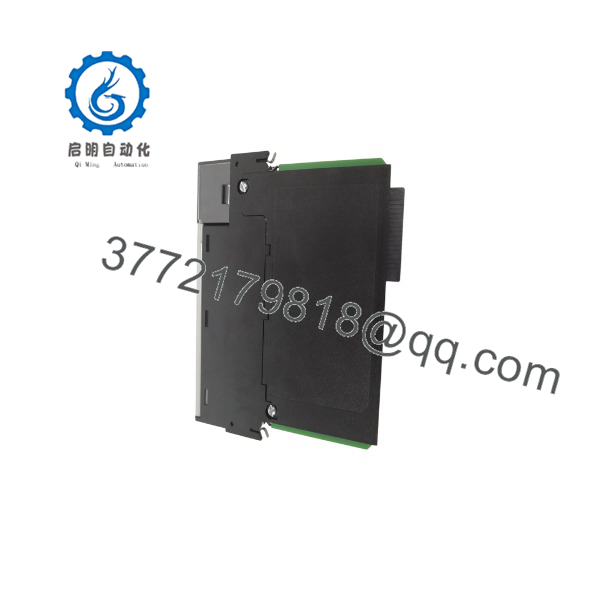
SST-PB3-CLX-RLL
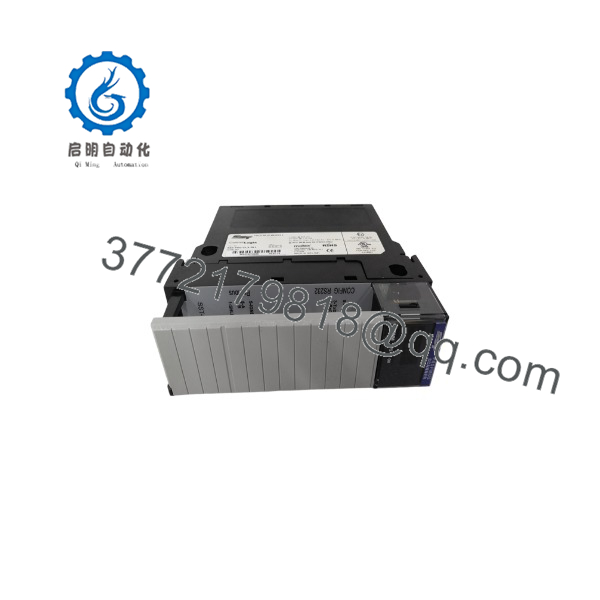
SST-PB3-CLX-RLL
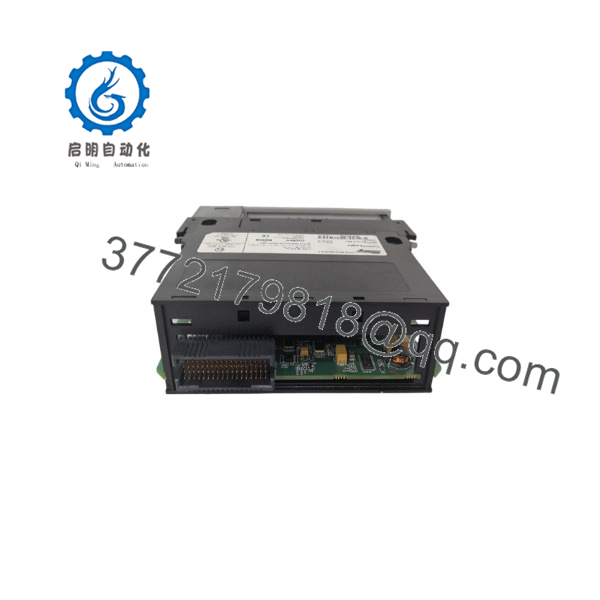
SST-PB3-CLX-RLL
- Frequently Asked Questions (FAQ)
Q: What is the main difference between the SST-PB3-CLX and the SST-PB3-CLX-RLL?
A: The “RLL” version (Remote/Ladder Logic optimized) features enhanced firmware and software tools that streamline configuration and diagnostics directly through ControlLogix ladder logic routine blocks and Studio 5000 Add-On Instructions (AOIs), improving diagnostic tag accessibility compared to legacy modules.
Q: Do I need an external power supply to power the PROFIBUS port?
A: No. The SST-PB3-CLX-RLL draws all required operating power directly from the 1756 ControlLogix chassis backplane.
Q: How many PROFIBUS DP slave devices can a single SST-PB3-CLX-RLL card scan?
A: A single module operating as a PROFIBUS DP Master can support up to 125 DP slave devices across the network, provided standard repeater limits and segment length guidelines are respected.
Q: Can this module operate as a PROFIBUS Slave while simultaneously acting as a Master?
A: Yes. The card supports multi-role operations, allowing it to act as a Master to field sensors while simultaneously presenting itself as a Slave node to a secondary supervisory PROFIBUS Master system.
Q: How are surplus or refurbished Molex modules tested before shipping?
A: Each unit undergoes a rigorous SOP inspection process: backplane edge contacts are cleaned, the module is seated in an active 1756-A7 ControlLogix rack with an L7x controller, a test PROFIBUS configuration with DP slave nodes is downloaded, communication throughput is verified at 12 Mbps, and a full power-cycle diagnostic test is completed prior to anti-static packaging.



