
 WhatsApp: +86 16626708626
 Email:
  Phone: +86 16626708626
Description
Key Technical Specifications
- Model: MVME162-223
- Manufacturer: Motorola
- Assembly/Option Code: 01-W3866B-49B
- Product Type: VME single-board computer
- Platform: VMEbus embedded controller
- Form Factor: Double-height VME board
- Application: Industrial control and legacy automation systems
- Compatibility: Verify backplane, firmware, and board revision before installation
- Condition: New Surplus
- Availability: Limited stock, subject to prior sale
- Replacement Status: Obsolete/legacy part
Product Introduction
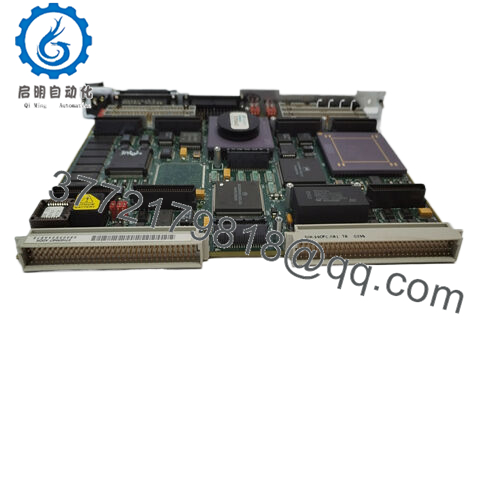
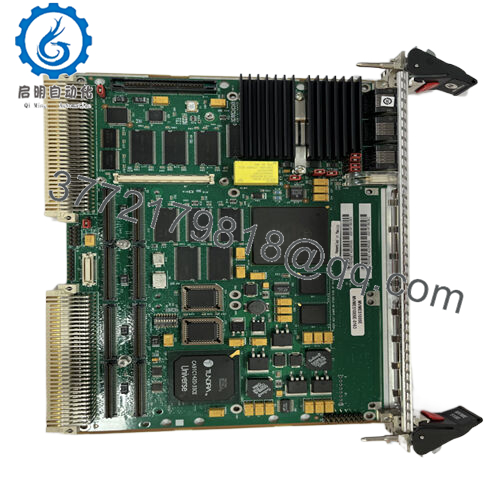
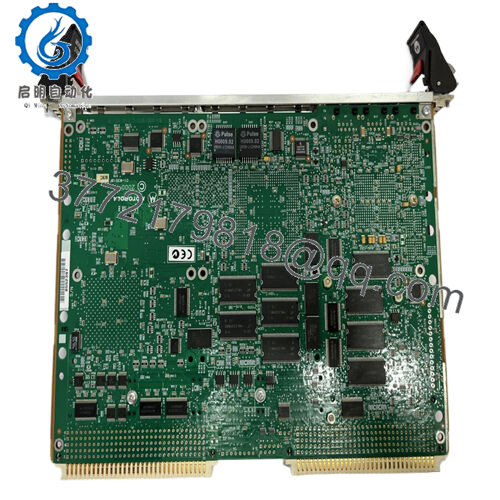
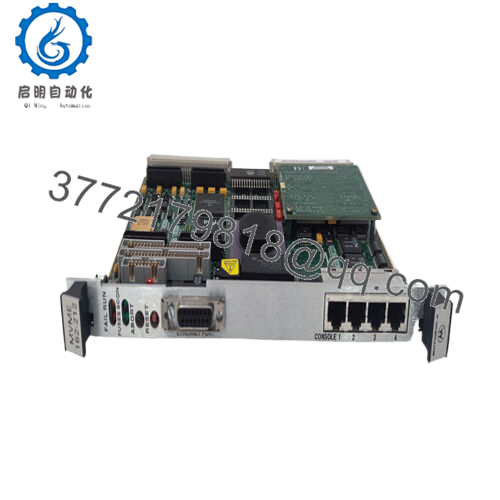
Motorola MVME162-223 01-W3866B-49B is a legacy VMEbus embedded controller used in industrial automation racks and older system-integrator platforms. It is usually sourced as a direct replacement for installed-base equipment where exact model matching matters.
The main buying criteria are board revision, backplane compatibility, and software support for the existing system. Verify the suffix code, rack slot requirements, and any firmware or battery-state concerns before you commit to replacement.

- MVME162-223 01-W3866B-49B
Troubleshooting Quick Reference
| Symptom | Possible Cause | Relevance to This Part | Quick Check Method | Recommendation |
|---|---|---|---|---|
| No boot or no LEDs on power-up | Backplane power issue, failed board, or bad seating | ✅ High | Measure rack rails at the backplane and reseat the board | Check power and slot health first |
| Board not seen by host system | Addressing issue, configuration mismatch, or bus fault | ✅ High | Verify jumpers, switch settings, and host diagnostics | Match the original configuration exactly |
| Boot stops or hangs | Firmware corruption, battery issue, or memory fault | ✅ High | Check console output and inspect battery condition | Review firmware and battery state before replacement |
| Random resets | Power instability or overheating | ✅ High | Measure supply rails under load and check airflow | Verify rack power and cooling |
| Communication loss with I/O | Driver mismatch or serial/network configuration issue | ✅ Medium | Compare software settings with the removed board | Confirm system software compatibility |
| Works in one slot but not another | Backplane slot or address map problem | ✅ High | Move to a known-good slot and retest | Inspect the backplane before blaming the card |
| Intermittent faults after handling | ESD or poor edge contact | ✅ Medium | Inspect the connector edge and retest in a controlled setup | Use ESD control and clean contacts |
If you’re stuck, send photos of the board, jumpers, slot, and any console or diagnostic logs.
Frequently Asked Questions
Q: Is this a direct replacement for my current MVME162 board?
A: It can be, but only if the exact board revision, suffix code, and backplane setup match. Legacy Motorola VME parts are not something I’d swap on part number alone.
Q: Can I hot-swap this module?
A: No. Power the rack down first unless your system documentation specifically allows live insertion. On a board this age, hot-swapping is a bad bet.
Q: What does the 01-W3866B-49B suffix mean?
A: It identifies a specific board build or option configuration. That suffix matters for compatibility, so verify it against the removed unit before ordering.
Q: Will my existing firmware or configuration carry over?
A: Not automatically. Capture the current jumper settings, boot parameters, and any stored configuration before pulling the old board.
Q: Why is this priced below factory-new hardware?
A: Because it is typically sold as new surplus or legacy stock, not current production. The lower price reflects availability and lifecycle status, not lower identity.
Q: What condition is this unit in?
A: New Surplus. That usually means unused inventory, but storage history and packaging condition should still be confirmed.
Q: What should I verify before I buy it?
A: Confirm the full part number, board revision, rack family, power requirements, and any software dependencies. That avoids most replacement surprises.



