WhatsApp: +86 16626708626
 Email:
 Phone: +86 16626708626
Description
Key Technical Specifications
| Parameter | Value |
| Microprocessor | PowerPC G4 (MPC7457) with AltiVec vector engine at 1.26 GHz |
| Level 1 Cache | 32 KB instruction cache / 32 KB data cache |
| Level 2 Cache | 512KB on-chip L2 cache |
| System Memory (DDR) | 1GB on-board ECC DDR SDRAM running at 333 MHz |
| Flash Memory | 32MB onboard boot flash memory |
| VMEbus Interface | Tundra Universe II PCI-to-VME bridge, A32/D32/BLT64 |
| Ethernet Interface | Dual 10/100/1000 Mb/s (Gigabit) Ethernet ports |
| Mezzanine Expansion | Two IEEE P1386.1 compliant 32/64-bit PMC-X / XMC slots |
| Serial Ports | Two asynchronous serial ports (16550 compatible) |
| Non-Volatile Storage | 8K x 8 NVRAM with time-of-day clock and battery backup |
| Operating Temperature | 0 to +55°C (Standard industrial ambient) |
| Power Requirements | +3.3V, +5V, +12V, −12V DC backplane supply |
Product Introduction & Supply Chain Strategy
The Motorola MVME6100 is an ultra-high-performance 32-bit VMEbus single-board computer driven by a 1.26 GHz PowerPC G4 (MPC7457) processor and 1GB of ECC DDR SDRAM. It features dual Gigabit Ethernet channels, high-speed PCI-X expansion, and PMC-X/XMC mezzanine slots, providing exceptional data throughput for mission-critical applications in defense, aerospace, and heavy industrial automation. System architects select this module to execute intensive data processing workloads while keeping legacy VME chassis infrastructure intact.
Procuring this component as a Brand New Surplus unit completely neutralizes the hidden risks associated with secondary-market hardware. Because the MVME6100 is long discontinued by the OEM, open-market alternatives often include heat-stressed boards, degraded solder joints, or unlogged operational hours. Deploying certified New Surplus inventory guarantees OEM-level longevity, prevents catastrophic production downtime, and protects plant capital efficiency by keeping Total Cost of Ownership (TCO) under strict control.
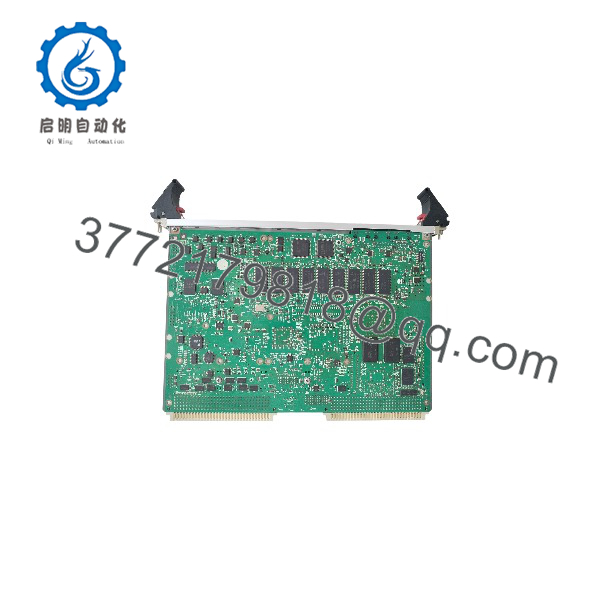
MVME6100
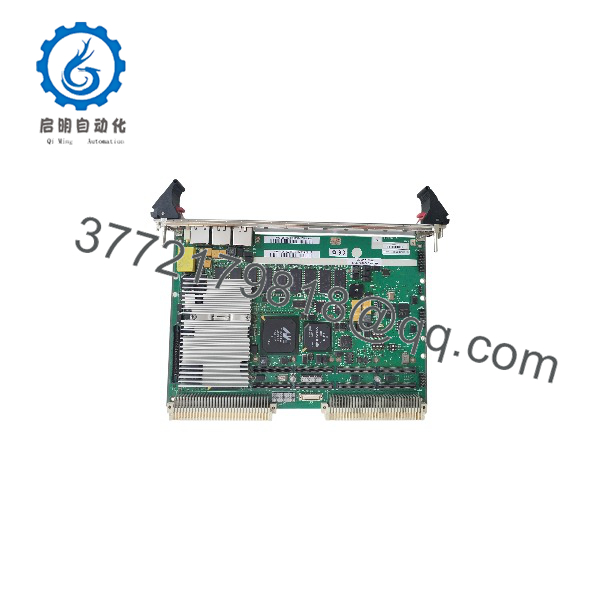
MVME6100
Installation & Configuration Guide
Stage 1: Pre-Installation (Prep & Safety)
- Execute plant Lock-Out/Tag-Out (LOTO) protocols for the targeted VME rack.
- Put on an ESD-safe grounded wrist strap before touching any electronic components.
- Document all existing front-panel cable attachments and record current onboard switch and jumper configurations.
Stage 2: Removal
- Unlatch the top and bottom front-panel injector/ejector handles to disengage the module from the VME backplane P1/P2 connectors.
- Slide the card smoothly out of the chassis guide slots, ensuring no impact to adjacent circuit boards or backplane pins.
Stage 3: Installation (Clone & Seat)
- Replicate all jumper settings and switch positions exactly from your pre-installation documentation onto the new MVME6100 module.
- Align the board edges with the top and bottom card rails of the target slot.
- Push the module evenly into the rack until the connectors seat firmly, then close the ejector handles to lock the board in place.
Stage 4: Power-On & Testing
- Re-energize the rack and observe the front-panel status LEDs during the boot sequence.
- Access the onboard debug monitor via the front serial port to run basic hardware diagnostics and verify memory integrity.
- Load the operational system image, check network handshakes, and confirm successful communication across the VMEbus backplane.
Firmware/Software Versions & Upgrade Notes
- Recommended Firmware: Pre-loaded boot monitor firmware matching your system’s software baseline and Board Support Package (BSP).
- Compatibility Warnings: Verify that your software image supports the 1.26 GHz processor frequency and DDR memory controller. Upgrading operating system kernels without matching BSP revisions can cause bus timeouts, network driver failures, or kernel panics.
- Upgrade Risk Advisory: Avoid performing firmware updates during active production cycles. Always flash and validate software updates on a bench-test rack prior to live deployment.
Frequently Asked Questions (FAQ)
Why is this unit priced higher than refurbished alternatives found online?
Our pricing reflects the exact cost of sourcing genuine New Surplus inventory from verified global channels. While refurbished options look attractive initially, they introduce high risk. Our inventory guarantees zero operational wear, original anti-static packaging, and complete operational peace of mind.
Is this unit an original factory-sealed part?
Yes. This product is a Brand New Surplus unit. It has never been deployed in an active plant, never pulled from a decommissioned system, and never repaired. It arrives in original manufacturing condition with clean, un-worn backplane pins.
What is the obsolescence status of the MVME6100?
This module is officially obsolete and out of production. Because active factory channels are closed, holding 1-2 new units on-site as buffer stock is critical to avoid lengthy downtime when legacy hardware fails.
Can I hot-swap this VME processor module?
No. VMEbus architecture and physical pin connections do not permit safe live insertion or extraction. You must power down the entire VME chassis before servicing or replacing this module.
Will my application binaries and configurations be retained?
The board ships with standard diagnostic monitor firmware. User programs, operating system images, and network configurations must be loaded post-installation. Non-volatile parameters are stored in the on-board NVRAM.
What warranty terms apply to this New Surplus module?
This unit includes a comprehensive 1-year replacement warranty, validating our commitment to uncompromised industrial reliability and supply-chain transparency.