
 WhatsApp: +86 16626708626
 Email:
  Phone: +86 16626708626
Description
3. Key Technical Specifications
| Parameter | Value |
|---|---|
| Processor | PowerPC 604e (commonly 200 MHz configurations) |
| Memory | On-board DRAM (e.g., 16 MB EDO) + expansion options; L2 cache support |
| Expansion | Two PMC (PCI Mezzanine Card) slots |
| Bus Interface | VME |
| Networking | Ethernet interface |
| Operating System Support | Major real-time OS including VxWorks, pSOS, LynxOS, and others |
| Form Factor | Standard VME single-board computer |
| Typical Configurations | Variants with different CPU speeds, memory, and cache options |
| Status | Discontinued / Legacy |
4. Product Introduction & Supply Chain Strategy
The Motorola / Force Computers PowerCore-6604E is a PowerPC 604e-based VME single-board computer designed for embedded real-time and industrial control applications. It offers processing performance suitable for demanding tasks, on-board memory, Ethernet connectivity, and two PMC slots for I/O expansion.
These boards were widely deployed in industrial automation, telecommunications, defense, and other VME-based systems. Because the platform is mature and no longer in active production, genuine New Surplus units remain valuable for maintaining existing installations. Securing new, unused boards helps avoid the reliability risks of aged or refurbished modules and supports lower total cost of ownership by reducing unplanned downtime.
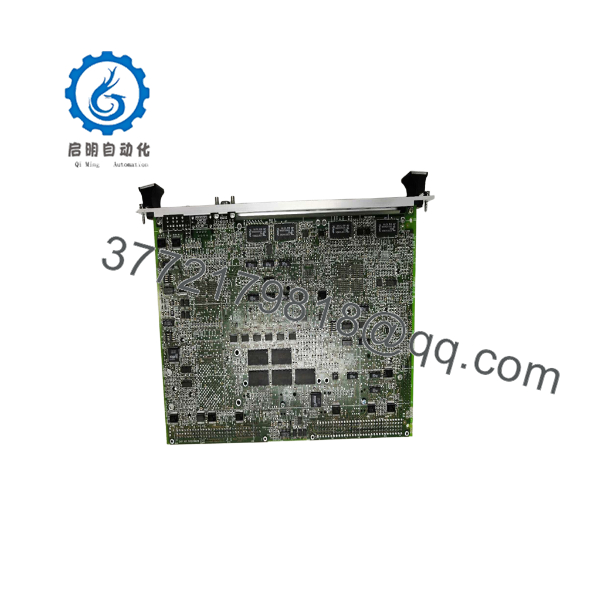
POWER CORE 6604E
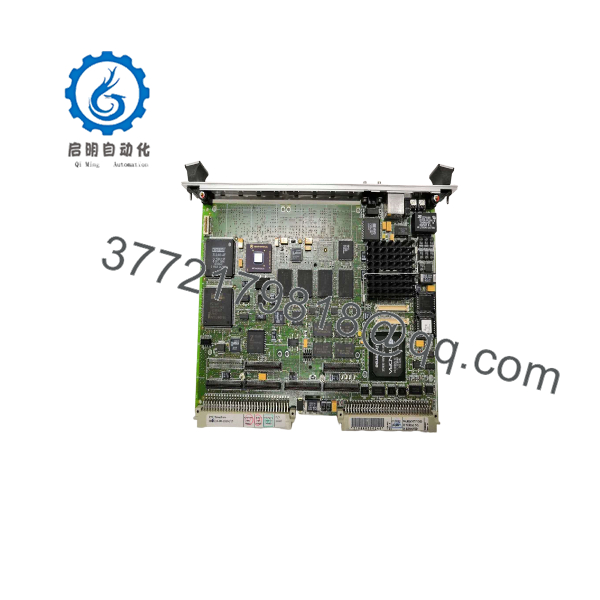
POWER CORE 6604E
5. Installation & Configuration Guide
Stage 1: Pre-Installation (Prep & Safety)
Power down and lock out the VME chassis. Wear a grounded ESD wrist strap. Record the existing board’s configuration, memory map, PMC modules, and any jumper or switch settings. Photograph the installation and cabling.
Stage 2: Removal
Release the board extractors and carefully slide the existing PowerCore-6604E out of the VME slot. Disconnect any front-panel or P2 transition-module cables.
Stage 3: Installation (Clone & Seat)
Set any required jumpers or configuration options on the new board to match the original. Align the board with the card guides and firmly seat it into the VME backplane. Reinstall any PMC modules and reconnect cables.
Stage 4: Power-On & Testing
Restore chassis power. Verify that the board is recognized by the system and that the boot process completes normally. Confirm memory size, Ethernet functionality, and PMC device operation. Run application-level diagnostics before returning the system to service.
6. Firmware/Software Versions & Upgrade Notes
The PowerCore-6604E typically boots from on-board firmware or flash and runs real-time operating systems such as VxWorks. Always back up the existing boot image, configuration parameters, and application software before replacement.
Confirm that the replacement board’s firmware and hardware revision are compatible with the installed OS and application. After installation, verify boot behavior, memory mapping, and peripheral initialization. Incorrect firmware or mismatched memory configurations can prevent the system from starting or cause instability.
7. Frequently Asked Questions (FAQ)
Is this board new or refurbished?
This is Brand New Surplus / Original New. It has never been installed in a system and is not a repaired or rebuilt unit.
Why is New Surplus preferred for VME SBCs?
Legacy VME boards often operate in critical real-time systems. New Surplus units retain full expected service life and avoid the risks of aged capacitors, connector wear, or undocumented prior use common with refurbished boards.
What processor does the PowerCore-6604E use?
It is based on the PowerPC 604e, commonly configured at 200 MHz in higher-performance variants.
Does it support PMC expansion?
Yes. The board provides two PMC slots for additional I/O, graphics, or specialty functions.
Is the PowerCore-6604E still supported?
The product is discontinued. Support is limited to remaining New Surplus inventory and specialized third-party service providers.
What is the main risk of using a refurbished unit?
Aged components, degraded memory, or worn VME connectors can lead to intermittent failures, boot problems, or complete system crashes in real-time applications.
What warranty is provided?
New Surplus units typically carry a 1 year warranty covering defects in materials and workmanship under normal industrial operating conditions.



