
 WhatsApp: +86 16626708626
 Email:
  Phone: +86 16626708626
Description
Key Technical Specifications
| Parameter | Value / Specification |
| Manufacturer | Moxa |
| Model Code | CP-118U |
| Bus Interface | 32-bit Universal PCI (Compatible with 3.3 V and 5 V PCI/PCI-X slots) |
| Number of Ports | 8 |
| Serial Standards | RS-232, RS-422, RS-485 (2-wire and 4-wire, software selectable) |
| Baud Rate | 50 bps to 921.6 kbps |
| Onboard FIFO | 128 bytes |
| Flow Control | None, RTS/CTS, XON/XOFF (on-chip hardware/software) |
| Onboard Connector | Female DB62 |
| Power Consumption | 240 mA @ 5 V DC (RS-232 mode) / 300 mA @ 5 V DC (RS-422 mode) |
| Operating Temperature | 0°C to 55°C (32°F to 131°F) |
| OS Support | Windows (7/8/10/11, Server), Linux (Kernels 2.4 to 5.x+), QNX, SCO, FreeBSD |
Product Introduction
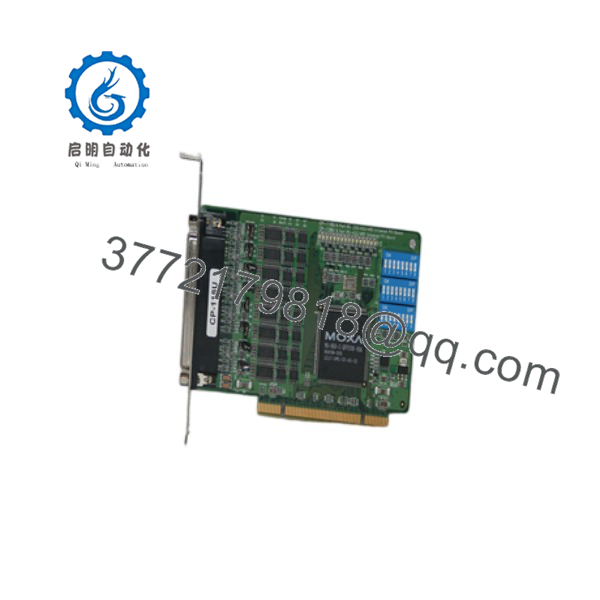
The Moxa CP-118U is a top-tier 8-port Universal PCI serial board built to add reliable high-density serial connectivity to industrial PCs, automation controllers, and embedded systems. Equipped with a DB62 interface, it supports software-configurable RS-232, RS-422, and 2/4-wire RS-485 modes individually across all eight ports without requiring hardware jumper changes.
Designed for data-intensive industrial environments, the CP-118U features a 128-byte onboard FIFO buffer, automatic software/hardware flow control, and a maximum throughput rating exceeding 700 kbps at maximum baud rates. Its Universal PCI architecture guarantees compatibility with legacy 5 V PCI slots as well as modern 3.3 V PCI-X backplanes, making it the industry-standard choice for SCADA systems, POS integration, and factory floor data acquisition.
Troubleshooting Quick Reference
| Symptom | Possible Cause | Relevance to this Part | Quick Check Method | Recommendation |
| Board Not Detected in OS Device Manager | Seating issue in PCI slot or motherboard PCI controller error | 🟡 Medium | Re-seat card into a different Universal PCI/PCI-X slot; clear motherboard CMOS if slot power fails. | Clean gold finger contacts with isopropyl alcohol; replace board if alternative PC slots fail to enumerate it. |
| Port Tx/Rx LEDs Stay Dark During Data Transfer | Incorrect pinout on DB62 breakout cable or port disabled in driver | 🟡 Medium | Check onboard Tx/Rx status LEDs; verify DB62 to DB9/DB25 adapter breakout model (e.g., CBL-M62M9x8). | Match cable model pinouts to target device standard; verify port assignment in Moxa Driver Manager. |
| RS-485 Data Corruption / Framing Errors | Missing terminating resistor or incorrect 2-wire/4-wire driver setting | 🟡 Medium | Measure differential signal impedance across Data+ and Data-; check software mode configuration. | Enable software termination resistance; confirm software port configuration matches field device topology. |
| Communication Timeout / Buffer Overrun | FIFO buffer overflow or mismatched baud rate | ✅ High | Open Moxa Diagnostic Utility; check buffer overrun logs during high-throughput cycles. | Enable hardware RTS/CTS flow control; lower host OS port buffer thresholds in driver parameters. |
Note: If data errors appear only under high electrical noise or ground loop conditions, verify whether your application requires the optically isolated model variant (CP-118U-I). For software setup and pinouts, contact technical support with driver diagnostic logs and device connection diagrams.
CP-118U
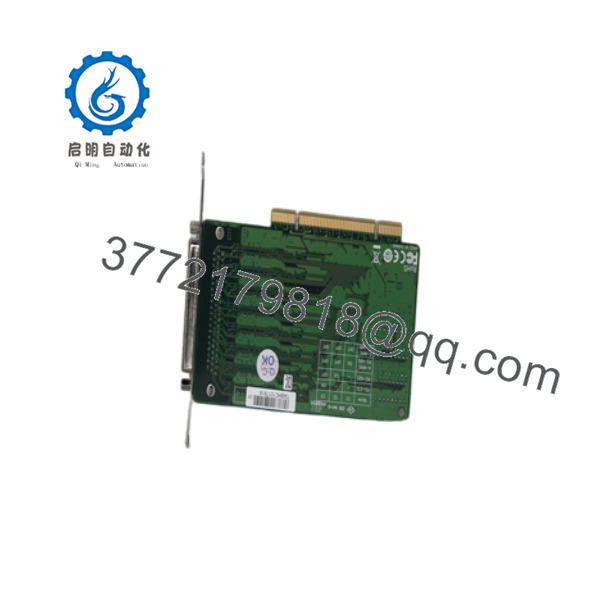
CP-118U
Frequently Asked Questions (FAQ)
Can I install the CP-118U into a standard PCI Express (PCIe) slot?
No. The CP-118U is a Universal PCI (32-bit) card designed for standard PCI and PCI-X slots. It will not physically fit or operate in a PCI Express slot. If your motherboard only has PCI Express slots available, you will need Moxa’s PCIe equivalent model (such as the CP-118EL-A).
Does this board require custom breakout cables to connect to serial devices?
Yes. The card features a single high-density DB62 female port on the bracket to conserve panel space. To connect standard DB9 or DB25 serial devices, you must use a compatible Moxa breakout cable or connection box, such as the CBL-M62M9x8-100 (DB62 to 8 x DB9 male) or the OPT8-M9 terminal box.
How do I switch ports between RS-232, RS-422, and RS-485 protocols?
Protocols are fully software-configurable. You do not need to open the computer casing or move hardware jumpers on the card. Simply open the Moxa Device Manager / PComm Utility in Windows or adjust the driver config tool in Linux to set each of the 8 ports to RS-232, RS-422, or 2/4-wire RS-485 independently.
Why buy New Surplus Moxa hardware over direct factory lead times?
Industrial serial cards frequently face stock delays or extended OEM lead times during supply chain shortages. Buying New Surplus hardware provides immediate access to factory-original, fully functional Moxa cards without production delays. All our surplus units are backed by our comprehensive 1-Year replacement warranty.
What is the most common installation mistake technicians make with the CP-118U?
Using third-party generic breakout cables. Non-Moxa cables often feature completely different internal pin assignments, which will result in dead communication channels or fried signal lines. Always verify that your breakout cable matches Moxa’s CBL-M62 series cable specification before wiring up your field devices.



