WhatsApp: +86 16626708626
 Email:
 Phone: +86 16626708626
Description
Key Technical Specifications
Unless otherwise noted, NI lists performance specifications as typical. Verify application-specific limits against the OEM specifications.
| Parameter | Value |
|---|---|
| Analog Inputs | 4 simultaneously sampled channels |
| ADC Resolution and Type | 24-bit delta-sigma |
| Sampling Rate | 1 kS/s to 204.8 kS/s per channel |
| Input Ranges | ±0.316 V, ±1 V, ±3.16 V, ±10 V, ±31.6 V, ±42.4 V peak |
| Input Configuration | Independently selectable differential or pseudodifferential |
| Input Coupling | Independently selectable AC or DC; AC cutoff: 3.4 Hz at −3 dB |
| IEPE Excitation | Off, 4 mA ±15%, or 10 mA ±15% per channel; 24 V minimum compliance |
| Dynamic Range | 118 dBFS typical at 0 dB gain and sampling rates through 51.2 kS/s; 110 dBFS typical above 102.4 kS/s through 204.8 kS/s |
| Host Bus and Connectors | Conventional PCI, 3.3 V or 5 V signaling environment; BNC female analog inputs; SMB male digital trigger |
| PCI Supply Requirements | +5 V: 1,900 mA; +3.3 V: 2,300 mA; +12 V: 100 mA; −12 V: 40 mA |
| Dimensions and Weight | 175 × 99 mm, excluding connectors; 226.8 g |
| Operating and Calibration Requirements | 0 to 50 °C; 10–90% RH, noncondensing; 15-minute warm-up; 1-year external calibration interval |
All table values come from NI’s PCI/PXI-4461/4462 specifications; PCI-specific values appear where the form factors differ.
❗ Warning: The ±42.4 V input range does not make this a mains-measurement card. NI specifies Measurement Category I and prohibits Category II, III, or IV measurements. Common-mode and BNC shield limits also depend on input configuration.
Product Introduction
The NI PCI-4462 is a four-channel PCI dynamic signal acquisition card for sound, vibration, acoustic testing, and rotating machinery measurements. Its 24-bit converters sample all four analog inputs simultaneously at rates up to 204.8 kS/s per channel.
Software-selectable IEPE excitation, AC/DC coupling, six input ranges, and anti-alias filtering suit microphone and accelerometer measurements. It is an input-only device—not a waveform generator—and requires a compatible conventional PCI host and NI-DAQmx software environment.
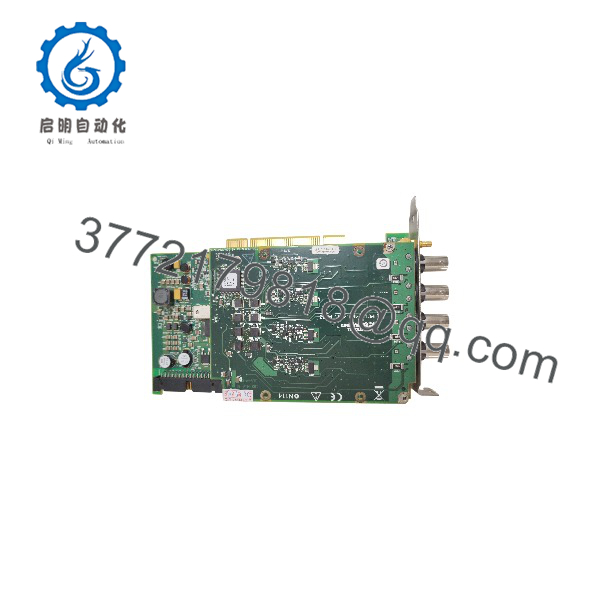
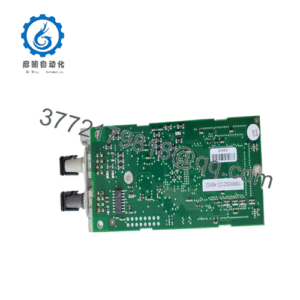
PCI-4462
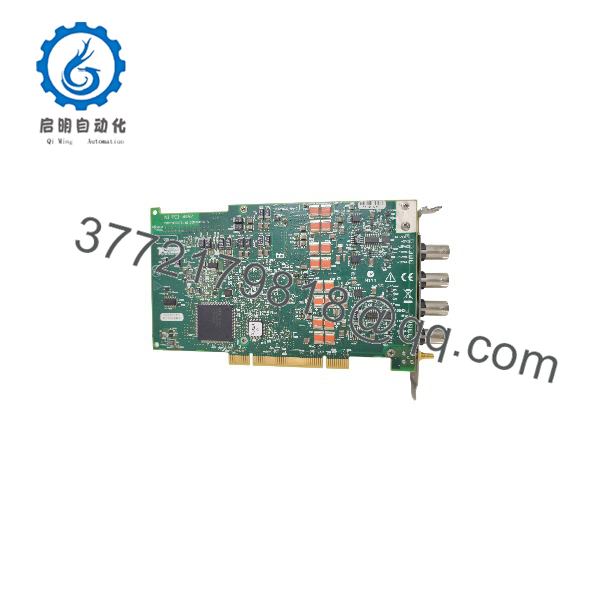
PCI-4462
Troubleshooting Quick Reference
| Symptom | Possible Cause | Relevance to this Part | Quick Check Method | Recommendation |
|---|---|---|---|---|
| Card missing from NI MAX | Unsupported driver/OS combination, poor seating, or PCI host problem | Possible; not proof of card failure | Check OS hardware enumeration and the NI-DAQmx readme for PCI-4462 support; power down before reseating | Establish host and driver compatibility before replacing the card |
| Acquisition runs but signal is flat | Wrong physical channel, disconnected cable, missing IEPE excitation, or sensor fault | Configuration or external signal path first | Disconnect the sensor; apply a known 1 kHz signal below the selected range to the affected BNC input, with IEPE off | Compare all four inputs using the same source and cable |
| Waveform clips or reports overload | Input range too small, excessive signal, or common-mode violation | Directly related to input limits | Read overload status; compare signal peak and each conductor’s voltage to chassis against OEM limits | Correct range and grounding; do not treat ±42.4 V as a universal safe limit |
| Low-frequency vibration reads low | AC coupling attenuates low-frequency content | Expected behavior, not necessarily damage | Check coupling selection; NI specifies a 3.4 Hz AC-coupling −3 dB point | Use DC coupling when appropriate for the sensor and measurement |
| Excessive hum or unstable readings | Cable pickup, grounding error, unsuitable terminal configuration | Often installation-related | Compare a known low-impedance source with the sensor disconnected; inspect cable routing and grounding | Follow NI’s differential/pseudodifferential wiring guidance |
| IEPE sensor produces no useful signal | Excitation off, damaged cable, sensor mismatch, or insufficient compliance margin | Sensor interface requires checking | Verify selected 4 mA or 10 mA excitation, sensor requirements, and DC bias using suitable equipment | Confirm the sensor’s bias and signal swing fit the compliance limits |
| One channel remains abnormal with a known source | Input-stage damage or calibration problem | Higher hardware suspicion after isolation | Repeat identical source, cable, range, and coupling settings across all four channels after warm-up | Request documented channel testing and calibration evaluation |
These checks follow NI’s documented input architecture, overload behavior, coupling, IEPE, grounding, and software requirements; they are not failure-rate claims.
If the problem remains, contact technical support with board-label photos, host details, OS and NI-DAQmx versions, task settings, exact error codes, and captured waveforms.
Frequently Asked Questions (FAQ)
Can I hot-swap the NI PCI-4462?
No—plan a powered-down replacement. Shut down and disconnect the host’s power, disconnect signal cables safely, and use grounded ESD protection before handling the board. Secure the PCI bracket when reinstalling; NI specifically requires the mounting screw for a reliable chassis-ground connection. Do not insert this conventional PCI card into a PCI Express slot.
Can I use it with any accelerometer or microphone?
No. Verify the sensor’s output type, sensitivity, excitation requirement, bias voltage, and maximum signal swing.
The PCI-4462 supplies selectable 4 mA or 10 mA IEPE excitation, or no excitation. A sensor requiring a different interface needs suitable external conditioning. NI specifies that common-mode voltage, sensor bias, and full-scale signal must remain within the stated IEPE compliance envelope. Disable IEPE when connecting a source that must not receive excitation current.
Also distinguish sampling rate from measurement bandwidth. With low-frequency alias rejection enabled, NI specifies an alias-free passband through 0.4fs, not the full sampling rate.
Is the PCI-4462 obsolete, and can you guarantee stock or fast shipping?
The available documentation establishes its specifications, not a particular seller’s inventory or current OEM lifecycle classification. No unit count, dispatch commitment, or lifecycle notice was supplied.
Before issuing a purchase order, request:
- Actual-unit label and connector photos.
- Serial number and hardware revision.
- Confirmed condition and included accessories.
- Stock location and committed dispatch date.
- Functional-test and calibration records.
- Written warranty and return terms.
Do not interpret “legacy PCI” as proof of either discontinuation or limited stock.
Is a PXI-4462 a direct replacement?
Not as a physical replacement. The PCI-4462 installs in a conventional PCI host; the PXI-4462 uses a PXI chassis. Similar acquisition specifications do not make their mechanical interfaces interchangeable.
For a PCI-4462-to-PCI-4462 swap, still verify board identification, host compatibility, driver support, channel mapping, triggers, and synchronization. The PCI version uses RTSI for supported multidevice synchronization; PXI synchronization arrangements differ.
Will replacing the card preserve my program and configuration?
Do not treat this as a PLC CPU containing the machine’s user program. NI documents operation through host-side NI-DAQmx software, acquisition tasks, and application code. Back up that software and configuration before removal.
Record the device alias, physical channel assignments, sensor scaling, coupling, excitation, ranges, sample rate, and trigger settings. Check references after installation rather than assuming the replacement receives the same device name.
For revision compatibility, capture the existing OS, NI-DAQmx, application, and board revision information. No specific firmware revision was supplied, so a firmware-match guarantee would be unsupported. Likewise, do not invent node-address DIP switches or baud-rate jumpers: NI documents the principal acquisition settings as software-selectable.
Is this new surplus or refurbished, and what warranty applies?
Neither condition nor warranty has been established for the offered unit.
Use “New Original / New Surplus” only when records support unused OEM stock. Use “Factory Sealed” only when the original seal remains intact. Use “Refurbished (tested)” only when refurbishment and testing are documented. If a seal was opened for testing, disclose that fact.
A lower price alone proves nothing about authenticity, condition, calibration, or remaining service life. Request the seller’s written coverage period, exclusions, return procedure, and responsibility for freight. Do not assume an older surplus board carries a fresh OEM warranty.
What inspection and test evidence should I request before buying?
Request a serial-number-linked report covering the following sequence. This is a proposed acceptance checklist—not a claim that this specific card has passed testing.
- Inbound inspection and traceability
Review available OEM packing lists, purchase records, and applicable customs documentation. Compare labels and serial numbers across the records and board. Inspect for corrosion, scratches, rework, connector damage, and discoloration. Audit accessories and certificates. Check security markings only where NI actually used them; a label check alone does not authenticate a board. - Live functional testing
Identify the conventional PCI test host, OS, NI-DAQmx version, and calibrated signal source. Record device detection and available self-test results. After the specified 15-minute warm-up, exercise AI0–AI3 using documented signals, ranges, coupling settings, and IEPE-compatible loads. Replace irrelevant network “ping tests” with actual PCI detection and acquisition tests. If purchasing requires a run exceeding 24 hours, obtain duration, acquisition logs, ambient conditions, and acceptance criteria. - Electrical checks
Request appropriate unpowered damage/short checks and confirmation of the intended chassis-ground connection. Do not authorize a generic 500 V megohmmeter or hipot test across signal inputs or PCI contacts. The cited NI specifications do not establish such a field acceptance procedure; require an applicable OEM-approved method before high-voltage testing. - Revision and configuration verification
Record hardware identification, calibration dates, software versions, and any device-reported revision information. Photograph actual jumpers if present; do not assume this model uses field-address switches. Verify BNC center/shield wiring and terminal configuration against the manual. For host power budgeting, check every specified PCI supply rail; any additional design margin must supplement—not replace—the host manufacturer’s limits. - Final QC and packaging
Request inspector sign-off, a dated report, ESD shielding packaging, cushioning, and a rigid shipping box. Ask whether serial-linked test photos and videos are available. Keep functional-test evidence separate from traceable external calibration: NI specifies a one-year external calibration interval.