
 WhatsApp: +86 16626708626
 Email:
  Phone: +86 16626708626
Description
3. Key Technical Specifications
- Module Type: Processor (CPU) card
- System Compatibility: NORIMOS 1000 and NORIMOS 2000
- Architecture: Plug-in PCB for rack system
- Function: Central logic processing and system coordination
- Part Variants: SA371-3G, SA371-3G-SW, SA371-3G-xxxx
- Communication: Proprietary NORIS backplane bus
- Application: Marine engine monitoring and alarm systems
- Mounting: NORIMOS rack slot (dedicated CPU slot)
- Power Supply: Backplane-fed (typically 24 V DC system)
- Weight: ~1 kg class module
- Programming: Factory-configured logic (non-user-programmable in modern PLC sense)
- Operating Environment: Marine-certified installations (engine room panels)

- SA371-3G
4. Product Introduction
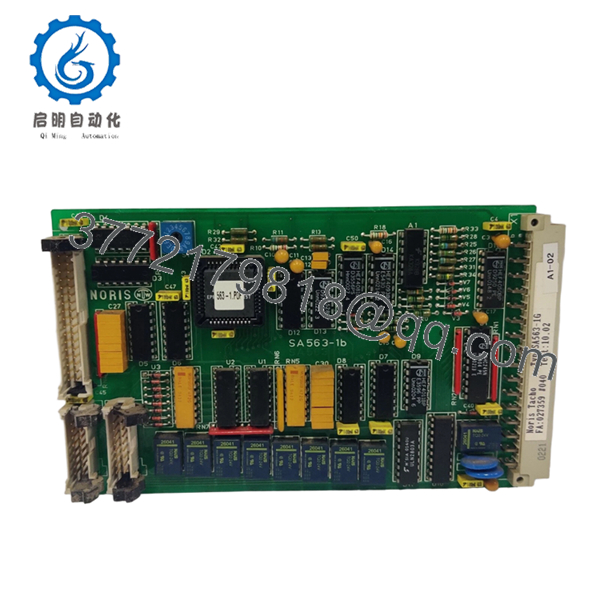
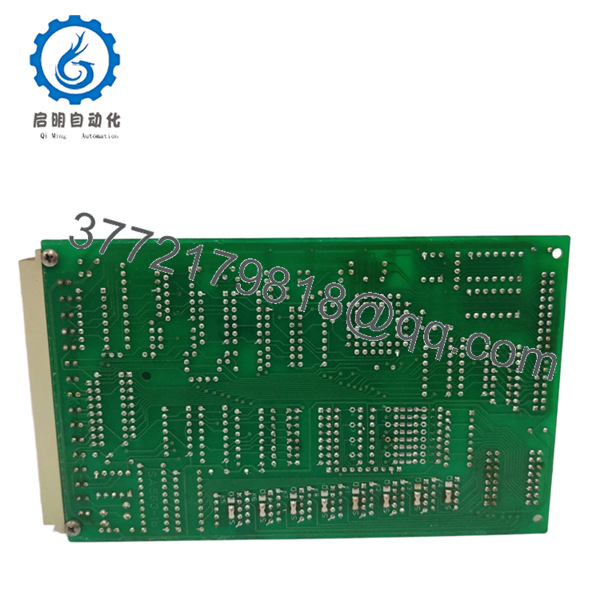
The NORIS SA371-3G is a processor card used as the central control unit in NORIMOS 1000 and 2000 marine monitoring systems. It executes system logic, manages alarm handling, and coordinates communication between I/O modules across the rack.
In practice, this module is critical—if it fails, the entire monitoring system goes blind. Engineers typically source this unit for like-for-like replacement in legacy vessels where a full migration to modern PLC/DCS platforms is not feasible.
5. Installation & Configuration Guide
Stage 1: Pre-Installation Preparation (10–15 min)
- ⚠️ Safety First:
- Inform engine control room
- Shut down monitoring system
- Isolate 24 V DC supply
- Lock out/tag out
- Wait minimum 5 minutes
- Tools Required:
- ESD wrist strap
- PH1 screwdriver
- Multimeter (Fluke 115 recommended)
- Wire labels
- Smartphone (for documentation)
- Data Backup:
- Photograph full rack layout
- Document module slot positions
- Record alarm behavior (this CPU defines logic)
Stage 2: Removing the Old Module (5–10 min)
- Open control cabinet
- Identify CPU slot (usually centrally located in rack)
- Label adjacent modules for reference
- Release locking mechanism
- Pull CPU card straight out
- ⚠️ Note:
Do NOT mix up slots — NORIMOS racks are not forgiving if modules are reinserted incorrectly
Stage 3: Installing the New Module (10 min)
- Wear ESD protection
- Confirm exact model (SA371-3G vs variants)
- Insert module firmly into rack
- Ensure full seating into backplane
- Secure locking tabs
- Self-Checklist:
- Correct slot used
- Module fully seated
- No bent pins
Stage 4: Power-On & Testing (15–20 min)
- Pre-Power Check:
- Measure 24 V DC rail stability
- Power-On Steps:
- Energize system
- Observe system startup behavior
- Verify alarm panel initialization
- Confirm communication with I/O cards
- ⚠️ Troubleshooting Note:
- No system response → CPU not recognized (check seating)
- Partial alarms → mismatch with I/O modules
- Random faults → suspect aging capacitors or rack issues
6. Frequently Asked Questions (FAQ)
Q1: Can I hot-swap the SA371-3G CPU card?
No. This is not a modern hot-swappable architecture. Pulling it live can corrupt the system or damage the backplane.
Q2: Is this module obsolete?
Yes. Fully obsolete. You’re dealing with secondary market inventory only—either new surplus or salvaged units from decommissioned vessels.
Q3: Is there a direct replacement?
No direct drop-in. If this fails and no spare is available, you’re looking at a full retrofit to a modern control system (ABB, Siemens, or similar). That’s a project, not a repair.
Q4: Does this CPU store program logic?
Yes—but not in the PLC sense. The logic is embedded and system-specific. You don’t “download” programs like Siemens Step7. Replacement must match system configuration exactly.
Q5: Why do prices vary so much?
Supply chain reality. These units typically range from ~1,200 to 1,700 depending on condition and availability.
A tested unit with fast shipping is always priced higher.
Q6: What’s the most common failure mode?
Aging electronics—primarily capacitors and thermal stress. I’ve seen units pass power-up but fail after 2–3 hours under load.
Q7: Should I keep a spare onboard?
Absolutely. If your vessel still runs NORIMOS, not having a spare CPU is a risk. Lead time isn’t predictable, and downtime offshore is expensive.



