
 WhatsApp: +86 16626708626
 Email:
  Phone: +86 16626708626
Description
Key Technical Specifications
| Parameter | Value |
|---|---|
| Manufacturer | Okuma |
| Model | ER-JG-7200D |
| Part Number | 1005-8014 |
| Product Type | Absolute encoder |
| Encoder Family | ER-JG series |
| Version | V1.3 documented on current aftermarket listings |
| Application | Okuma CNC machine position feedback |
| Feedback Type | Absolute position feedback |
| MPN | 10058014 |
| Country of Origin | Japan |
| Condition Availability | New surplus / used / refurbished, depending on supplier |
| Compatibility | Verify against the existing encoder and CNC system before replacement |
Current parts listings consistently identify ER-JG-7200D with Okuma part number 1005-8014. V1.3 units are specifically listed by multiple suppliers.
Important specification limitation: I did not find a reliable OEM datasheet in the available sources that establishes the encoder’s exact resolution, supply voltage, output protocol, connector pinout, shaft dimensions, or allowable operating temperature. Those values should not be inferred from similarly named Okuma encoder families.
Product Introduction
The Okuma ER-JG-7200D 1005-8014 is an absolute encoder used as a position-feedback component in Okuma CNC equipment. Current industrial-part listings identify it specifically as an Okuma absolute encoder, with V1.3 versions available in the aftermarket.
This is a replacement-oriented component rather than a generic encoder where electrical interchangeability can be assumed. Before installation, match the complete part number, version, connector arrangement, mechanical mounting, and existing machine configuration. A visually similar ER-series encoder should not be treated as a direct substitute without documentation.
Installation & Configuration Guide
Stage 1: Pre-Installation Preparation — Approximately 10 Minutes
⚠️ Safety First: Place the CNC machine in a safe state, stop automatic operation, and follow the machine builder’s lockout/tagout procedure before accessing the encoder.
Tools Required:
- ESD wrist strap
- Appropriate screwdrivers
- Digital multimeter
- Connector/wire labels
- Smartphone or camera
- Machine electrical drawings and CNC maintenance documentation
Before removal:
- Record the complete encoder label, including ER-JG-7200D, 1005-8014, and version information.
- Photograph the connector and cable routing.
- Photograph the mechanical mounting position.
- Record any machine-side parameters associated with the encoder.
- Keep the old encoder until the replacement has passed functional testing.
Stage 2: Removing the Old Encoder — Approximately 5–10 Minutes
- Confirm that the machine is fully stopped and isolated according to the applicable maintenance procedure.
- Access the encoder without disturbing adjacent mechanical components.
- Photograph the existing installation before disconnecting anything.
- Label the encoder connector and cable.
- Disconnect the connector using the manufacturer’s specified release method.
- Remove the mechanical retaining hardware.
- Carefully remove the encoder without forcing the shaft or coupling.
⚠️ Do not rotate, hammer, pry, or mechanically force the encoder shaft. The exact coupling and mounting arrangement must be verified from the machine documentation.
Stage 3: Installing the New Encoder — Approximately 10 Minutes
- Verify the complete part number: ER-JG-7200D / 1005-8014.
- Compare the replacement encoder with the removed unit.
- Confirm version/revision information where applicable.
- Check connector orientation and cable routing.
- Install the encoder using the original mounting hardware.
- Do not force the shaft coupling into alignment.
- Maintain the original mechanical alignment and coupling position.
- Reconnect the encoder cable.
- Secure the cable so that it cannot contact moving machine components.
Self-Checklist:
- Model matches
- 1005-8014 part number matches
- Version/revision checked
- Connector matches
- Mechanical mounting matches
- Shaft/coupling alignment verified
- Cable routing secured
Stage 4: Power-On & Testing — Approximately 10–20 Minutes
- Perform a visual inspection before restoring power.
- Restore machine power according to the Okuma machine maintenance procedure.
- Check the CNC system for encoder or position-feedback alarms.
- Verify that the control recognizes the feedback device.
- Check the displayed position against the expected machine position.
- Perform a controlled axis movement at low speed.
- Verify position feedback during movement.
- Run the machine’s applicable reference/zero-return procedure if required.
- Confirm that no encoder-related alarm returns.
⚠️ Do not invent encoder parameters from another ER-series model. If the CNC requires encoder-related parameter entry, use the machine-specific Okuma documentation or the recorded parameters from the original installation.
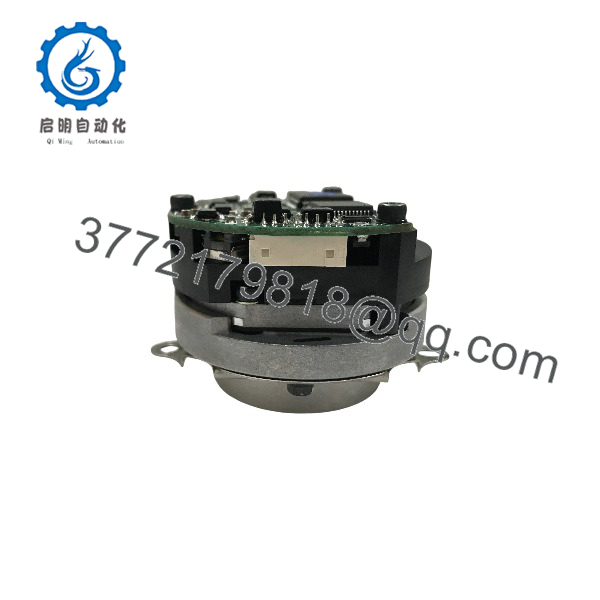
ER-JG-7200D 1005-8014
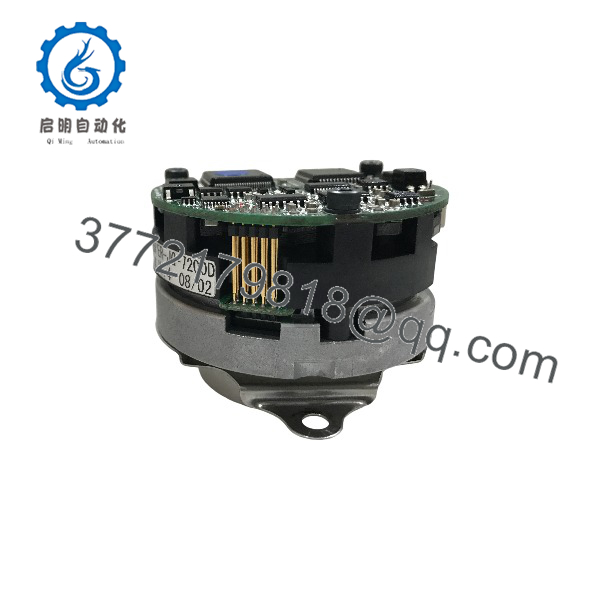
ER-JG-7200D 1005-8014
Frequently Asked Questions (FAQ)
Q: What is the Okuma ER-JG-7200D 1005-8014?
It is an Okuma absolute encoder identified by model ER-JG-7200D and part number 1005-8014. It is used as a position-feedback component in CNC equipment.
Q: Is 1005-8014 the same part as ER-JG-7200D?
Available industrial-part listings associate 1005-8014 directly with ER-JG-7200D. Some databases display the MPN as 10058014 without the hyphens.
Q: Is V1.3 interchangeable with every ER-JG-7200D?
Do not assume that. V1.3 is a documented version of the ER-JG-7200D, but the available sources do not establish universal interchangeability across every revision. Match the version and machine documentation before replacement.
Q: Is this encoder still available?
Yes. Current aftermarket suppliers list ER-JG-7200D / 1005-8014 units, including used, refurbished, surplus, and V1.3 examples. Availability and condition vary by supplier.
Q: Can I replace the ER-JG-7200D with another Okuma ER-series encoder?
Not without verification. Other ER-series models have different part numbers—for example, current listings identify ER-JH-7200D as 1005-8017. Similar naming does not establish electrical or mechanical compatibility.
Q: Does replacing the encoder require CNC parameter changes?
It may, depending on the specific Okuma machine and control configuration. The available sources do not provide a machine-specific parameter procedure for ER-JG-7200D. Record the existing configuration before removal and follow the machine’s Okuma maintenance documentation.
Q: What should I verify when buying a replacement?
At minimum, verify ER-JG-7200D, 1005-8014, version/revision, physical connector arrangement, mechanical mounting, and the actual condition of the unit. This matters because current listings include used, refurbished, and surplus examples under the same basic model/part number.



