
 WhatsApp: +86 16626708626
 Email:
  Phone: +86 16626708626
Description
Key Technical Specifications
| Parameter | Value |
| Manufacturer | Omron Automation |
| Part Number | E5CD-RX2ADM-802 |
| Dimensions / Form Factor | 1/16 DIN (48 × 48 mm), Front panel cutout |
| Power Supply Voltage | 100 to 240 V AC, 50/60 Hz |
| Operating Voltage Range | 85% to 110% of rated voltage |
| Power Consumption | 6.5 VA maximum at 100 to 240 V AC |
| Sensor Inputs (Universal) | Thermocouple (K, J, T, E, L, U, N, R, S, B, C/W, PL II), Pt100/JPt100, Analog 4–20 mA / 0–10 V |
| Control Output 1 | SPST-NO Relay (250 V AC, 3 A resistive load) |
| Auxiliary Outputs | 2 Independent SPST-NO Relays (250 V AC, 3 A resistive load) |
| Communications | RS-485 (Modbus-RTU / CompoWay/F protocols) |
| Terminal Connection | Screw Terminal Blocks (Draw-out structure) |
| Enclosure Rating | IP66 (Front panel) / IP20 (Rear terminals) |
Product Introduction & Supply Chain Strategy
The Omron E5CD-RX2ADM-802 is an advanced 1/16 DIN (48 x 48 mm) digital temperature controller designed for high-precision thermal processes in packaging machinery, plastic extrusion lines, and industrial ovens. Equipped with adaptive control algorithms, dual 11-segment PV/SV LCD displays, universal sensor inputs, and integrated RS-485 communications, it dynamically compensates for process fluctuations without requiring manual PID re-tuning.
Holding this controller as New Surplus provides a reliable insurance policy against unexpected control loop failures. Because recycled or refurbished temperature controllers frequently suffer from worn relay contacts and thermal drift on internal components, procuring genuine factory-sealed modules ensures OEM-level switching cycles and zero signal degradation. Utilizing a draw-out chassis design, the E5CD-RX2ADM-802 allows quick module replacement without disturbing terminal field wiring, effectively minimizing downtime during emergency maintenance events.
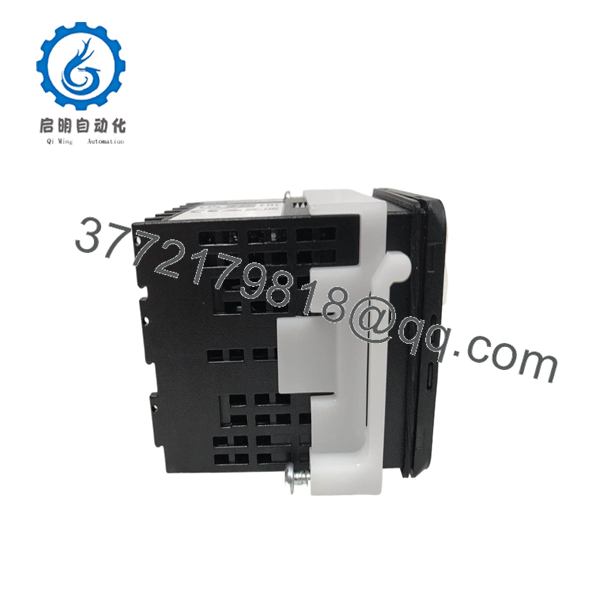
E5CD-RX2ADM-802
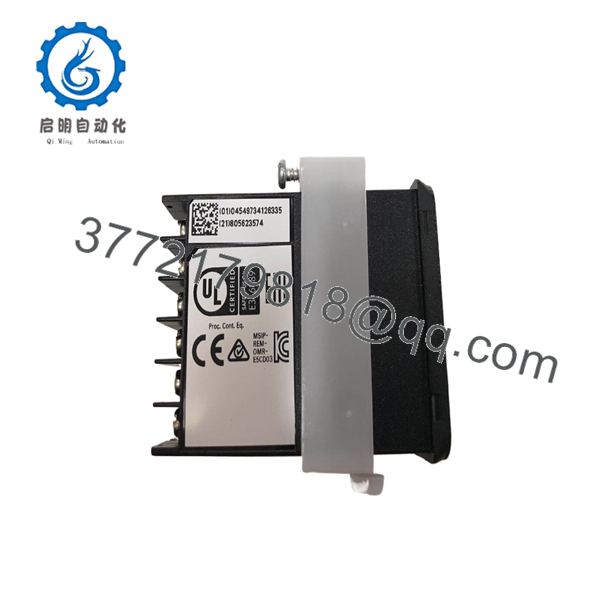
E5CD-RX2ADM-802
Installation & Configuration Guide
1.Stage 1: Pre-Installation (Prep & Safety):Prerequisite & Safety Lockout.
Isolate the main power panel supplying the control cabinet and verify zero voltage on terminals 1 and 2 with a calibrated multimeter. Strap on a grounded ESD wristband. Before disconnecting the old controller, take clear photographs of the rear terminal block layout, sensor polarities, and RS-485 termination resistors.
2.Stage 2: Removal:Mechanical Extraction.
Loosen the side mounting adapter clips securing the controller against the panel cutout. Disconnect the removable screw terminal blocks from the housing rear. Slide the original chassis forward out of the 45 x 45 mm panel cutout.
3.Stage 3: Installation (Clone & Seat):Hardware Mounting.
Inspect the New Surplus E5CD-RX2ADM-802 for unbroken housing seals and clean terminal screws. Insert the controller into the panel cutout, snap the mounting adapter into place from the rear, and tighten until the IP66 front gasket compresses evenly against the panel door. Reattach the wired terminal blocks.
4.Stage 4: Power-On & Testing:Power-On & Parameter Set.
Re-energize the 100–240 V AC supply rail. Confirm the white PV display lights up without error codes (such as “S.ERR” for sensor break). Access the level setting menu to verify sensor input type (e.g., K-type thermocouple vs. Pt100) and RS-485 station address before switching the unit into RUN mode.
Firmware/Software Versions & Upgrade Notes
- CX-Thermo Configuration: Parametric backup and setup operations can be performed using Omron CX-Thermo software (v4.66 or higher) via the front-panel USB-Serial conversion cable (E58-CIFQ2).
- Protocol Selection: Ensure the serial communications setting match the host PLC network parameters. The default protocol is CompoWay/F; switch parameter
PSELtoModif connecting to standard Modbus-RTU networks. - Parameter Migration: When replacing older E5CN or E5CC units with the E5CD series, note that advanced functions like Adaptive Control (
ADPE) and Water-Cooling Output Adjustment require specific parameter map setups to prevent control instability.
Frequently Asked Questions (FAQ)
Q: Is this product a genuine Omron unit or a reconditioned module?
A: This item is a 100% Brand New Surplus Omron original. It has never been installed in a panel, refurbished, or modified with third-party components.
Q: What is the difference between the E5CD-RX2ADM-802 and the standard E5CC series?
A: The series adds advanced status detection and adaptive control functions that automatically adjust PID parameters during active production runs. The “-802” suffix denotes screw terminal blocks with RS-485 serial communication capabilities.
Q: Can I replace the internal unit without re-wiring the entire backplane?
A: Yes. The -RX2ADM-802 features a draw-out structure. You can release the housing side latches and extract the internal electronic assembly while leaving the wired screw terminal block anchored in the panel.
Q: What happens if I connect a 24 V DC power line to this unit?
A: Connecting DC to the will damage the controller, as the “A” in the part number specifies a 100 to 240 V AC operating voltage. Verify supply voltage before energizing.
Q: What warranty is provided with this New Surplus controller?
A: All New Surplus units are covered by a 1-year functional replacement warranty and undergo complete electrical checks prior to dispatch.



