WhatsApp: +86 16626708626
 Email:
 Phone: +86 16626708626
Description
Key Technical Specifications
| Parameter | Specification |
|---|---|
| Manufacturer | Oriental Motor |
| Model number | NETC01-M2 |
| Device category | Network converter |
| Upper-level network | MECHATROLINK-II |
| Lower-level network | Oriental Motor proprietary RS-485 protocol |
| MECHATROLINK-II baud rate | 10 Mbps |
| Supported communication cycles | 0.5, 1.0, 1.5, 2.0, 2.5, 3.0, 3.5, 4.0, and 8.0 ms |
| Station address range | 60h–7Fh |
| Initial station address | 61h |
| Transmission bytes | 17 or 32 bytes, depending on configuration |
| RS-485 transmission rate | 625 kbps |
| RS-485 communication mode | Half-duplex, asynchronous |
| RS-485 frame settings | 8 data bits, 1 stop bit, no parity |
| RS-485 protocol | 10-byte fixed-length binary frames |
| Maximum connected devices | 16 compatible units |
| Power supply | 24 VDC ±10%, 0.2 A |
| Maximum recommended RS-485 cable length | 50 m total, using suitable EIA-485-compliant twisted-pair cable |
| Operating temperature | 0 to +40°C, non-freezing |
| Operating humidity | 85% maximum, non-condensing |
| Maximum operating altitude | 1,000 m |
| Insulation resistance | 100 MΩ minimum at 500 VDC, between FG and power terminals |
| Dielectric strength | 500 VAC, 50/60 Hz, for 1 minute, between FG and power terminals |
Specifications are based on Oriental Motor product information and its network-converter documentation. Verify the exact master configuration and connected-device compatibility before replacing or commissioning a unit.
Product Introduction
The ORIENTAL MOTOR NETC01-M2 is a network converter designed to connect a MECHATROLINK-II master controller with compatible Oriental Motor products that use the manufacturer’s RS-485 communication protocol. It supports communication cycles from 0.5 ms to 8.0 ms and allows up to 16 compatible devices to be connected through the RS-485 interface. This gateway is used in automated equipment where centralized motion commands and multi-axis coordination are required. Confirm the connected drive’s communication support and configuration before installation.
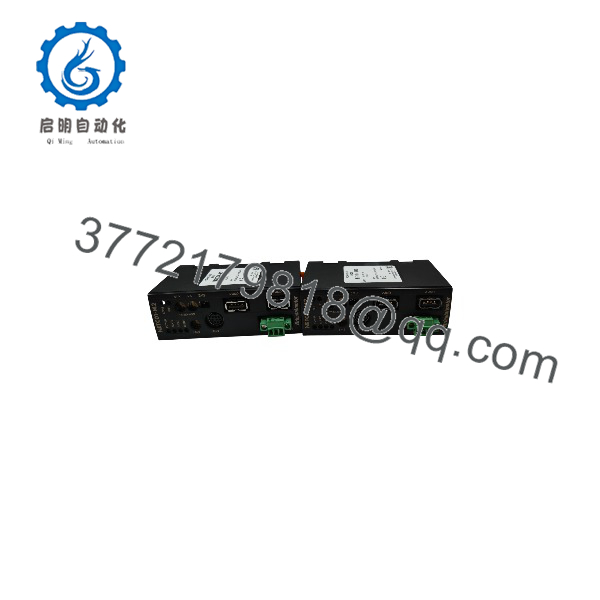
NETC01-M2
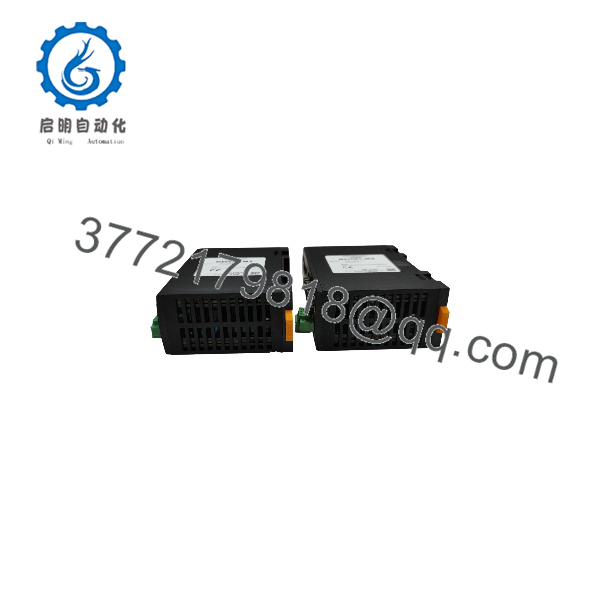
NETC01-M2
Installation & Configuration Guide
Verify system compatibility
- Confirm that the host controller supports MECHATROLINK-II.
- Check that every connected Oriental Motor driver or controller supports the NETC01-M2’s RS-485 protocol.
- Verify the required station address, communication cycle, and transmission-byte configuration against the machine’s existing settings.
Isolate power and prepare the installation
- Shut down the control system and isolate the relevant power sources according to the site’s lockout/tagout procedure.
- Use a 24 VDC supply rated for the converter’s specified input requirements.
- Oriental Motor specifies a DC power supply with reinforced insulation between its primary and secondary sides.
Connect the communication interfaces
- Connect the upper-level MECHATROLINK-II network to the master-controller interface.
- Connect compatible Oriental Motor devices through the RS-485 interface using the specified cable arrangement.
- Keep the total RS-485 communication cable length within the documented 50 m limit.
- If electrical noise from motor or power cables affects communication, follow the manufacturer’s guidance on shielding or ferrite cores.
Configure parameters
- Set the station address and communication settings in accordance with the master-controller configuration.
- Use Oriental Motor’s MEXE02 support software or the OPX-2A control module to configure NETC01-M2 parameters. The manual states that these parameters cannot be set directly from the master station.
- When using MEXE02, the CC05IF-USB communication cable is required to connect a PC to the converter.
Commission and verify
- Restore power only after checking wiring, grounding, and connector seating.
- Verify that the master recognizes the converter and that the connected devices respond to commands.
- Check for communication errors, incorrect station addressing, and intermittent RS-485 faults.
- Record the final configuration and compare it with the machine’s approved commissioning documentation.
Important: These are general integration steps, not a substitute for the NETC01-M2 operating manual. Follow the official manual for connector pinouts, indicator meanings, and detailed fault diagnosis.
Frequently Asked Questions
Q1: What does the ORIENTAL MOTOR NETC01-M2 do?
It converts MECHATROLINK-II communication from an upper-level master controller into Oriental Motor’s proprietary RS-485 communication protocol, enabling compatible devices to be controlled through the network.
Q2: How many devices can one NETC01-M2 connect?
The documented maximum is 16 compatible units. Confirm that the selected drivers and the intended network configuration are supported.
Q3: What is the required power supply?
The specified supply is 24 VDC ±10%, 0.2 A. Use a power supply with reinforced primary-to-secondary insulation, as required by the manufacturer’s manual.
Q4: What are the communication speeds?
The MECHATROLINK-II interface operates at 10 Mbps. The RS-485 interface operates at 625 kbps. These are separate interface rates.
Q5: Can NETC01-M2 parameters be configured through the PLC or master station?
No. According to the manufacturer’s manual, NETC01-M2 parameters must be set using MEXE02 support software or the OPX-2A control module rather than directly from the master station.
Q6: Is the NETC01-M2 discontinued?
Oriental Motor currently lists the model as scheduled for discontinuation. Its published schedule gives September 30, 2027, as the order deadline and March 31, 2028, as the final shipment date. Confirm the current status and regional availability before placing an order.
Q7: What should be checked when replacing a failed NETC01-M2?
Verify the MECHATROLINK-II master compatibility, RS-485-connected device models, station address, communication cycle, frame configuration, and wiring. Do not assume another network converter is a direct replacement simply because it uses a similar connector or supports a related network.