
 WhatsApp: +86 16626708626
 Email:
  Phone: +86 16626708626
Description
Key Technical Specifications
| Parameter | Specification |
|---|---|
| Manufacturer | Parker Hannifin, Compumotor Division |
| Model | CX-DH |
| Product Family | Compumotor C-Series |
| Product Type | Stepper Indexer / Drive |
| Resolution | 5,000 steps/revolution |
| Position Accuracy | ±2 steps typical, unloaded, unidirectional |
| Repeatability | ±1 step typical, unloaded, unidirectional |
| Hysteresis | Less than 1 step |
| Velocity Range | 0.0625–20.0 rev/s |
| Acceleration Range | 0.06–125 rev/s/s |
| Position Range | ±8,388,607 steps from HOME |
| Standby Current | 12–100% of rated motor current, programmable |
| Logic Supply | +9 to +12 VDC, 0.3 A maximum |
| Motor Supply | +12 to +90 VDC, ±10% |
| Mounting | System-specific C-Series installation |
| Lifecycle | Obsolete |
The Parker manual specifies 5,000 steps per revolution, a motor-supply range of +12 to +90 VDC ±10%, and a logic supply of +9 to +12 VDC at 0.3 A maximum.
The same manual gives a programmable standby-current range of 12–100% of rated motor current and a positioning range of ±8,388,607 steps from the HOME position.
Product Introduction
The Parker Compumotor CX-DH is a legacy C-Series stepper indexer/drive that combines motion sequencing and motor-drive functions in one unit. Parker’s archived documentation identifies it specifically as a C-Series Indexer/Drive and provides its electrical and motion-control specifications.
This is not the later Gemini GV6 servo-drive product described by some secondary listings. Parker’s own archive and CX-DH manual identify the unit as a stepper indexer/drive, so replacement decisions should be based on the original Compumotor system architecture and motor requirements.
Installation & Configuration Guide
Stage 1 — Pre-Installation Preparation
Estimated time: 15–30 minutes
- Place the machine in a safe operating state.
- Notify operations and apply the site’s LOTO procedure.
- Isolate the motor and control power supplies.
- Wait at least 5 minutes for stored electrical energy to dissipate.
- Verify the DC supply is discharged with an appropriately rated multimeter.
- Wear an ESD wrist strap when handling the CX-DH.
- Photograph motor wiring, control wiring, switches, and configuration settings.
- Record the motor model and rated current.
- Back up any motion-program or configuration data before removing the drive.
⚠️ Do not substitute a CX-DH solely because the replacement is another Compumotor stepper drive. The motor supply, current rating, control interface, and motion program must match.
Stage 2 — Removing the Existing Module
Estimated time: 10–20 minutes
- Confirm zero voltage on the applicable power circuits.
- Label every motor and control connection.
- Disconnect the motor only after the DC bus has been verified safe.
- Disconnect command and I/O wiring.
- Release the drive from its mounting arrangement.
- Remove the CX-DH without stressing connectors.
- Inspect wiring insulation and terminals for heat damage.
- Keep the original drive until the replacement completes testing.
Stage 3 — Installing the Replacement
Estimated time: 15–30 minutes
- Verify the replacement marking CX-DH.
- Compare the hardware revision with the original unit.
- Confirm the motor’s rated current and voltage requirements.
- Verify the required +12 to +90 VDC motor supply range.
- Install the drive in the original mounting position.
- Reconnect motor phases exactly as documented.
- Restore control wiring and configuration settings.
- Check grounding and cable routing.
- Inspect every connection before applying power.
⚠️ Incorrect stepper-motor phase wiring can cause immediate abnormal current behavior or prevent proper motion. Verify phase identification against the original machine documentation.
Stage 4 — Power-On & Testing
Estimated time: 30–60 minutes
- Verify the motor supply voltage before energizing.
- Power the control section according to the original machine procedure.
- Check for abnormal status indications.
- Confirm the controller can communicate with the CX-DH.
- Verify HOME/reference operation.
- Command a low-speed movement with no production load.
- Check direction, step resolution, acceleration, and current settings.
- Verify the commanded position against actual travel.
- Test the complete motion sequence at reduced speed.
- Return to production only after the machine passes its normal functional checks.
⚠️ Do not begin testing at production speed. First confirm motor phase wiring, current configuration, HOME position, direction, and mechanical travel limits.
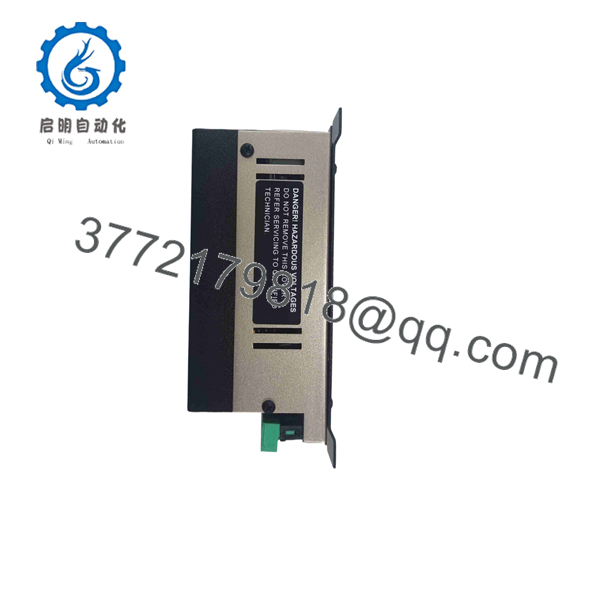
CX-DH
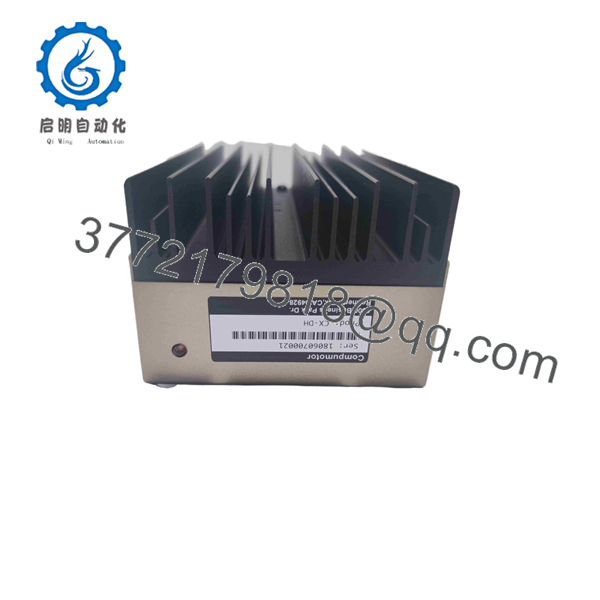
CX-DH
FAQ
1. What is the Parker CX-DH?
The CX-DH is a Parker Compumotor C-Series Indexer/Drive designed for stepper-motor motion control. Parker’s archived product documentation categorizes it as an obsolete C-Series product.
2. Is CX-DH a servo drive?
No. The Parker documentation identifies it as a stepper indexer/drive. Secondary websites sometimes describe it as a servo or digital drive, but those descriptions conflict with Parker’s own archived documentation.
3. What is the motor supply voltage?
The Parker manual specifies +12 to +90 VDC, ±10% for the motor supply. The required voltage and current still depend on the connected stepper motor and machine configuration.
4. What is the CX-DH resolution?
The specified resolution is 5,000 steps per revolution. Parker also specifies typical unloaded, unidirectional accuracy of ±2 steps and repeatability of ±1 step.
5. Is Parker CX-DH obsolete?
Yes. Parker’s official Compumotor obsolete-product archive lists the CX-DH Indexer/Drive under the obsolete C-Series products.
6. Can another Compumotor drive directly replace CX-DH?
Not without engineering verification. Check motor voltage/current, step resolution, command interface, I/O requirements, HOME/reference behavior, mechanical travel, and the existing motion program before selecting a substitute.
7. What should I provide when sourcing a replacement?
Provide a clear photograph of the CX-DH nameplate, revision markings, motor model, motor current rating, control-system model, and all connected wiring. For this obsolete product, those details are more useful than the CX-DH designation alone.



