
 WhatsApp: +86 16626708626
 Email:
  Phone: +86 16626708626
Description
Key Technical Specifications
| Parameter | Specification Value |
| Manufacturer Model No. | PFXHTK4300V / HTK4300V |
| Product Category | Handheld Operator Interface / Teaching Pendant |
| Display Type | Industrial TFT Color LCD |
| Touch Screen Type | Analog Resistive Touch Panel |
| Safety Features | Integrated Red Emergency Stop Switch, 3-Position Enable (Deadman) Switches |
| Communication Interface | Serial / Ethernet Multi-protocol (Cable dependent) |
| Operating Voltage | 24 V DC (Power supplied via direct connection cable harness) |
| Enclosure Rating | IP65 Equivalent (Drop-resistant, oil-resistant industrial housing) |
| Operating Temperature | 0 to +50 °C |
| Cable Attachment | Quick-disconnect / Hardwired terminal block interface |
Product Introduction & Supply Chain Strategy
The Pro-face PFXHTK4300V (HTK4300V) is a rugged, ergonomically designed handheld HMI engineered for teaching pendants, mobile machine setup, and line-of-sight robot positioning. Equipped with built-in safety hardware—including a hardwired emergency stop and three-position enable switches—it gives operators full mobile access to PLC registers and motion controls while maintaining strict safety standards.
Securing the PFXHTK4300V as New Surplus provides critical operational protection for manufacturing lines utilizing mobile control stations. Because handheld units suffer high rates of accidental physical damage, cable wear, and switch fatigue, having an unused replacement on hand avoids costly downtime. Buying New Surplus guarantees factory-fresh safety switch contact integrity and flawless touchscreen response without paying full OEM list prices.
Installation & Configuration Guide
Stage 1: Pre-Installation (Prep & Safety)
- Lock out and tag out (LOTO) all power sources feeding the machine cell and safety relay circuits.
- Put on an ESD wrist strap grounded to the enclosure earth point before opening wiring access covers.
- Document and photograph all safety circuit wiring terminals, DIP switch banks, and strain relief clamps on the existing handheld cable assembly.
Stage 2: Removal
- Unplug or disconnect the main multi-pin cable harness or quick-disconnect coupling from the wall-mount terminal box.
- Disconnect the safety relay circuit leads (E-Stop and Enable switch channels) from the interface block.
- Loosen safety mounting hardware and remove the damaged handheld unit from the station holder.
Stage 3: Installation (Clone & Seat)
- Set all hardware DIP switches on the new PFXHTK4300V to match the exact node address and communication baud rates of the original unit.
- Connect the industrial cable harness, ensuring all strain relief boots, ESD shielding clamps, and weather seals are tightened securely.
- Dock the new PFXHTK4300V handheld panel into its wall-mount holster.
Stage 4: Power-On & Testing
- Apply 24 V DC power to the interface terminal box. Verify the handheld display boots correctly into the main user application screen.
- Perform a mandatory safety audit: depress the Red Emergency Stop button to confirm immediate tripping of safety contactors.
- Test the three-position Enable (Deadman) switch in both relaxed, held, and panic (fully depressed) states to verify safety loop compliance, then test touch screen response across all operator buttons.
Firmware/Software Versions & Upgrade Notes
- Software Compatibility: Project runtime graphics and driver layouts for the Handy GP series are compiled using GP-Pro EX.
- Safety Circuit Integration: The E-stop and 3-position enable switches operate on independent dual-channel dry contacts separate from the screen graphics processor. Ensure safety channel polarity matches your safety relay / safety PLC inputs.
- Firmware Synchronization: Verify that the system runtime program version flashed to the PFXHTK4300V matches the version compiled in your GP-Pro EX software package to avoid driver mismatch errors.
- Cable Integrity Warning: Always use original Pro-face shielded connection cables. Improvised or unshielded wiring can cause intermittent serial communication drops and false E-stop tripping due to EMI noise.
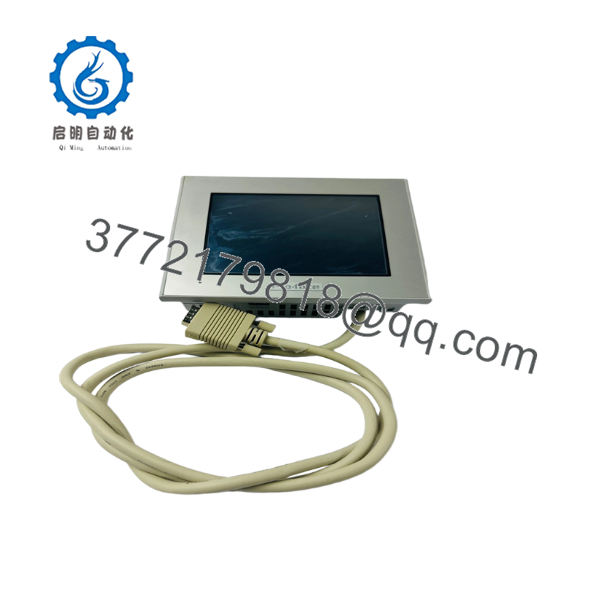
PFXHTK4300V
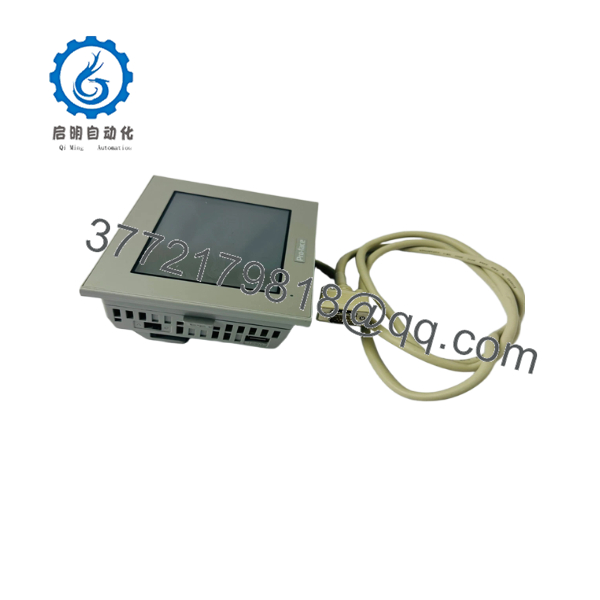
PFXHTK4300V
Frequently Asked Questions (FAQ)
What makes New Surplus units a better choice than refurbished handheld panels?
Handheld HMIs endure tough physical treatment. Refurbished units often hide internal plastic micro-fractures, worn membrane contacts, or degraded deadman switches that compromise operator safety. Our New Surplus inventory consists of genuine, unused units sourced from spare parts reserves. You receive factory-level mechanical strength, flawless touch responsiveness, and dependable safety contacts at a lower cost than active OEM list prices.
Are these Pro-face handheld units guaranteed original and unused?
Yes. Every unit in stock is certified Original New Surplus. They have zero operational hours, pristine enclosures, intact rubber boots, and clean terminal contacts. Units are inspected exclusively under ESD-safe warehouse conditions.
Why is keeping a spare handheld HMI on-site critical for plant operations?
Handheld panels are susceptible to drop damage, cable strain, and liquid exposure during manual setup operations. If an operator drops and shatters a teaching pendant, the entire automated cell can sit idle until a replacement is found. Storing a pre-configured spare on-site turns what could be days of downtime into a simple 15-minute cable swap.
Can I hot-swap the handheld panel while the system is running?
No. Unplugging the handheld unit while the machine is running will open the hardwired Emergency Stop circuit, causing an immediate emergency shutoff of connected machinery. Always stop production and follow proper bypass/safety lockout procedures before disconnecting or re-attaching a handheld panel.
Does the project memory stay intact if the handheld unit is unplugged for long periods?
Yes. Application screens and communication drivers reside in non-volatile flash memory, which retains software indefinitely without external power or battery backup. Internal system variables or clock data are maintained by an internal backup battery.



