
 WhatsApp: +86 16626708626
 Email:
  Phone: +86 16626708626
Description
Key Technical Specifications
| Parameter | Specification |
|---|---|
| Manufacturer | Pro-face |
| Series | PS4000 / PS4700 |
| Model | PS4700-V1-CD-D-4G-W732-SSD-WGP |
| Product Type | Industrial Panel PC |
| Display | 15-inch touchscreen configuration |
| CPU Family | Intel Celeron D |
| RAM | 4 GB |
| Storage | SSD |
| Operating System | Windows 7 32-bit |
| HMI Configuration | WGP |
| Application | Industrial HMI / Panel PC |
| Installation | Panel-mounted |
| Intended Environment | Industrial automation |
Important: The exact processor clock, SSD capacity, display resolution, communication-port configuration, power input, and mechanical dimensions should be confirmed against the individual PS4700 hardware revision before publication or procurement. The model string establishes the major configuration, but it does not by itself provide every hardware specification.
Product Introduction
The Pro-face PS4700-V1-CD-D-4G-W732-SSD-WGP is an industrial panel PC from the PS4000 family, designed to combine touchscreen operator interaction with Windows-based industrial computing.
Compared with earlier PS4700 configurations using Atom processors, CompactFlash storage, and Windows XP, this configuration represents a different hardware generation. It uses a Celeron D platform, 4 GB RAM, SSD storage, and Windows 7 32-bit.
That distinction matters during replacement planning. A PS4700 may look similar externally while having substantially different CPU, storage, operating-system, and software characteristics.
Configuration Breakdown
Industrial panel PC platform.
V1
Hardware/platform version designation.
CD-D
Celeron D processor configuration.
4G
4 GB system memory.
W732
Windows 7 32-bit operating-system configuration.
SSD
Solid-state storage rather than CompactFlash.
WGP
WGP HMI software/configuration.
Installation & Configuration Guide
Stage 1: Pre-Installation Preparation
⚠️ Safety First: Shut down the controlled machine and isolate the from its power source before removing the unit. Follow the plant’s lockout/tagout procedure.
Before replacement:
- Place the machine in a safe state.
- Shut down Windows normally if the system is still operational.
- Isolate cabinet power.
- Verify the unit is de-energized.
- Photograph the complete installation.
- Record the full model string.
- Record the Windows and WGP software versions.
- Back up the SSD/application image whenever possible.
- Document PLC, Ethernet, serial, and peripheral connections.
Do not immediately wipe or reformat the original SSD. For a legacy Windows-based HMI, the original system image can contain the application, drivers, runtime components, and communication configuration needed to restore the machine.
Stage 2: Removing the Existing
- Label every cable.
- Disconnect Ethernet and serial communication.
- Disconnect USB and peripheral devices.
- Disconnect the power connection.
- Release the panel mounting hardware.
- Support the panel PC while removing the final fasteners.
- Remove the carefully.
- Inspect the panel opening and mounting gasket.
- Compare the replacement unit with the original before installation.
Stage 3: Installing the Replacement
- Verify -V1-CD-D-4G-W732-SSD-WGP.
- Confirm the replacement has the required 4 GB memory configuration.
- Confirm the SSD is present.
- Verify the Windows 7 32-bit environment.
- Compare the display and panel dimensions.
- Install the unit into the panel.
- Secure the mounting hardware evenly.
- Reconnect power.
- Reconnect Ethernet and serial interfaces.
- Reconnect USB peripherals.
- Confirm all connectors are fully seated.
⚠️ Do not substitute an Atom/Windows XP/CompactFlash solely because it is another . The operating system and storage architecture are materially different.
Stage 4: Power-On & Commissioning
- Verify power wiring.
- Restore power.
- Confirm the completes POST.
- Verify Windows 7 starts normally.
- Check the SSD for filesystem errors.
- Confirm the touchscreen operates across the display.
- Launch the WGP application.
- Verify PLC/controller communication.
- Test Ethernet communication.
- Test serial communication if used.
- Verify alarm and status displays.
- Test representative operator commands.
- Confirm the application remains stable during normal operation.
Commissioning Checklist
- Full model verified
- 4 GB RAM verified
- SSD verified
- Windows 7 32-bit verified
- WGP application starts
- Touchscreen tested
- Ethernet tested
- Serial communication tested
- PLC communication verified
- Alarm functions tested
- Operator commands tested
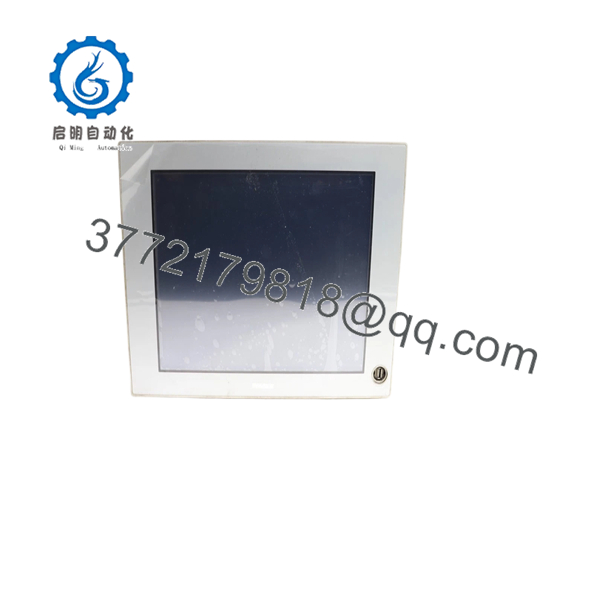
PS4700-V1-CD-D-4G-W732-SSD-WGP
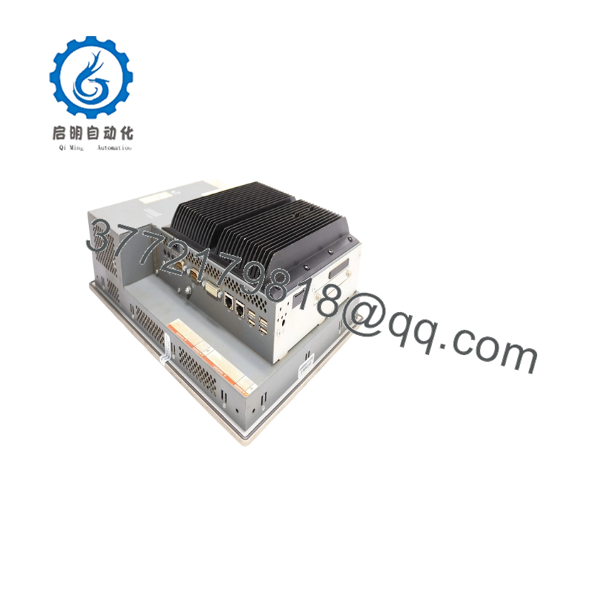
PS4700-V1-CD-D-4G-W732-SSD-WGP
Frequently Asked Questions
Q1. What is the Pro-face -V1-CD-D-4G-W732-SSD-WGP?
It is a industrial panel PC configuration using a Celeron D processor platform, 4 GB RAM, SSD storage, Windows 7 32-bit, and a WGP HMI configuration.
Q2. What does “4G” mean in the model number?
4G indicates the 4 GB memory configuration.
Q3. What does “W732” mean?
identifies the Windows 7 32-bit configuration.
This is important when restoring software. A Windows 7 32-bit application environment should not automatically be migrated to a 64-bit Windows system without checking the HMI runtime, device drivers, and application dependencies.
Q4. What does “SSD” mean?
It identifies the solid-state storage configuration. This differentiates the unit from earlier configurations that used CompactFlash storage.
Q5. What does WGP mean?
WGP identifies the Windows-based HMI configuration/software environment associated with the .
For replacement work, verify the actual WGP runtime and project version installed on the original unit.
Q6. Is this the same as the -V1-AZ-D-2G-XP-16CF-WGP?
No. They are different configurations.
| Feature | CD-D-4G–SSD-WGP | AZ-D-2G-XP-16CF-WGP |
|---|---|---|
| CPU family | Celeron D | Intel Atom Z510 |
| Memory | 4 GB | 2 GB |
| Storage | SSD | 16 GB CompactFlash |
| OS | Windows 7 32-bit | Windows XP |
| HMI | WGP | WGP |
This distinction is critical when sourcing a replacement for an installed machine.
Q7. Is this a current-generation Pro-face panel PC?
No. The is a legacy industrial-computing platform. Windows 7 32-bit and the older Celeron D architecture also create software-maintenance and cybersecurity considerations for systems that remain in production.
For a critical machine, maintain a tested spare and preserve a verified disk image while developing a migration plan to a supported industrial PC/HMI platform.
Q8. What should I verify before purchasing this model?
For procurement, verify all of the following:
- -V1-CD-D-4G–SSD-WGP
- CPU configuration
- 4 GB RAM
- SSD type and capacity
- Windows 7 32-bit installation
- WGP runtime
- Display size and resolution
- Touchscreen condition
- Ethernet/serial interfaces
- Power requirements
- Panel dimensions
- Hardware revision
- SSD/application image
Procurement recommendation: Request photographs of the front label, rear nameplate, BIOS/system information, and SSD configuration from the supplier. For a legacy , the complete configuration string is substantially more useful than the generic description ” industrial PC.”



