
 WhatsApp: +86 16626708626
 Email:
  Phone: +86 16626708626
Description
Key Technical Specifications
- Gateway Function: EtherNet/IP (Explicit Messaging, client and server configurable) to PROFIBUS DP Slave (V0 implementation)
- Mounting: Stand-alone DIN-rail enclosure
- Power Input: 24 V DC, 500 mA
- Dimensions: 5.2 in H x 2.07 in W x 4.52 in D
- Ethernet Port: 10Base-T, half-duplex, RJ45, 1,500 V RMS isolation (per IEC 60950:1991, 50/60 Hz for 60 s)
- PROFIBUS DP Port: Configurable DB9F connector, 9.6 kbps to 12 Mbps
- Configuration Port: DB-9M RS-232 only, no hardware handshaking (Mini-DIN to DB-9 adapter cable included)
- Environmental: 5% to 95% humidity, non-condensing
- LED Indicators: Power/Module Status, Application Status, Serial Port Activity, Serial Port Error Status
- Optional Web Server: Factory-installed only, ordered with a -WEB suffix on the part number — not field-upgradable without an RMA back to the factory
Product Introduction
The ProSoft 5205-DFNT-PDPS is a DIN-rail mounted ProLinx gateway that bridges an EtherNet/IP network to a PROFIBUS DP Slave network, giving Siemens PLCs and other PROFIBUS DP masters a data path into an EtherNet/IP cell. It runs the EtherNet/IP explicit messaging protocol on one side and the PROFIBUS DP V0 slave protocol on the other, with user-configurable data mapping between the two.
Plants keep this module in service because it drops into an existing PROFIBUS DP network without touching the DP master’s programming — the ProLinx handles protocol translation, so the only integration work is mapping I/O points through ProSoft’s configuration utility.
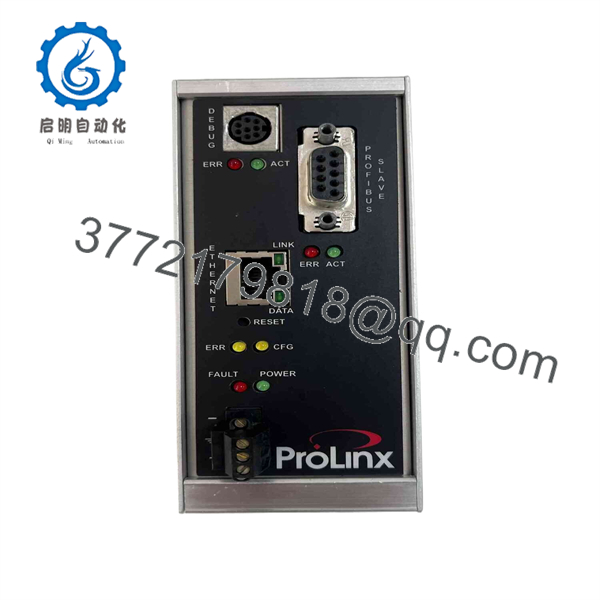
5205-DFNT-PDPS
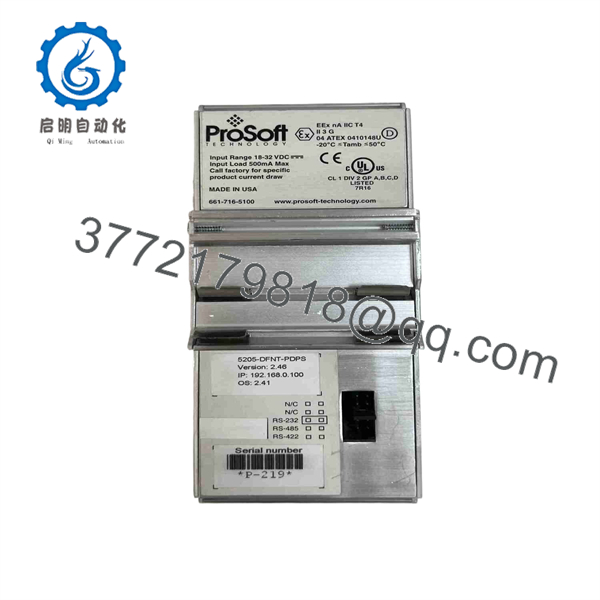
5205-DFNT-PDPS
Troubleshooting Quick Reference
| Symptom | Possible Cause | Relevance to this Part | Quick Check Method | Recommendation |
|---|---|---|---|---|
| Power/Module Status LED off | No 24 V DC input, or reversed polarity at the power terminals | ✅ High | Measure 24 V DC at the module’s power terminals with a multimeter | Correct the supply wiring and polarity before replacing the module |
| Application Status LED flashing an error pattern | Configuration mismatch between the DP master’s GSD file and the module’s loaded configuration | ✅ High | Compare the DP master configuration against the module’s config database in the ProSoft configuration utility | Reload or correct the configuration before assuming a hardware fault |
| Ethernet link LED off, no EtherNet/IP traffic | Bad Ethernet cable, or a switch port set to full duplex against this module’s half-duplex 10Base-T port | ❌ Low | Swap the Ethernet cable and confirm the switch port is set to 10Base-T half duplex | Fix the network-side cabling or switch setting first |
| PROFIBUS DP communication drops intermittently | DP node address conflict or a missing end-of-line terminator on the bus | ✅ High | Check the module’s DP address setting and verify termination resistors at both bus ends | Resolve the address conflict or termination issue — this is rarely a module fault |
| Serial Port Error Status LED lit | Wrong cable used on the configuration port, or hardware handshaking enabled upstream | ❌ Low | Confirm the Mini-DIN to DB-9 adapter cable matches the module’s pinout; this port doesn’t support hardware handshaking | Use the correct adapter cable — don’t wire this port from memory |
If these checks don’t isolate the fault, contact technical support with the module’s Application Status LED pattern and a copy of your saved configuration file before ordering a replacement.
Frequently Asked Questions (FAQ)
Is the 5205-DFNT-PDPS still sold new by ProSoft?
It’s listed under ProSoft’s Legacy Products line, so factory availability depends on firmware and series in stock at the time. What you’ll typically find on the open market is new surplus or refurbished stock rather than a fresh factory build.
Can this module act as a PROFIBUS DP master instead of a slave?
No. The PDPS protocol driver on this catalog number is built specifically as a DP Slave (V0 implementation). If you need DP master functionality, that’s a different ProLinx part number entirely — don’t assume you can reconfigure your way into master mode on this hardware.
Will my old module’s configuration carry over to a replacement unit?
Not automatically. The I/O mapping and protocol settings live in the module’s configuration database, set through ProSoft’s configuration utility. Back up your existing configuration file before you pull the old unit, then load it onto the replacement — don’t rebuild the mapping from memory.
Does this unit include the HTML web server feature?
No, not unless the part number carries a -WEB suffix. The web server is a factory-installed hardware option on Series C ProLinx modules — you can’t add it in the field, and getting it added after the fact means shipping the unit back to ProSoft for an RMA-based upgrade.
Why is a surplus unit priced well under what I might get quoted for a new one?
Because this is legacy hardware — there’s no fresh factory production run to compare it against, and pricing on the surplus market reflects that. Ask whether the specific unit you’re buying was pulled from working service or came from a source with unknown history.
Is this a straight drop-in replacement for the unit I’m pulling?
Generally yes for the same catalog number, but firmware and hardware series changed over this product’s life. Note your existing unit’s firmware version before removing it, and confirm the replacement matches — a mismatch is more likely to show up as a subtle communication issue than an outright failure.
What warranty should I expect?
That varies by seller for legacy gateway hardware like this — some offer 12-month warranties on refurbished units, others sell tested surplus as-is. Get the specific terms in writing before you order, especially since sourcing a second replacement can take longer than expected on a legacy part.



