
 WhatsApp: +86 16626708626
 Email:
  Phone: +86 16626708626
Description
Key Technical Specifications
| Parameter | Specification |
|---|---|
| Manufacturer | ProSoft Technology |
| Model | AN-X2-AB-DHRIO |
| Product Type | EtherNet/IP / Allen-Bradley RIO / DH+ gateway |
| Series | AN-X2 |
| Ethernet Network | EtherNet/IP |
| Legacy Network | Allen-Bradley Remote I/O |
| Additional Legacy Network | Data Highway Plus |
| Operating Modes | DHP, ADPT, DRV, HMI, SCAN, RIO-EIPSCN |
| Remote I/O Capacity | Up to 32 racks |
| Configuration Interface | Embedded web server |
| Configuration Storage | MicroSD card |
| Primary Application | Legacy control-system migration |
| HMI Migration | Up to 8 Remote I/O PanelViews |
| Drive Migration | Up to 4 legacy drives in supported DRV configuration |
| FLEX I/O Migration | Supports FLEX I/O scanner operation |
| Lifecycle | Discontinued |
| Successor | AN-X4-AB-DHRIO |
ProSoft documents several firmware/application modes in the AN-X2-AB-DHRIO: DHP for DH+ bridging, ADPT for Remote I/O adapter operation, DRV for legacy-drive migration, HMI for PanelView migration, SCAN for Remote I/O scanning from newer controllers, and RIO-EIPSCN for FLEX I/O scanning. Only one firmware option is active at a time.
The gateway can support up to 32 Remote I/O racks in the appropriate scanner configuration. ProSoft also states that the HMI mode supports up to eight PanelViews and the drive mode supports up to four EtherNet/IP drives.
Product Introduction
The ProSoft AN-X2-AB-DHRIO is a multi-purpose industrial gateway intended to connect legacy Allen-Bradley Remote I/O or DH+ equipment with modern EtherNet/IP networks. It was designed particularly for phased migration projects where existing PLC-5, SLC, Remote I/O, PanelView, FLEX I/O, or drive infrastructure cannot be replaced in a single shutdown.
Its value in a legacy system is the ability to change the network architecture without immediately removing the installed field equipment. Depending on the selected firmware, the same hardware can perform different gateway functions. ProSoft notes that only one firmware/application mode can be active at a time, so the installed configuration must be verified before commissioning or replacement.
Installation & Configuration Guide
Stage 1 — Pre-Installation Preparation
- Confirm the exact model as AN-X2-AB-DHRIO.
- Record the existing firmware/application mode: DHP, ADPT, DRV, HMI, SCAN, or RIO-EIPSCN.
- Back up the gateway configuration and relevant PLC/SCADA project files.
- Record the Ethernet IP address, subnet mask, gateway, and host name.
- Document the Remote I/O rack addresses or DH+ node configuration.
- Check the MicroSD card and retain a verified configuration backup.
⚠️ Do not assume every AN-X2-AB-DHRIO is configured as a Remote I/O scanner. The same hardware supports several different firmware modes.
Stage 2 — Removing the Existing Gateway
- Place the control system into the approved maintenance state.
- Follow the plant’s electrical isolation procedure.
- Record and label all Ethernet and Remote I/O/DH+ connections.
- Disconnect the communication cables.
- Remove the gateway from its mounting location.
- Retain the original configuration media and documentation.
- Inspect the network connectors and wiring before installing the replacement.
Stage 3 — Installing the AN-X2-AB-DHRIO
- Verify the replacement model and required firmware mode.
- Install the gateway according to the ProSoft mounting instructions.
- Connect the Ethernet network.
- Reconnect the Remote I/O or DH+ network as applicable.
- Apply the backed-up network configuration.
- Verify the IP address and subnet settings.
- Load or select the required firmware/application mode.
- Confirm the configuration before connecting the gateway to the live control network.
ProSoft’s web-based configuration interface allows the host name, IP address, net mask, gateway, and firmware type to be configured. Changing the firmware selection causes the module to reboot and load the selected application.
Stage 4 — Power-On & Testing
- Power the gateway and observe the startup diagnostics.
- Connect to its web configuration interface.
- Verify the selected firmware mode.
- Confirm EtherNet/IP communication with the ControlLogix or CompactLogix system where applicable.
- Verify Remote I/O rack or DH+ node communication.
- Check diagnostic counters and network status.
- Confirm that expected I/O data is updating correctly.
- For migration projects, test the system in a controlled state before transferring operational control.
⚠️ For a live PLC-5/SLC or Remote I/O migration, validate data mapping and control ownership before enabling outputs. A communications link being online does not prove that the migrated I/O addresses or control logic are correct.
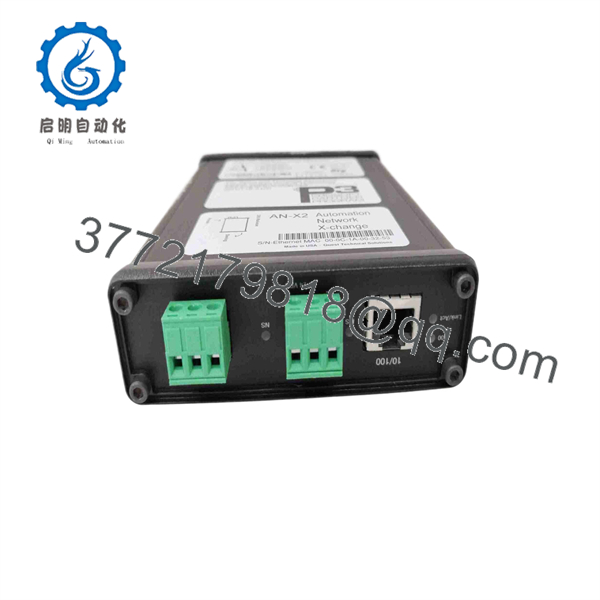
AN-X2-AB-DHRIO
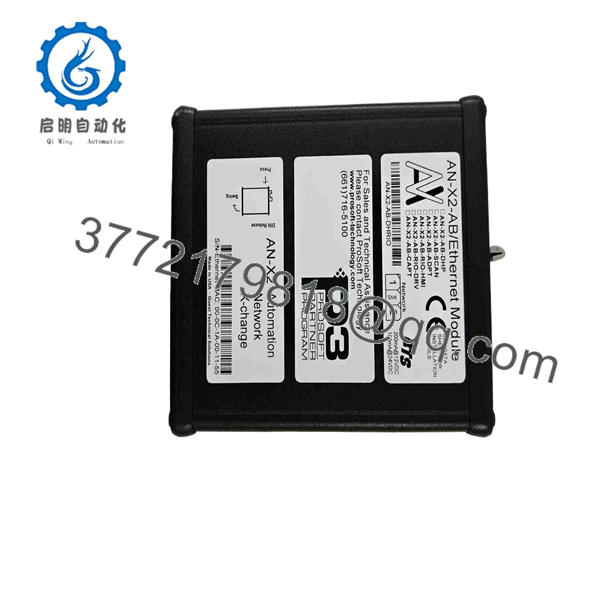
AN-X2-AB-DHRIO
FAQ
What is the AN-X2-AB-DHRIO?
It is a ProSoft Technology industrial gateway that connects EtherNet/IP systems with Allen-Bradley Remote I/O and DH+ networks. It was developed specifically for legacy-system migration and integration.
Which Allen-Bradley systems can it help migrate?
Depending on the operating mode, it can be used with legacy PLC-5, SLC, Remote I/O, PanelView, FLEX I/O, and drive applications. ProSoft documents separate firmware modes for these applications.
Can one AN-X2-AB-DHRIO perform several functions simultaneously?
No. The hardware supports multiple firmware/application options, but only one firmware can be active at a time.
Can it replace a 1794-ASB?
In the appropriate RIO-EIPSCN/FLEX I/O scanner configuration, ProSoft identifies the AN-X2-AB-DHRIO as a solution that can be used to replace an existing 1794-ASB-type FLEX I/O network interface. The exact rack and I/O configuration still needs to be validated.
Is the AN-X2-AB-DHRIO still a current product?
No. ProSoft’s lifecycle documentation states that AN-X2-AB-DHRIO is discontinued and identifies AN-X4-AB-DHRIO as its replacement family.
Does the gateway support DH+?
Yes. The DHP firmware provides DH+ gateway functionality, allowing EtherNet/IP-connected systems to communicate with devices on a Data Highway Plus network. ProSoft also documents DH+ migration applications involving ControlLogix, CompactLogix, SLC, and PLC-5 systems.
Does replacing the gateway require PLC code changes?
It depends on the operating mode and migration architecture. ProSoft specifically states that some applications, including certain PanelView and drive migration configurations, can be implemented without PLC code changes. This should not be generalized to every AN-X2-AB-DHRIO application.



