WhatsApp: +86 16626708626
 Email:
 Phone: +86 16626708626
Description
Key Technical Specifications
| Parameter | Specification |
|---|---|
| Manufacturer | ProSoft Technology |
| Model | MVI56-BAS |
| Module type | BASIC Communication Module |
| Compatible platform | Rockwell Automation ControlLogix |
| Backplane compatibility | Single-slot, 1756 backplane |
| Processor data transfer | ControlLogix I/O data exchange using ladder logic |
| Programming language | BASIC-52 |
| Program storage | CompactFlash |
| Available RAM | Approximately 24 KB |
| Ports | DH-485, PRT1, PRT2 |
| Serial interface modes | RS-232, RS-422, RS-485, depending on port configuration |
| Baud rate | 110–19,200 baud, depending on protocol |
| Data bits | 5, 6, 7, or 8 |
| Stop bits | 1 or 2 |
| Parity | None, odd, or even |
| Flow control | Configurable hardware handshaking |
| Configuration interface | RS-232 configuration port via supplied cable |
| Backplane current draw | 800 mA at 5 VDC; 3 mA at 24 VDC |
| Operating temperature | 0–60°C (32–140°F) |
| Storage temperature | −40–85°C (−40–185°F) |
| Relative humidity | 5–95%, non-condensing |
| Shock resistance | 30 g operational; 50 g non-operational |
| Vibration resistance | 5 g from 10–150 Hz |
| Isolation | 500 V optical isolation from the backplane for application serial ports |
Specifications are based on ProSoft Technology’s published MVI56-BAS documentation. Confirm port-specific electrical settings in the user manual before wiring.
Product Introduction
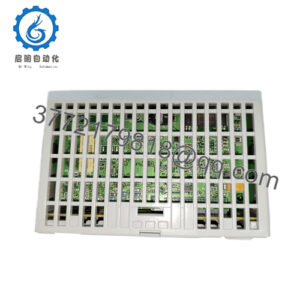
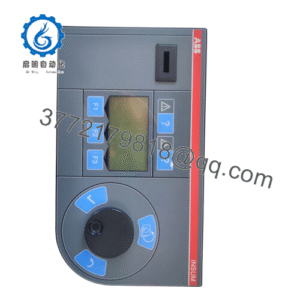
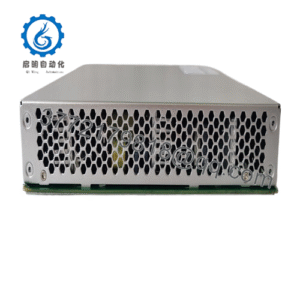
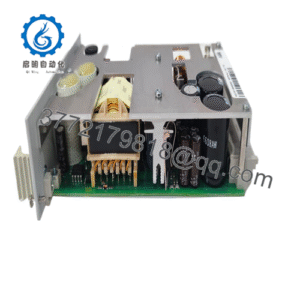
The ProSoft MVI56-BAS is a single-slot BASIC communication module designed to bring legacy BASIC-based automation applications into the Rockwell Automation ControlLogix platform. It executes BASIC-52 programs locally and exchanges data with the ControlLogix processor through the backplane, using ladder logic to coordinate data transfer. This architecture supports application-specific interfaces without requiring all processing tasks to run in the main PLC program.
The module is suited to systems that need to retain existing BASIC logic or interface with serial devices such as barcode readers, printers, scales, and modems. Its ports support different communication roles, including ASCII data exchange, DH-485 connectivity, and DF1 communication. Because this is a legacy product with limited availability, replacement planning should include a review of the stored BASIC program, CompactFlash media, cable requirements, and ControlLogix integration logic.
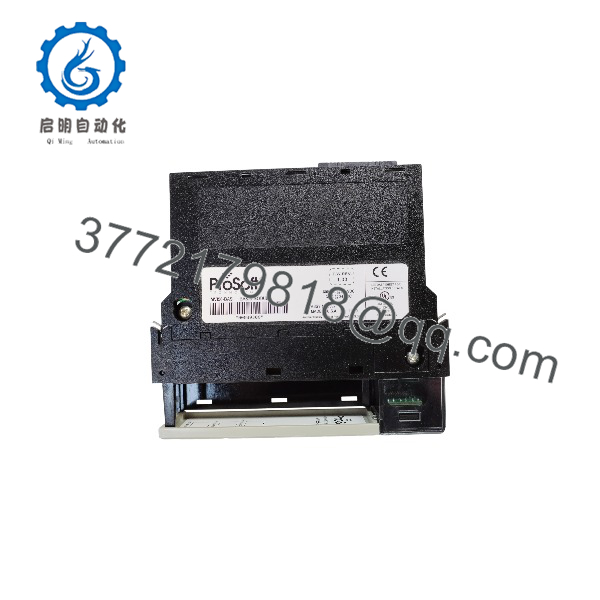
MVI56-BAS
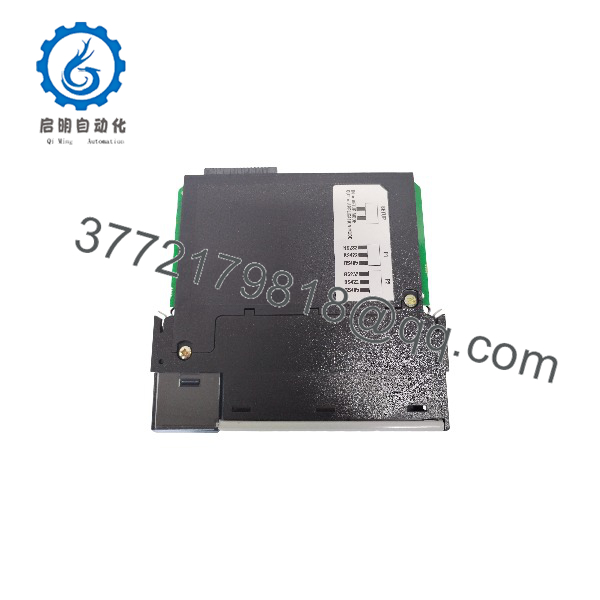
MVI56-BAS
Installation & Configuration Guide
Estimated times are planning estimates and depend on the condition of the existing program and system documentation.
Stage 1 — Verify compatibility and back up the application
Estimated time: 15–30 minutes
- Confirm the module label reads MVI56-BAS.
- Check the ControlLogix chassis and slot assignment.
- Back up the existing BASIC program, CompactFlash contents, configuration text file, and associated ladder logic.
- Record the existing serial port settings and connected device protocols.
Stage 2 — Install the module
Estimated time: 15–30 minutes
- Place the controller in a safe state and follow site lockout/tagout procedures.
- Install the module in the approved ControlLogix chassis slot.
- Check the module seating and chassis connections.
- Connect the required cables only after verifying the port assignments and wiring diagram.
Safety note: Follow the ControlLogix chassis installation procedures and the MVI56-BAS manual. Do not insert or remove the module under power unless the applicable hardware documentation explicitly permits it.
Stage 3 — Configure the BASIC application and communications
Estimated time: 30–90 minutes
- Load or verify the appropriate configuration text file.
- Restore the BASIC-52 program from a verified backup or create the required program using the supported workflow.
- Configure baud rate, parity, data bits, stop bits, and handshaking for each application port.
- Configure the ControlLogix ladder logic for data transfer between the processor and module.
- Enable automatic program execution at startup only after validating the program and recovery procedure.
Stage 4 — Test communication and restore operation
Estimated time: 30–60 minutes
- Check module status, backplane transfer, application status, and serial activity indicators.
- Test data exchange with the ControlLogix processor.
- Verify communication with each connected serial device.
- Confirm that DF1 or DH-485 functions operate as intended, where applicable.
- Document the final configuration and retain a verified backup before returning the system to service.
Frequently Asked Questions
Q1: What is the ProSoft MVI56-BAS used for?
It runs BASIC-52 programs and provides a communication interface between a ControlLogix processor and serial devices or legacy automation applications.
Q2: Is the MVI56-BAS compatible with ControlLogix?
Yes. It is designed for a single slot in a 1756 ControlLogix backplane. Ladder logic is used to exchange data between the processor and module.
Q3: Which programming language does it support?
The module supports BASIC-52. Programs can be stored on CompactFlash, allowing the program media to be backed up to another card or a local PC.
Q4: Which communication protocols does it support?
Its documented functions include ASCII serial communication, DF1 communication, and DH-485 connectivity. The specific functions available depend on port assignment, configuration, and the external equipment used.
Q5: Can the module interface with barcode readers, printers, and scales?
Yes. ProSoft identifies these as examples of ASCII-interface devices that can be connected to a ControlLogix system through the module. Verify each device’s electrical interface, serial settings, and message format before integration.
Q6: Is the MVI56-BAS still available?
ProSoft’s product information lists it as having limited availability. A lifecycle notice states that transition to discontinued status is expected on or before December 31, 2026. Actual inventory and support status should be confirmed directly with ProSoft or an authorized distributor.
Q7: What should be checked before ordering a replacement?
Verify the complete model number, module condition, included serial cables, CompactFlash media, and availability of the existing BASIC program and configuration files. Also check whether the replacement can run the installed application without changes to the ladder logic or connected-device configuration.
Meta Title: ProSoft MVI56-BAS BASIC Communication Module for ControlLogix
Meta Description: Explore the ProSoft MVI56-BAS BASIC Communication Module for ControlLogix systems. Review technical specifications, serial interfaces, BASIC-52 functionality, installation considerations, and replacement requirements.