WhatsApp: +86 16626708626
 Email:
 Phone: +86 16626708626
Description
Key Technical Specifications
| Parameter | Value |
|---|---|
| Model | MVI56E-MCMR |
| Manufacturer | ProSoft Technology |
| Compatible platform | Rockwell Automation ControlLogix 1756 chassis, local or remote |
| Function | Modbus RTU/ASCII master/slave interface between ControlLogix processor and serial devices |
| Chassis slots required | 1 |
| Serial application ports | 2 independent ports, P1 and P2 |
| Serial electrical interfaces | RS-232, RS-422, or RS-485, jumper selectable |
| Serial connectors | RJ45 with supplied DB-9 male adapter cables |
| Serial protocols | Modbus RTU Master/Slave and Modbus ASCII Master/Slave |
| Baud rate | 110 baud to 115.2 kbps |
| Data bits | 5, 6, 7, or 8 |
| Stop bits | 1 or 2 |
| Parity | None, even, or odd |
| RTS on/off delay | 0 to 65,535 ms |
| Port isolation | 500 V optical isolation from backplane |
| Internal database | 5,000 user-assignable 16-bit registers |
| Backplane data transfer | Reduced I/O data block; pages user data 40 words at a time |
| Backplane current load | 800 mA at 5.1 V DC; 3 mA at 24 V DC |
| Ethernet configuration port | 10/100 Base-T RJ45 with CIPconnect support |
| Configuration software | ProSoft Configuration Builder (PCB) |
| Configuration storage | Non-volatile CompactFlash Personality Module |
| LEDs | ERR battery status, APP application status, OK module status |
| Operating temperature | 0 to +60°C |
| Storage temperature | −40 to +85°C |
| Relative humidity | 5% to 95%, non-condensing |
| Shock rating | 30 g operational |
| Vibration rating | 5 g from 10 to 150 Hz |
| Backward compatibility | Compatible with existing MVI56-MCMR ladder logic and module configuration files |
The MCMR variant uses a reduced I/O data block, paging data in 40-word blocks rather than the 200-word blocks used by the standard MVI56E-MCM. This makes it suitable for remote ControlLogix chassis applications over ControlNet, where I/O bandwidth is limited.
Product Introduction
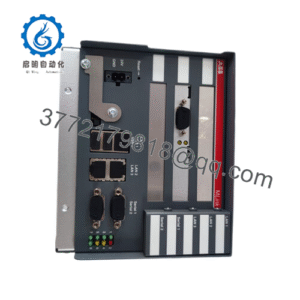
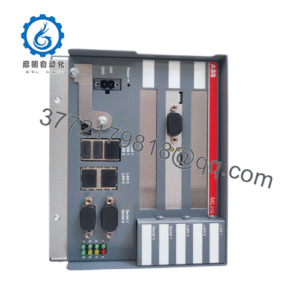
The ProSoft MVI56E-MCMR is a single-slot enhanced Modbus master/slave communication module for Rockwell Automation ControlLogix 1756 chassis. It connects ControlLogix processors to Modbus RTU or ASCII instruments, drives, meters, PLCs, and PACs, presenting Modbus data as I/O data on the backplane.
Its two independently configurable serial ports can operate on the same or different Modbus networks, and each port can be configured as either master or slave. The shared 5,000-word database and reduced 40-word paging make it especially practical for remote chassis installations over ControlNet.
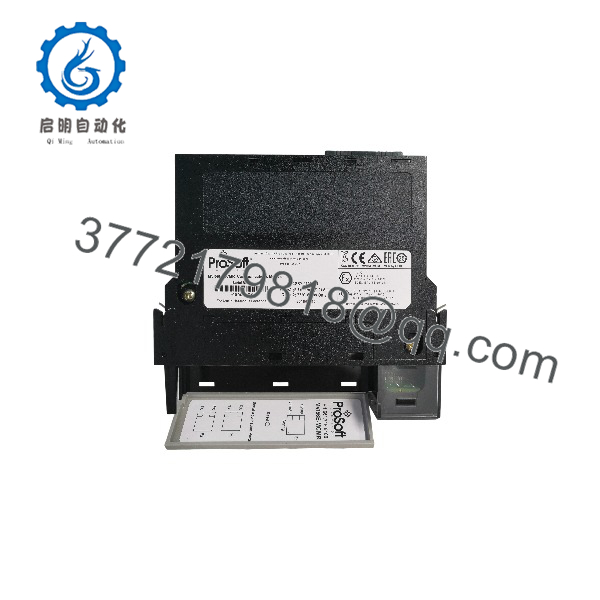
MVI56E-MCMR
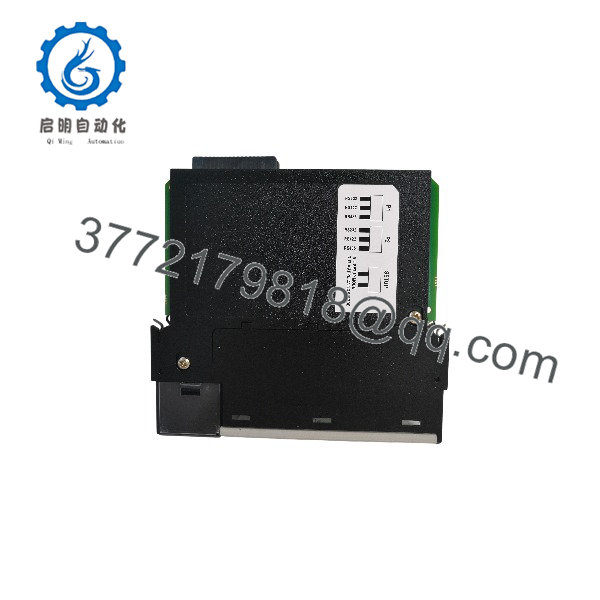
MVI56E-MCMR
Troubleshooting Quick Reference
| Symptom | Possible Cause | Relevance to this Part | Quick Check Method | Recommendation |
|---|---|---|---|---|
| Module not recognized in Studio 5000 | Missing EDS file, wrong slot, or chassis configuration issue | ✅ High | Verify slot number, import the ProSoft EDS file, and confirm the module appears in the I/O tree | Correct chassis configuration before replacing the MVI56E-MCMR |
| No Modbus communication on P1 or P2 | Wrong RS-232/422/485 jumper, wiring fault, or baud/parity mismatch | ✅ High | Check port jumper positions, DB-9 adapter pinout, baud rate, parity, data bits, and stop bits | Match port jumpers and serial settings to the field device |
| One port works, other does not | Port-specific jumper, wiring, or configuration issue | ✅ High | Swap known-good serial devices between P1 and P2; compare PCB port configurations | Isolate the fault to port hardware, wiring, or configuration |
| Master polls but device does not respond | Wrong slave address, function code, register address, or cable fault | ✅ High | Use a Modbus analyzer or serial sniffer; verify slave ID, function code, and starting address | Correct master request configuration before replacing hardware |
| Slave device cannot access data | Incorrect slave ID, register mapping, or write protection | ✅ High | Confirm slave ID, register offsets, and read/write permissions in ProSoft Configuration Builder | Correct slave mapping and access settings |
| Data does not update in processor tags | Ladder copy logic, scheduled connection, or reduced-block paging issue | ✅ High | Verify scheduled connection, I/O image size, and ladder MOV/COP instructions | Correct ladder data transfer and module scheduling |
| Module OK LED off or ERR LED on | Backplane power issue, CompactFlash/personality module issue, or module fault | ✅ High | Measure chassis power budget; reseat the module and personality module; review LED status | Restore power or replace the faulty module/personality module |
| Communication drops over ControlNet | Excessive remote-chassis I/O load or network scheduling issue | ✅ Medium | Review ControlNet scheduled connection, node traffic, and 40-word paging behavior | Reduce I/O load or optimize network scheduling |
❗ Do not assume the MVI56E-MCMR has failed because a Modbus device stops responding. Wrong slave ID, incorrect register offset, reversed RS-485 wiring, or a bad DB-9 adapter causes most serial communication faults.
If the fault remains after checking the EDS/chassis configuration, port jumpers, serial wiring, Modbus register mapping, and ladder data transfer, contact technical support with photos of the module, jumper settings, PCB configuration, and Studio 5000 diagnostic data.
Frequently Asked Questions
Can the MVI56E-MCMR act as both Modbus master and slave?
Yes. Each of the two serial ports can be independently configured as a Modbus master or slave, and both ports share the module’s 5,000-word user database.
Does it support Modbus TCP/IP?
No. The MVI56E-MCMR supports Modbus RTU and ASCII over its two serial ports. The Ethernet port is for CIPconnect configuration and diagnostics, not Modbus TCP/IP data exchange. For Modbus TCP/IP, use the MVI56E-MNETR or another ProSoft Modbus TCP/IP module.
Why choose the MCMR instead of the standard MVI56E-MCM?
Choose the MCMR for remote ControlLogix chassis applications over ControlNet. It pages user data in 40-word blocks rather than 200-word blocks, reducing the I/O block size and making it better suited to limited-bandwidth remote racks.
Is it backward compatible with the older MVI56-MCMR?
Yes. ProSoft states that MVI56E-MCMR products are backward compatible with existing MVI56-MCMR installations, including ladder logic and module configuration files. Still, validate the configuration and firmware version after replacement.
Can I hot-swap the MVI56E-MCMR?
No. Although it is a 1756 chassis module, removing it while active can interrupt Modbus communications and processor I/O connections. Follow a controlled removal procedure, then verify the module status, personality module, and scheduled connection after reinstallation.
Can I use RS-485 two-wire devices on both ports?
Yes. Each application port supports RS-232, RS-422, or RS-485 through jumper selection. For RS-485, verify polarity, biasing, termination, and cable shield grounding; do not connect both ports to the same multidrop network unless the application specifically requires it.
Why is New Surplus less expensive than factory-new stock?
New Surplus means genuine ProSoft inventory manufactured earlier but not installed or commissioned. We inspect, document, and functionally verify each unit before shipment. It is not used, repaired, or refurbished stock unless clearly stated on the product page.