
 WhatsApp: +86 16626708626
 Email:
  Phone: +86 16626708626
Description
3. Key Technical Specifications
| Parameter | Value |
|---|---|
| Platform | Allen-Bradley CompactLogix (1769 bus) and MicroLogix 1500 LRP |
| Form Factor | Single-slot 1769 backplane module |
| Protocol | Modbus RTU and Modbus ASCII |
| Operating Modes | Master or Slave (independently configurable per port) |
| Application Ports | Two serial ports (RS-232 / RS-422 / RS-485, jumper selectable) |
| Configuration Port | RS-232 CFG port |
| Baud Rate Range | 110 to 115,200 |
| Data Bits / Stop Bits / Parity | 7 or 8 data bits; 1 or 2 stop bits; None, Even, or Odd |
| Floating-Point Support | Yes (including Enron, Daniel, and other implementations) |
| Backplane Current Load | 800 mA @ 5 VDC |
| Power Supply Distance Rating | 2 |
| Operating Temperature | 0 °C to +60 °C (32 °F to 140 °F) |
| Storage Temperature | –40 °C to +85 °C |
| Relative Humidity | 5 % to 95 % (non-condensing) |
| Configuration Method | ProSoft Configuration Builder + ladder logic / Add-On Instruction |
4. Product Introduction & Supply Chain Strategy
The ProSoft MVI69-MCM is a single-slot network interface module that enables CompactLogix and MicroLogix 1500 LRP controllers to communicate with Modbus-compatible devices. Each application port can operate independently as a Modbus Master or Slave, supporting both RTU and ASCII protocols for connection to a wide range of third-party field devices.
Acquiring this module as New Surplus protects against lead-time variability on a mature but still widely installed platform. Genuine new units deliver full expected service life and avoid the reliability risks associated with refurbished modules, lowering total cost of ownership by reducing the chance of unplanned downtime on Modbus-connected equipment.
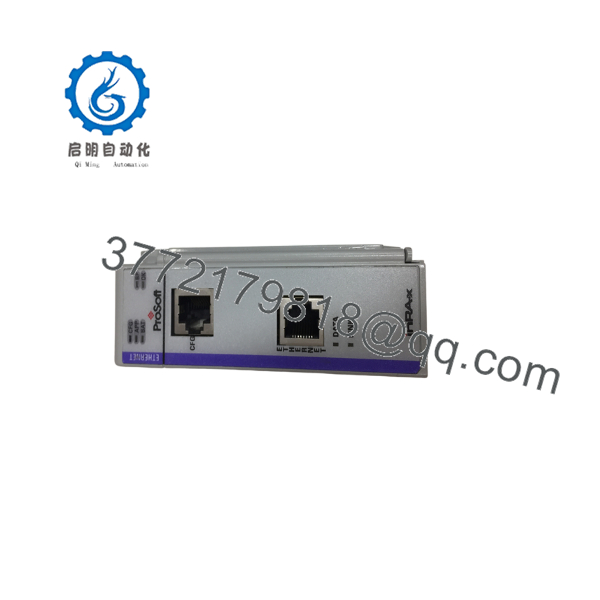
MVI69-MCM
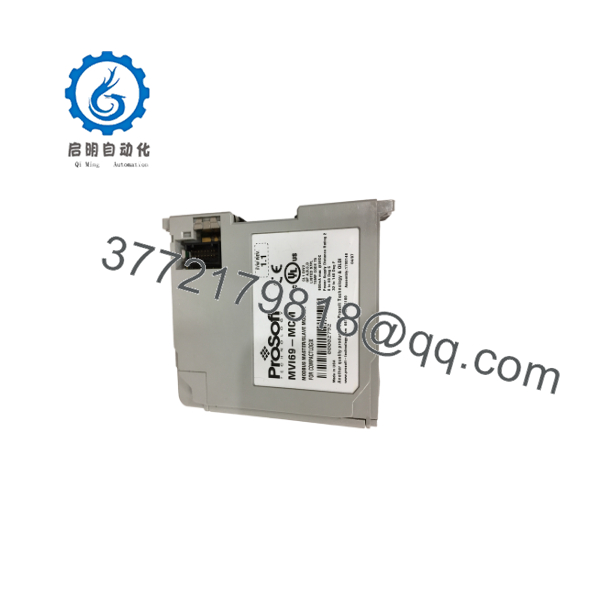
MVI69-MCM
5. Installation & Configuration Guide
Stage 1: Pre-Installation (Prep & Safety)
Lock out and tag out power to the CompactLogix or MicroLogix system. Wear a grounded ESD wrist strap. Confirm the module will be placed within the power supply distance rating of 2 slots. Record existing port settings, baud rates, and ladder-logic tags.
Stage 2: Removal
Power down the system completely. Disconnect serial cables from the application and configuration ports. Release the module locking mechanism and carefully slide the MVI69-MCM out of the 1769 bus slot.
Stage 3: Installation (Clone & Seat)
Set jumpers for the required electrical interface (RS-232, RS-422, or RS-485) on each port. Align the new module with the bus connectors and seat it firmly until the locking tabs engage. Reconnect serial cables to the correct ports and ensure proper shielding and grounding.
Stage 4: Power-On & Testing
Restore system power. Verify LED status indicators. Download the configuration using ProSoft Configuration Builder and load the corresponding ladder logic or Add-On Instruction. Test Master or Slave communication with at least one field device, confirming data exchange and error-free operation before returning the system to production.
6. Firmware/Software Versions & Upgrade Notes
Configuration is performed with ProSoft Configuration Builder and transferred to the module. Ladder logic or an Add-On Instruction handles cyclic data exchange with the processor.
Always back up the existing configuration file and ladder logic before replacement. Do not load configuration files or firmware intended for other MVI69 variants (for example, MNET or DNP versions). After installation, verify baud rate, parity, Master/Slave mode, and command lists match the original system. Incorrect settings can cause communication timeouts or data mapping errors.
7. Frequently Asked Questions (FAQ)
Is this module new or refurbished?
This is Brand New Surplus / Original New. It has never been installed in a chassis and is not a repaired or rebuilt unit.
Why is the price lower than current list but higher than used modules?
New Surplus pricing reflects the cost of securing genuine unused inventory. It sits below full manufacturer list while avoiding the unknown residual life and higher failure risk of used or refurbished units.
Can each port be configured independently?
Yes. Each application port can be set independently as a Modbus Master or Slave and can use either RTU or ASCII protocol.
Is the module compatible with all CompactLogix processors?
It supports most CompactLogix processors on the 1769 bus and MicroLogix 1500 LRP controllers (with appropriate firmware). Confirm processor compatibility and power supply distance rating before installation.
Can I hot-swap the MVI69-MCM?
No. Always power down the system and follow proper lock-out/tag-out procedures before removal or insertion.
What is the main risk of using a refurbished module?
Refurbished units may contain aged components or previous communication stress that is not visible externally. Failure after installation can interrupt Modbus data exchange and cause extended process downtime.
What warranty is provided?
New Surplus units typically carry a 1 year warranty covering defects in materials and workmanship under normal industrial operating conditions.



