WhatsApp: +86 16626708626
 Email:
 Phone: +86 16626708626
Description
Core Product Summary
The ProSoft Technology PTQ-PDPS is a PROFIBUS DP Slave network interface module for the Schneider Electric (Modicon) Quantum / Unity platform. It mounts directly into a Quantum rack slot and lets the Quantum processor act as a PROFIBUS DP slave device on a PROFIBUS network — exchanging data with a PROFIBUS DP master such as another vendor’s PLC, a DCS controller, or a SCADA system.
The module’s protocol driver supports the PROFIBUS DP-V0 slave implementation, providing up to 122 words of input data and 122 words of output data (200 words combined maximum, 244 bytes in each direction). The PROFIBUS port is an optically isolated RS-485 interface with a standard DB-9F connector, operating at baud rates from 9.6 kbps to 12 Mbps with auto-baud detection. Configuration is performed on a PC with the included ProSoft Configuration Builder software and downloaded to the module, where it is stored in non-volatile memory; a GSD file is provided for integration into the PROFIBUS master’s configuration tool.
Key Technical Specifications
| Parameter | Value |
|---|---|
| Model | PTQ-PDPS |
| Manufacturer / platform | ProSoft Technology, Schneider Electric Quantum / Unity in-chassis (ProTalk module) |
| Function | PROFIBUS DP Slave network interface module for Quantum processors |
| PROFIBUS protocol | PROFIBUS DP-V0 Slave |
| Baud rate | 9.6 kbps to 12 Mbps, with Auto Baud Setting |
| Node address range | 0 to 125 |
| I/O data length | 122 words input / 122 words output; 200 words combined maximum (up to 244 bytes input and output) |
| Internal database | 400 registers (200 words) available for user-configurable data mapping |
| Supported DP features | Freeze Mode, Sync Mode, Auto Baud |
| PROFIBUS physical port | DB-9F, optically isolated RS-485, standard PROFIBUS pinout |
| Configuration port | DB-9M RS-232 serial (no hardware handshaking) plus RJ45 configuration Ethernet port with link/activity LEDs |
| Backplane compatibility | Single-slot Quantum backplane module; recognized as an Options module |
| Rack placement | Local rack, same rack as the processor; up to four modules per rack |
| Quantum data types supported | 3x, 4x |
| Backplane current load | 1100 mA maximum @ 5 VDC ± 5 % |
| Operating temperature | 0 °C to 60 °C |
| Storage temperature | −40 °C to 85 °C |
| Relative humidity | 5 % to 95 % without condensation |
| Vibration | Sine 4–100 Hz in each of 3 orthogonal axes |
| Shock | 30 G / 11 ms, 3 orthogonal axes |
| Electrical isolation | 1500 V rms (50/60 Hz, 60 s) per IEC 60950 |
| Dimensions (H × W × D) | Approx. 250 × 103.85 × 40.34 mm (9.84 × 4.09 × 1.59 in) |
| Approvals | CSA/cUL C22.2 No. 213; CSA CB certified IEC 61010; ATEX EN 60079-0 Category 3 Zone 2, EN 60079-15 |
| Configuration storage | Non-volatile memory in the module |
Engineering Selection Highlights
- In-chassis design → the module plugs into a Quantum rack slot rather than hanging off a serial port or a gateway box, so data exchange with the processor runs over the backplane at high speed with no extra cabinet hardware or separate power supply.
- DP-V0 slave role → the Quantum PLC appears to the PROFIBUS network as a slave device polled by a DP master. Applications where the Quantum must be the PROFIBUS master (polling other slaves) need a different ProSoft module, not this one.
- 122 words in / 122 words out (200 words total) → the cyclic I/O budget must be checked against the application’s data volume; larger data transfers exceed the DP-V0 slave image and cannot be solved with this module.
- User-configurable data mapping → input and output images are mapped within the module’s internal 400-register database, so the same physical data can be reorganized between the PROFIBUS side and the Quantum 3x/4x register space without rewiring.
- 12 Mbps with auto-baud → the module supports the full PROFIBUS DP speed range, including 12 Mbps segments, and adapts to the network’s baud rate automatically.
- Programming-package compatibility → works with the common Quantum programming environments — Concept 2.6+, Unity Pro 2.2+, ProWORX 2.20+, and ModSoft — with MDC files provided for the Concept/Unity configuration and sample ladder logic available.
- Four modules per rack limit → PTQ modules count as Quantum Options modules (like NOM, NOE, NOX), and each processor model has its own Options-module limit, which must be checked when adding multiple communication modules.
- Configuration retention → the downloaded configuration is stored in non-volatile memory, so a replacement module can be brought online by reloading the saved configuration file built in ProSoft Configuration Builder.
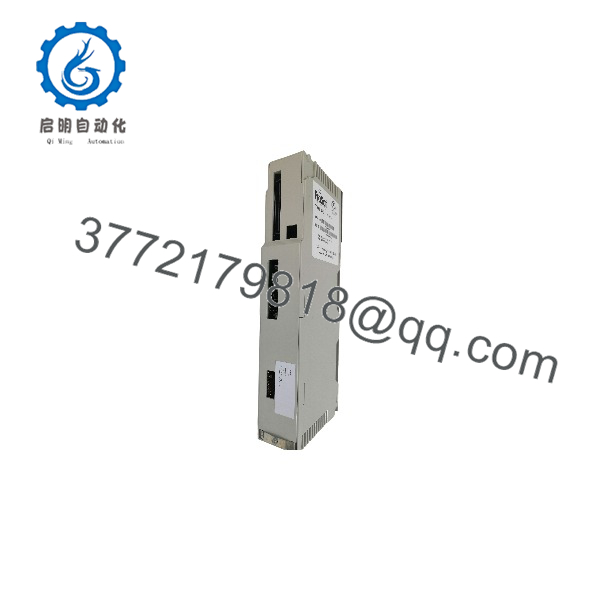
PTQ-PDPS
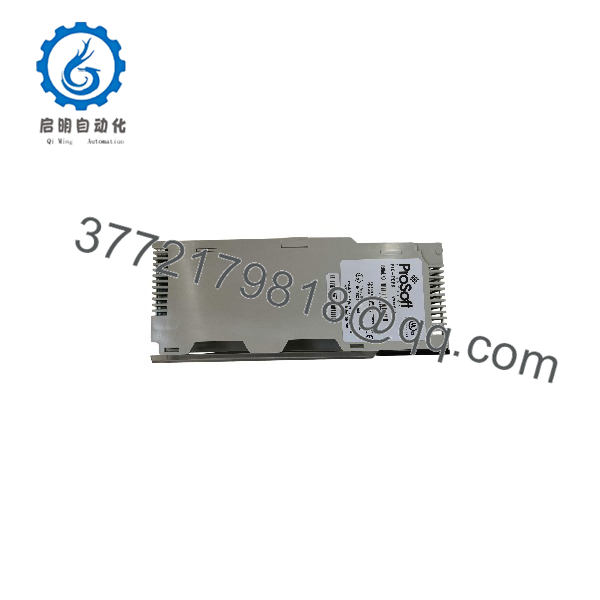
PTQ-PDPS
Detailed Product Overview
Most fieldbus integration problems in a Quantum installation come down to one question: how does a Schneider PLC talk to a network it was never designed to speak natively? ProSoft’s ProTalk family answers this by placing protocol intelligence directly in the rack. The PTQ-PDPS is the DP-slave flavor of that idea: the module carries a PROFIBUS DP-V0 slave driver, appears on the PROFIBUS network as an addressable slave (address 0–125), and presents its cyclic I/O image to whichever master polls it.
The data path deserves attention when sizing an application. The module offers 122 words of input data and 122 words of output data toward the PROFIBUS side, with a combined ceiling of 200 words (244 bytes per direction) — the DP-V0 slave image. Internally, a 400-register database sits between the PROFIBUS image and the Quantum processor’s 3x/4x register space, and the user defines the mapping between them in ProSoft Configuration Builder. That intermediate database is what makes the module practical in mixed-protocol maintenance: the same Quantum data can be presented to the PROFIBUS master in an arrangement chosen for the master’s convenience, rather than forcing the master’s configuration to mirror the PLC’s memory layout.
On the PROFIBUS side, the port is a standard, optically isolated RS-485 interface at DB-9F, covering the full 9.6 kbps to 12 Mbps range with auto-baud detection, and supporting the DP-V0 features Freeze and Sync for coordinated data consistency. The GSD file published for the module handles the master-side integration: the slave is added to the master’s configuration tool like any other PROFIBUS device, with the I/O lengths chosen within the supported image. A communication-failure timeout multiplier and a configurable action on loss of the PROFIBUS connection let the application define what the Quantum side should do if the network drops.
Commissioning follows the standard ProTalk pattern. The module is configured offline in ProSoft Configuration Builder on a Windows PC, the file is downloaded over the module’s serial or Ethernet configuration port, and the configuration is retained in non-volatile memory. The module is then declared in the Quantum project as an Options-type module (with MDC files for Concept/Unity), and sample ladder logic illustrates the backplane data exchange. Because configuration files can be exported and imported in PCB, a working module’s configuration can be captured before a failure and pushed to a replacement — a practical consideration for sites holding this module as a spare.
System Compatibility & Integration Requirements
| Item / Dependency | Verified Compatibility or Requirement | Practical Note |
|---|---|---|
| Host platform | Schneider Electric Modicon Quantum rack / Unity platform | Must be installed in the local rack, same rack as the processor. |
| Programming software | Concept 2.6+, Unity Pro 2.2+, ProWORX 2.20+, ModSoft | Concept installations use the MDC files provided with the module; sample ladder logic is available. |
| Backplane | Single-slot Quantum backplane connection; recognized as an Options module | Up to four PTQ modules per rack; the processor’s Options-module limit also applies. |
| PROFIBUS master | Any PROFIBUS DP master supporting DP-V0 slaves | The Quantum side is the slave; the master’s configuration imports the module’s GSD file. |
| PROFIBUS network | RS-485, DB-9F connector, standard PROFIBUS pinout; 9.6 kbps–12 Mbps | Optical isolation on the DP port; auto-baud supported. |
| Configuration tool | ProSoft Configuration Builder (PCB), included | Drag-and-drop configuration; a setup jumper must be off/unpinned for the module to accept a config file download. |
| Data mapping | 3x and 4x Quantum data types; 400-register internal database | Input/output images are user-mapped within the module database. |
| Carton contents | ProTalk module, null modem serial cable, DB-9F to 9-position screw terminal adapter, ProSoft Solutions CD | Serial cable is used for configuration, status, and troubleshooting. |
| Approvals context | CSA/cUL, CSA CB, ATEX Category 3 Zone 2 | The non-CE designation appears in the product’s datasheet title. |
Dimensions, Mounting & Connection Notes
The module occupies a single Quantum rack slot and measures approximately 250 mm high, 103.85 mm wide, and 40.34 mm deep (9.84 × 4.09 × 1.59 in). It draws a maximum of 1100 mA from the rack’s 5 VDC backplane supply. The PROFIBUS slave connection is a standard DB-9F connector with an optically isolated RS-485 interface following the PROFIBUS pinout specification; the configuration/debug connection is a DB-9M RS-232 port (no hardware handshaking) supplemented by an RJ45 configuration Ethernet port with link and activity LEDs. Panel status is indicated by LEDs for module status, backplane transfer status, serial port activity, and PROFIBUS error/act states. Operating environment: 0–60 °C, 5–95 % relative humidity non-condensing.
Applications & System Role
In a control architecture, the PTQ-PDPS sits inside a Quantum rack and bridges two worlds: the Quantum processor’s register space on one side, and a PROFIBUS DP network on the other. The typical role is integration — a plant whose supervisory layer or neighboring line runs a PROFIBUS-based control system can poll the Quantum PLC as a slave device, reading process values and writing setpoints through the module’s mapped I/O images without touching the Quantum program’s I/O structure. The module implements Freeze and Sync modes, so the PROFIBUS master can coordinate consistent data snapshots across polled slaves where the application requires it. It belongs to ProSoft’s ProTalk family of Quantum modules and is part of a broader Schneider in-chassis connectivity line that also includes PROFIBUS DP master variants for applications running in the opposite direction.
FAQ
What is the ProSoft PTQ-PDPS?
It is a PROFIBUS DP Slave network interface module that installs in a Schneider Modicon Quantum rack, allowing the Quantum processor to exchange data with a PROFIBUS DP master device.
What PROFIBUS protocol does it support?
The PROFIBUS DP-V0 Slave implementation, including Freeze Mode, Sync Mode, and automatic baud rate setting.
How much data can it exchange?
Up to 122 words of input data and 122 words of output data, with a combined maximum of 200 words (244 bytes in each direction).
What baud rates does the PROFIBUS port support?
9.6 kbps to 12 Mbps, with auto-baud detection; the port is an optically isolated RS-485 interface on a standard DB-9F connector.
Which Quantum programming packages does it work with?
Concept (version 2.6 or higher), Unity Pro (version 2.2 or higher), ProWORX (version 2.20 or later), and ModSoft, with sample ladder logic and MDC files provided.
How many PTQ modules can be installed in one rack?
Up to four, in the local rack with the processor; each Quantum processor model also has its own limit on Options modules, which must be checked.
How is the module configured?
With the included ProSoft Configuration Builder software on a PC; the configuration is downloaded via the serial or Ethernet configuration port and stored in the module’s non-volatile memory. The setup jumper must be off or unpinned to accept a configuration file.
What approvals does it carry?
CSA/cUL per C22.2 No. 213, CSA CB certification per IEC 61010, and ATEX EN 60079-0 Category 3 Zone 2 / EN 60079-15 for use in the corresponding hazardous-area contexts.