
 WhatsApp: +86 16626708626
 Email:
  Phone: +86 16626708626
Description
Key Technical Specifications
| Parameter | Value |
|---|---|
| Manufacturer | Reliance Electric |
| Part Number | 57C328 |
| Series | AutoMax / AutoMate Remote I/O |
| Product Type | Remote I/O head / remote rack network interface |
| Primary Function | Connects an AutoMax remote I/O rack to the Remote I/O network |
| System Application | Reliance Electric AutoMax PLC and DCS 5000 architectures |
| Power Input | 240 V AC |
| Input Frequency | 50/60 Hz |
| Published Input Current | 0.5 A / 0.25 A; confirm against the physical unit label |
| Network Medium | Coaxial Remote I/O trunk/drop network |
| Network Connection | BNC connection using a 45C70 BNC tee adapter |
| Related Network Module | 57C416 AutoMax Remote I/O Communications module at the processor side |
| Related Remote Head Variants | 57C328 and 57C330 for remote I/O; 57C329 for remote drive interface use |
| Configuration Note | Output-rail configuration may require changes when replacing a 57C330 with a 57C328 |
| Lifecycle Status | Obsolete / legacy automation hardware |
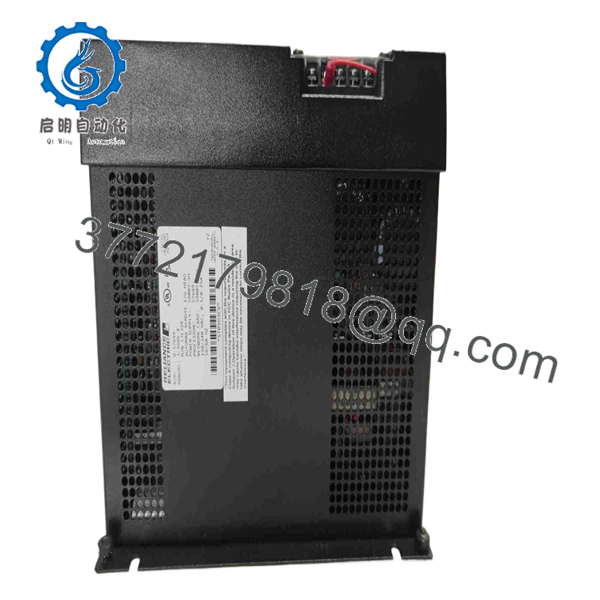
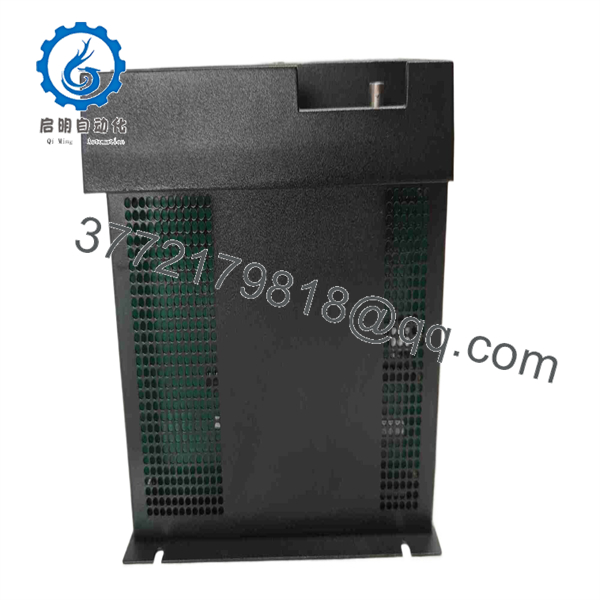
The Reliance Electric 57C328 is an AutoMax Remote I/O Head. AutoMax documentation identifies it as part of the remote-I/O architecture and specifies a BNC tee adapter, model 45C70, for connection to the Remote I/O network. Listings for the exact part number identify a 240 V AC, 50/60 Hz power requirement and a published 0.5/0.25 A input figure. Rockwell also documents a configuration consideration when substituting a 57C328 for a 57C330.
Product Introduction
The Reliance Electric 57C328 is a remote I/O head for legacy AutoMax control systems. It installs at a distributed I/O rack and provides the interface between local rack modules and the coaxial AutoMax Remote I/O communications network. The processor-side system normally uses an AutoMax Remote I/O Communications module, such as the 57C416, to manage the network.
The 57C328 is typically purchased to restore a failed remote I/O station without reengineering the processor, remote rack, or installed field wiring. Do not treat it as a generic PLC I/O module. Confirm the rack type, 240 V AC supply, BNC trunk topology, termination, station configuration, installed I/O module count, and exact head model before installation.
57C328
57C328
Troubleshooting Quick Reference
| Symptom | Possible Cause | Relevance to This Part | Quick Check Method | Recommendation |
|---|---|---|---|---|
| Remote I/O rack has no LEDs or appears completely dead | Missing 240 V AC supply, open fuse, poor rack connection, failed remote I/O head | ✅ High | Measure the correct phase-to-phase or phase-to-neutral supply voltage at the remote-head input terminals according to the cabinet schematic; inspect upstream fuses | Verify correct 240 V AC power and terminal tightness before replacing the 57C328 |
| Processor reports one remote rack offline | Coaxial cable fault, failed BNC tee, missing termination, remote-head fault, station power loss | ⚠️ Medium | Inspect the 45C70 BNC tee, cable ends, and shield continuity; verify rack supply voltage and compare network status with adjacent stations | Check the cable and BNC hardware first. Coax connections and termination faults are more common than a failed head |
| All remote I/O racks are offline | Failed processor-side 57C416, damaged network trunk, incorrect network configuration, master power issue | ❌ Low | Check the processor-side Remote I/O Communications module LEDs and diagnostics; inspect trunk continuity at the master end | Do not replace each remote head. Start at the processor-side network module and common trunk |
| Inputs remain visible but outputs do not energize | Output rail configuration mismatch, external output power missing, failed output module, interlock logic active | ⚠️ Medium | Verify field power at the output modules and review the controller output image; compare head/rack configuration with the original | Check output-card power and PLC logic before replacing the remote head |
| Output modules fault after changing from 57C330 to 57C328 | Different rail/output configuration expected by the controller program | ✅ High | Compare installed head model and rail configuration with the AutoMax project; check for the documented configuration changes | Update the applicable rail configuration in the program before returning the rack to service |
| Intermittent I/O faults occur during machine vibration | Loose BNC connector, damaged coax, oxidized rack contacts, loose power terminal | ⚠️ Medium | With equipment safely stopped, inspect BNC locking engagement, cable strain relief, rack seating, and terminal torque | Correct the physical connection before replacing the 57C328 |
| Remote I/O communication errors increase during VFD or contactor operation | Poor cable shielding, ground loop, damaged coax shield, network routing near high-energy conductors | ❌ Low | Trend error occurrence against motor starts; inspect coax routing and shield integrity | Repair routing and grounding. Keep the Remote I/O coax away from motor leads and braking-resistor wiring |
| Replacement 57C328 powers up but does not communicate | Incorrect head type, incompatible configuration, missing BNC tee, wrong network topology, board revision issue | ✅ High | Compare front label, power connection, BNC layout, rack installation position, and configuration records with the removed head | Do not force a configuration. Verify the exact 57C328 role and network setup before placing the station online |
| New unit causes a processor fault or error code | Incorrect substitution, configuration not updated, rack address issue, corrupted controller project | ✅ High | Review processor diagnostics and compare the project backup with the old station hardware record | Restore a validated project backup and make required configuration edits before operation |
❗ A 57C328 and a 57C330 are not an automatic no-programming swap. Rockwell documents that changing from a 57C330 to a 57C328 requires configuration changes for rails containing output modules. Take a full AutoMax project backup and document the original remote-head model before removal.
Before you touch the old module, photograph the BNC tee, coax cable labels, remote-head faceplate, power terminals, rack position, and every I/O module in the station. If the remote rack goes down after replacement, those pictures will save hours.
If you need technical help, provide the processor model, 57C416 diagnostics, 57C328 LED condition, remote-rack location, power readings, photos of the BNC network, and the AutoMax configuration backup.
Frequently Asked Questions
What is the Reliance Electric 57C328?
The Reliance Electric 57C328 is an AutoMax Remote I/O Head. It is installed at a distributed AutoMax I/O rack and connects that rack to the processor-side Remote I/O communications network. It is not a discrete I/O card, analog card, CPU, or stand-alone PLC.
What voltage does the 57C328 require?
Available listings for the exact 57C328 identify 240 V AC, 50/60 Hz operation and a published input-current value of 0.5/0.25 A. Confirm the actual unit label and the host cabinet wiring before applying power, because legacy panels can use different wiring arrangements for the same nominal voltage.
How does the 57C328 connect to the AutoMax network?
The AutoMax Remote I/O system uses a coaxial network. Documentation identifies the BNC tee adapter, model 45C70, as the hardware used to attach Remote I/O Heads such as the 57C328 and 57C330 to the network. Inspect the tee, trunk/drop coax, connector engagement, cable routing, and end-of-line termination before replacing the remote head.
Can I replace a 57C330 with a 57C328?
Only after confirming the controller configuration changes required for the remote I/O rails. Rockwell’s technical note specifically states that output-module rails need programming or configuration changes when replacing a 57C330 with a 57C328. Do not make the swap during an outage without a verified AutoMax project backup and a rollback plan.
Can I hot-swap the 57C328?
No. Treat the 57C328 as non-hot-swappable legacy hardware. Shut down the affected remote rack, isolate the 240 V AC supply under your lockout/tagout procedure, verify absence of voltage, and then disconnect the remote head and BNC network hardware. Pulling the unit under power can interrupt the network and create faults at multiple remote stations.
Why does the processor show a remote-I/O fault even though the 57C328 appears powered?
Power proves only that the remote head receives supply voltage. The communication fault may still be caused by a loose BNC tee, damaged coax cable, missing or duplicate network termination, poor shield continuity, a processor-side 57C416 issue, wrong head configuration, or an output-rail configuration mismatch. Diagnose the network systematically from the processor-side interface to the affected remote rack.
Is the 57C328 obsolete, and should I stock a spare?
Yes. The AutoMax platform is legacy hardware, and the 57C328 is normally sourced from New Surplus, used, refurbished, or repair-channel inventory. If the machine is production-critical, stock a verified spare with the same part number, retain the AutoMax configuration backup, and store photographs of the remote-rack BNC topology and power wiring.
What supplier testing should I request?
For New Original / New Surplus stock, request exact part-number and label photos, connector and BNC-port inspection, rack-connector inspection, confirmation of 240 V AC variant, ESD-safe packaging, and a written condition statement.
For Refurbished stock, request testing in an AutoMax remote-I/O test rig. The supplier should document power-up LED behavior, stable rack communication through a 45C70 BNC tee and representative coax cable, data exchange with an AutoMax or DCS 5000 processor interface, recognition of installed I/O modules, operation through a controlled thermal run, and final quality-control sign-off. Request the test report, test video, condition photographs, warranty terms, and firmware or board-revision details before shipment.



