
 WhatsApp: +86 16626708626
 Email:
  Phone: +86 16626708626
Description
Key Technical Specifications
| Parameter | Value |
|---|---|
| Manufacturer | SAACKE GmbH |
| Model | FSC-01V3.02 |
| Product Type | Fail-safe burner management controller |
| System Platform | Se@vis combustion control system |
| Power Supply | 24 VDC (-15% / +20%) |
| Maximum Current Consumption | Approx. 8 A (maximum load condition) |
| Open Circuit Current | Approx. 0.5 A |
| CPU Architecture | Motorola PowerPC MPC823e |
| Processor Frequency | 50 MHz |
| Flash Memory | 8 MB onboard Flash |
| SDRAM | 32 MB |
| FRAM | 32 kB with power-fail backup |
| Programming Standard | IEC 61131 |
| Safety Standard | IEC 61508 |
| Communication Interfaces | CAN, Ethernet, PROFIBUS, Modbus (system dependent) |
| Operating Temperature | 0 to +60 °C |
| Storage Temperature | −40 to +85 °C |
| Protection Rating | IP20 |
| Dimensions | Approx. 257 × 114 × 66 mm |
| Weight | Approx. 1.1 kg |
The SAACKE FSC-01V3.02 is a fail-safe controller used in the Se@vis burner management platform. It handles burner automation functions, electronic fuel-air ratio control, safety monitoring, and communication with FSC-IO components. SAACKE documentation describes the FSC as the central control component for burner automation and safety-related firing sequences.
Product Introduction
The SAACKE FSC-01V3.02 is an industrial combustion controller designed for burner management applications in steam boilers, thermal oil heaters, and industrial heating systems. It performs safety-related burner sequencing, fuel/air control functions, and process monitoring within SAACKE Se@vis control architectures.
The FSC-01V3.02 integrates programmable control functions with industrial communication interfaces for connection to burner I/O modules and plant automation systems. Replacement projects should verify the existing Se@vis configuration, FSC-IO modules, firmware version, and application program before commissioning.
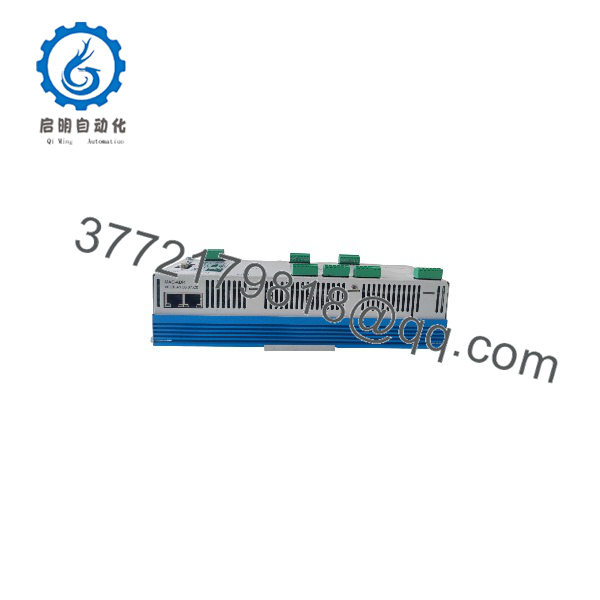
FSC-01V3.02
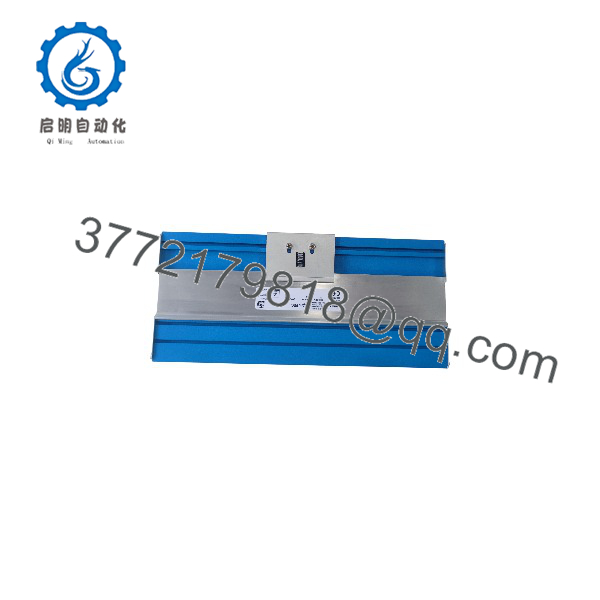
FSC-01V3.02
Installation & Configuration Guide
Stage 1: Pre-Installation Preparation — Approximately 20 Minutes
⚠️ Safety First:
The FSC-01V3.02 controls safety-related combustion functions. Before replacement, place the burner system into a safe shutdown state. Apply lockout/tagout procedures, isolate cabinet power, close fuel supply if required by site procedures, and wait for stored electrical energy discharge.
Tools Required:
- ESD wrist strap
- Digital multimeter
- Insulated screwdriver set
- Wire labels
- Laptop with SAACKE engineering software/documentation
- Smartphone for cabinet photographs
- Backup storage device
Data Backup:
- Record the complete controller identification:
- FSC-01V3.02
- Serial number
- Hardware revision
- Save the existing application program.
- Record:
- Firmware version
- Communication parameters
- CAN node settings
- PROFIBUS address (if installed)
- Modbus parameters (if applicable)
- Photograph:
- Terminal wiring
- Module position
- I/O connections
- Network cabling
- Document connected FSC-IO modules.
⚠️ Important:
Replacing the FSC hardware without the original application configuration can prevent burner startup. Preserve the original project data before removing the controller.
Stage 2: Removing the Old Module — Approximately 15 Minutes
- Switch off cabinet power.
- Verify 24 VDC supply is removed using a multimeter.
- Wait for internal discharge.
- Label all field wiring.
- Disconnect:
- Power terminals
- Safety input wiring
- Burner actuator connections
- Communication cables
- Release mounting clips.
- Remove the .02 from the rack or mounting position.
- Inspect:
- Terminal blocks
- Backplane connections
- Cabinet grounding
- Heat or contamination marks
⚠️ Keep the original controller until commissioning is complete.
The original FSC provides the reference for firmware, configuration, and wiring.
Stage 3: Installing the New .02 — Approximately 20 Minutes
- Verify the replacement model matches SAACKE .02.
- Confirm hardware revision compatibility.
- Install the controller into the original mounting location.
- Connect protective grounding if required.
- Reconnect power wiring.
- Reconnect safety and process I/O wiring.
- Reconnect communication interfaces.
- Restore the saved application configuration.
- Verify parameter sets.
Configuration Clone Checklist:
- .02 hardware verified
- Firmware version checked
- Application program restored
- FSC-IO configuration verified
- CAN/PROFIBUS settings matched
- Safety parameters checked
- Burner sequence parameters verified
Stage 4: Power-On & Testing — Approximately 30 Minutes
- Perform final wiring inspection before energizing.
- Apply 24 VDC control power.
- Observe controller startup diagnostics.
- Check fault indicators.
- Connect engineering software.
- Verify:
- Controller communication
- I/O status
- Safety inputs
- Flame monitoring signals
- Actuator feedback
- Perform burner sequence simulation.
- Test ignition sequence under approved commissioning conditions.
- Verify shutdown functions.
- Record commissioning results.
⚠️ Troubleshooting Note:
- Controller fails to start: Check 24 VDC supply, grounding, and hardware configuration.
- Communication fault: Verify CAN/PROFIBUS address, termination resistors, and network parameters.
- Burner sequence stops: Check safety chain inputs, flame detector signals, and parameter consistency.
- Application mismatch: Confirm the loaded project matches the original burner configuration.
Frequently Asked Questions (FAQ)
Can the SAACKE .02 be hot-swapped?
No. The .02 controls burner safety functions and must be replaced with power isolated. Removing it under power can create unsafe operating conditions and may damage the controller or connected I/O modules.
What is the main function of the .02?
The .02 acts as the central fail-safe controller in SAACKE Se@vis burner management systems. It manages burner sequences, safety interlocks, fuel-air control functions, and communication with system components.
Is the SAACKE .02 obsolete?
The .02 is primarily encountered in existing Se@vis installations and is commonly sourced through industrial spare-part channels. Availability depends on remaining inventory and system lifecycle status.
Will replacing .02 erase burner parameters?
The controller replacement itself does not automatically preserve the application configuration. The burner program, parameters, and safety settings must be restored from a verified backup before commissioning.
What communication protocols does .02 support?
The Se@vis FSC platform supports industrial communication options including CAN, PROFIBUS, and Modbus depending on system configuration. The exact interfaces depend on installed hardware and project design.
Can I replace .02 with a newer SAACKE controller?
Not as a direct assumption. A newer controller may require application migration, I/O mapping changes, firmware adjustments, and safety validation. Verify the complete burner management architecture before replacement.
Why is a surplus .02 available below OEM pricing?
Legacy combustion controllers are often sourced from unused maintenance stock, plant upgrades, or equipment retirement projects. Price differences usually depend on condition, testing scope, warranty terms, and remaining availability.
What should I request before purchasing an .02?
For New Original / New Surplus units, request:
- Actual controller photos
- Nameplate image
- Serial number
- Firmware information
- Power-on test record
- Warranty details
For Refurbished (tested) units, request:
- Functional test report
- Communication test results
- I/O verification record
For burner safety applications, confirm compatibility with the existing SAACKE Se@vis configuration before installation.



