
 WhatsApp: +86 16626708626
 Email:
  Phone: +86 16626708626
Description
Key Technical Specifications
| Parameter | Specification |
|---|---|
| Manufacturer | SAACKE |
| Model | HMI05E / HMI 05E |
| Part Number | 637307 |
| Product Family | se@vis |
| Product Type | Industrial HMI / Touchscreen |
| Display Size | 5.7 in |
| Display Interface | Color display |
| Resolution | VGA* |
| Power Supply | 24 V DC* |
| Touch Interface | Touchscreen |
| Primary Application | Combustion and burner control |
| Controller Compatibility | SAACKE FSC system |
| Mounting | Panel-mounted HMI |
| Communication | SAACKE system communication; exact interface should be verified |
| Protection | Front-panel IP rating should be verified from the installation documentation |
*Public sources consistently identify the HMI 05E as a 5.7-inch, VGA, 24 VDC SAACKE touchscreen. Other published specifications, including exact dimensions, communication interfaces, operating temperature, and IP rating, vary between secondary sources and should not be treated as OEM-confirmed without the applicable SAACKE documentation.
The HMI is associated with SAACKE’s se@vis combustion-control architecture. Documentation for the related se@vis compact system describes the HMI touchscreen together with the FSC basic unit as the principal operator/control elements.
Product Introduction
The SAACKE HMI05E is a 5.7-inch touchscreen operator interface used with SAACKE combustion-control systems. Its role is to provide visualization and operator access to the firing process, allowing relevant operating information and fault messages to be presented through the HMI. Public trade data identifies the unit as P/N 637307, with VGA display and 24 VDC supply.
The HMI is particularly relevant to SAACKE burner and boiler installations using the FSC control platform. SAACKE’s se@vis documentation describes integrated process visualization, operating functions, and fault-message handling as part of the control architecture.
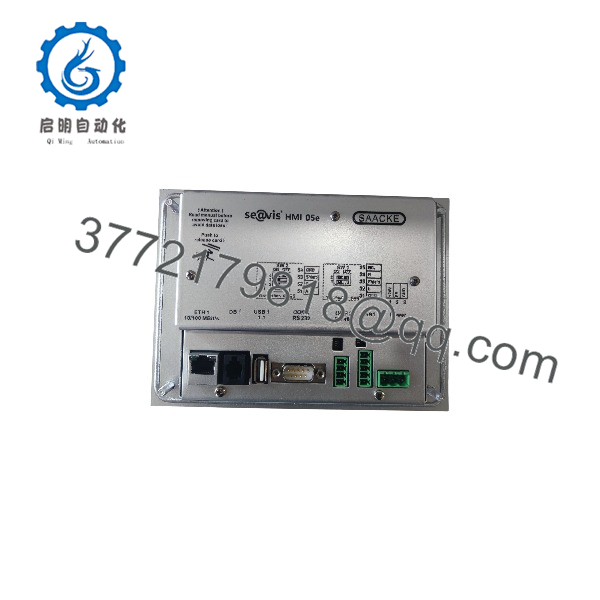
HMI05E
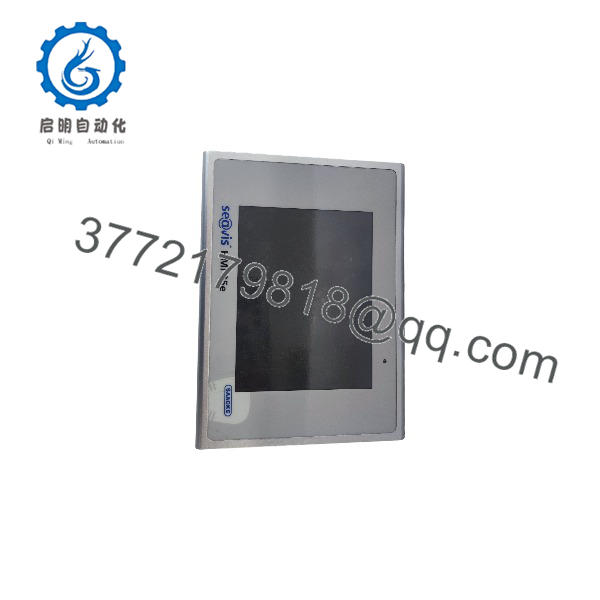
HMI05E
Installation & Configuration Guide
Stage 1 — Pre-Installation Preparation
Estimated time: 20–30 minutes
- Confirm the replacement marking HMI05E and, where applicable, P/N 637307.
- Verify that the existing burner-control system uses the compatible SAACKE HMI/FSC configuration.
- Photograph all rear-panel connectors and cable positions.
- Record the existing HMI configuration and application/software version if accessible.
- Confirm the control cabinet provides the required 24 V DC supply.
- Back up configuration data where the installed system provides an approved backup procedure.
⚠️ Do not assume that a replacement HMI contains the same application software or configuration as the removed unit.
Stage 2 — Removing the Existing HMI
Estimated time: 15–25 minutes
- Shut down the combustion-control system according to the approved burner shutdown procedure.
- Isolate electrical power and apply LOTO.
- Verify that the HMI is de-energized.
- Label each rear connection before removal.
- Disconnect communication and power connections.
- Release the panel mounting hardware.
- Remove the old HMI without damaging the panel cutout or wiring harness.
⚠️ The HMI is part of a burner-control system. Do not bypass safety interlocks during replacement.
Stage 3 — Installing the New HMI
Estimated time: 20–30 minutes
- Check the panel cutout and mounting hardware before inserting the replacement.
- Install the HMI05E in the same orientation as the original unit.
- Secure the HMI without excessive mechanical force.
- Reconnect the communication and 24 VDC power wiring.
- Verify connector positions against the original photographs and wiring documentation.
- Confirm protective grounding where required by the installation design.
- Check that cables are secured and cannot contact hot surfaces or moving components.
⚠️ Do not energize the HMI until the power polarity and communication connections have been verified.
Stage 4 — Power-On & Testing
Estimated time: 30–60 minutes
- Restore control power.
- Confirm that the HMI starts normally.
- Verify communication with the associated SAACKE combustion controller.
- Check displayed operating values against the controller or independent instrumentation.
- Verify alarm and fault-message displays.
- Check operator-command functions using the approved commissioning procedure.
- Confirm that the burner safety sequence remains under the control of the designated safety controller.
- Record the installed HMI part number and software/configuration information.
⚠️ Do not release the burner for automatic operation until the complete control and safety sequence has been tested according to the plant’s approved commissioning procedure.
FAQ
1. What is the SAACKE HMI05E?
It is an operator touchscreen HMI used with SAACKE combustion-control systems. It provides process visualization and operator interaction with the associated burner-control system.
2. What is the SAACKE HMI05E part number?
Public trade records identify HMI 05E, P/N 637307. This is useful when matching an existing unit, but the complete marking on the installed HMI should still be checked before procurement.
3. What display does the use?
Publicly available records identify a 5.7-inch VGA touchscreen. Some reseller pages publish conflicting display specifications, so the exact native display resolution should be verified against the unit documentation before using it for a like-for-like engineering replacement.
4. Does the control the burner safety sequence by itself?
The HMI is the operator interface within the SAACKE combustion-control architecture. SAACKE documentation describes the HMI together with the FSC basic unit, which provides the control and safety functions. Therefore, the HMI should not be treated as an independent replacement for the FSC safety controller.
5. What power supply does the require?
Public product and trade sources identify 24 VDC operation. Verify the actual nameplate and installation documentation before applying power, particularly when replacing an older HMI in a marine or industrial burner cabinet.
6. Can I replace an with a generic 5.7-inch HMI?
Not as a direct substitution. The replacement must support the SAACKE application, communication interface, panel dimensions, power requirements, and installed software. A generic display with similar size and voltage does not establish functional compatibility.
7. What should I verify before purchasing a replacement ?
Provide the supplier with , P/N 637307, photographs of the rear label and connectors, and the associated SAACKE FSC controller model/version. Also verify whether the replacement is New Original, New Surplus, or Refurbished/Tested and whether the required SAACKE application software is included.



