
 WhatsApp: +86 16626708626
 Email:
  Phone: +86 16626708626
Description
Key Technical Specifications
| Parameter | Value |
| Display Type | TFT LCD Chassis Monitor |
| Screen Size | 23.1 Inches (58.7 cm) |
| Native Resolution | 1600 x 1200 (UXGA) |
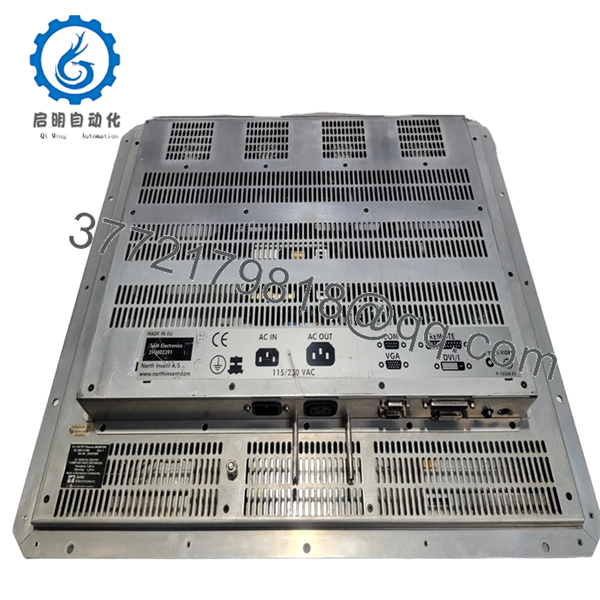
| Input Interfaces | VGA, DVI-D, and Serial RS-232 |
| Serial Connection | Required for ECDIS buzzer and remote control |
| Power Supply | AC 115 / 230 V, 50/60 Hz |
| Mounting Style | Console / Panel Mount (Chassis) |
| Compliance | Wheel Mark approved, IEC 60945 compliant |
| Dimensions (Appx) | 550 mm x 450 mm x 100 mm |
Product Introduction & Supply Chain Strategy
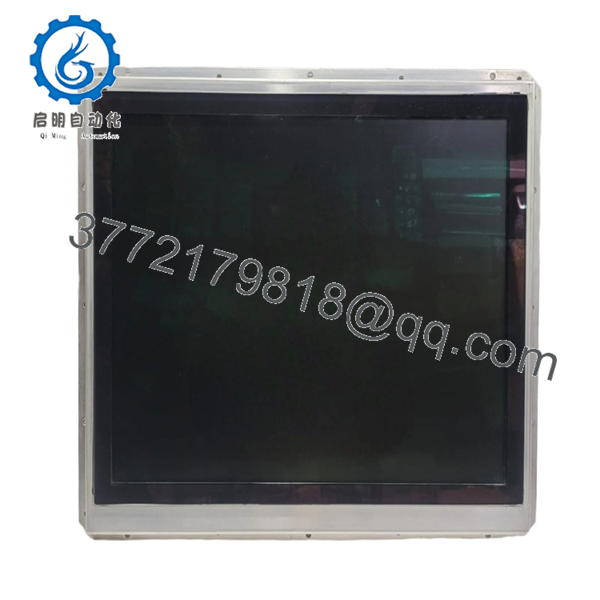
The SAM Electronics AZ 3063 G 080 is a high-performance 23.1-inch TFT monitor specifically engineered for integrated bridge systems (IBS), including the Chartradar and Chartpilot 1100 series. Designed for the rigors of marine operation, this chassis-mounted display provides the extreme brightness and wide viewing angles necessary for safe navigation. Its integration of an RS-232 interface is critical for the mandatory audible alarms (buzzers) required by ECDIS regulations.
As a legacy component, the AZ 3063 G 080 represents a strategic supply chain asset. Procuring “New Surplus” units is the most effective way to avoid the risks associated with “reconditioned” marine displays, which often suffer from backlight dimming or pixel fatigue due to 24/7 bridge operations. By securing new, unused inventory, ship managers maintain vessel compliance and avoid the TCO spikes triggered by unplanned downtime or the need for a total bridge electronics overhaul.

- AZ 3063 G 080
- AZ 3063 G 080
Installation & Configuration Guide
Stage 1: Pre-Installation (Prep & Safety)
Power down the navigation console and isolate the specific AC circuit breaker. Ensure you have the correct chassis mounting brackets. Record the serial interface settings from the old unit, as the RS-232 baud rate must match the bridge computer for the alarm buzzer to function.
Stage 2: Removal
Loosen the panel mounting screws around the chassis perimeter. Carefully slide the monitor forward. Disconnect the VGA/DVI cable and the 9-pin serial connector. Take care not to snag the internal buzzer wiring if it is externally mounted.
Stage 3: Installation (Clone & Seat)
Align the new AZ 3063 G 080 with the console cutout. Before fully seating, connect the video and serial cables. Ensure the serial cable (connected to Interface Card GE3047G201 or similar) is securely fastened to enable the integrated alarm system.
Stage 4: Power-On & Testing
Apply power and verify the boot-up sequence. Enter the monitor’s OSD (On-Screen Display) menu to calibrate brightness for day/night/dusk modes. Perform a “Buzzer Test” within the ECDIS or Radar software to ensure the serial link is properly triggering the mandatory alarms.
Firmware/Software Versions & Upgrade Notes
The AZ 3063 G 080 is a “dumb” display in terms of logic, but it relies on hardware-level firmware for signal processing. While firmware updates are rare, it is vital to check the compatibility of the RS-232 communication protocol with your current Chartpilot version. Mismatched firmware on the display interface board can result in the failure of the ECDIS “Safety Contour” audible alarms, which is a significant non-conformity during PSC (Port State Control) inspections.
Frequently Asked Questions (FAQ)
- Can I use a standard 23-inch office monitor as a replacement?
No. Standard monitors lack the “Wheel Mark” certification, marine-grade dimming capabilities, and the RS-232 serial interface required for mandatory ECDIS alarm buzzers.
- Why is the “G 080” suffix important?
This suffix denotes specific chassis dimensions and interface configurations. Replacing it with a different version (like a G 100) may lead to mounting misalignments or cable reach issues.
- Does this unit include the alarm buzzer?
The AZ 3063 series is typically designed to interface with an external buzzer via the serial port. Verify if your current buzzer is functional or if it needs to be transferred to the new unit.
- How do I verify if this is “New Surplus”?
Genuine new surplus units will arrive in original OEM protective packaging with no signs of mounting wear on the chassis screw holes or dust in the cooling vents.
- Will this work with older SAM DEBEG systems?
Yes, the AZ 3063 G 080 is a standard replacement for many DEBEG-branded consoles, provided the resolution settings (1600 x 1200) are supported by your graphics card.
- What is the warranty coverage?
We provide a 1-year functional warranty on this New Surplus unit, ensuring it meets all OEM visual and communicative standards upon installation.



