
 WhatsApp: +86 16626708626
 Email:
  Phone: +86 16626708626
Description
3. Key Technical Specifications
| Parameter | Value |
| Model Number | Chartradar 1100 (GE3064) |
| Power Supply | 115 V / 230 V AC, 50/60 Hz |
| Graphics Interface | AGP VGA (GVP GE3044Gxxx) |
| Operating System | QNX-based Real-Time OS |
| Video RAM | 8 MB Minimum |
| Target Tracking | 80 ARPA / 400 AIS sleeping targets |
| Radar Interswitch | Integrated 2-way (transceiver/display) |
| Compliance | IMO/IEC requirements for Radar with Chart facilities |
| Safe Distance | Standard: 0.45 m |
| Weight | 8.8 kg (Electronics Unit only) |
4. Product Introduction & Supply Chain Strategy
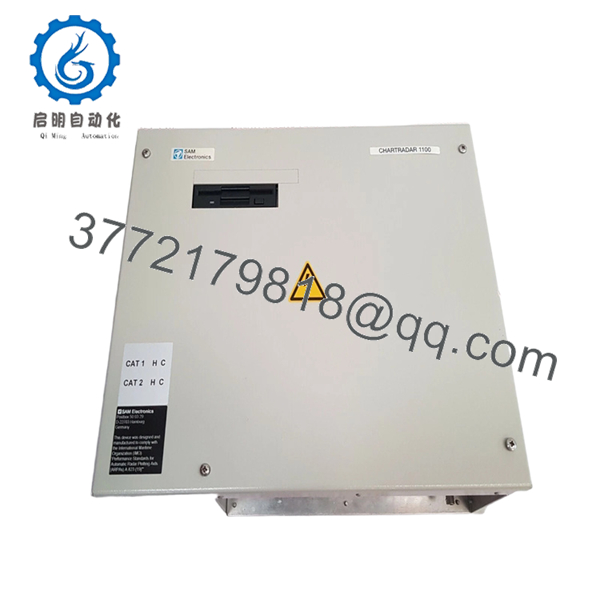
The Sam Electronics Chartradar 1100 is the central processing core for the NACOS 1100 navigation suite, merging traditional X-band or S-band radar video with vector-based electronic charts. It provides mariners with a correlated situational picture, supporting ARPA target tracking and AIS integration to ensure safe passage in high-traffic corridors.
From a Total Cost of Ownership (TCO) perspective, securing this unit as New Surplus is a critical insurance policy for vessels still operating legacy NACOS systems. As these components are no longer in active production, a single point of failure in the processing unit can lead to total system downtime and port state control detentions. By opting for New Surplus over a refurbished gamble, you avoid the high failure rates associated with aged electrolytic capacitors and thermal fatigue found in used marine electronics.

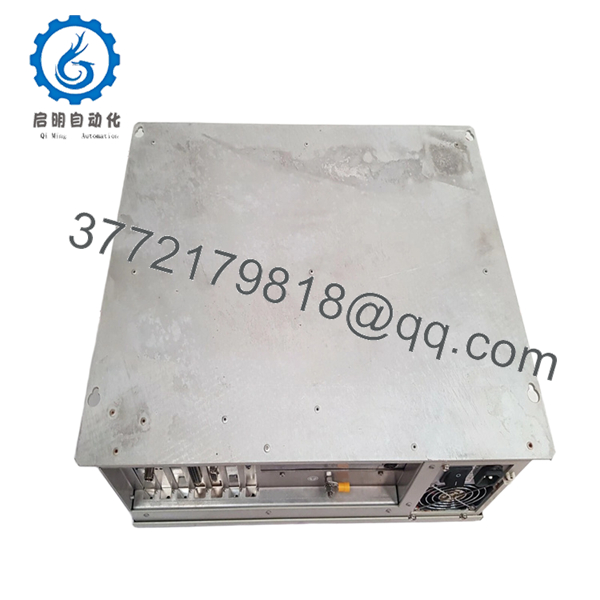
- Chartradar 1100
5. Installation & Configuration Guide
- Stage 1: Pre-Installation (Prep & Safety): Perform a full lock-out/tag-out of the bridge console power supply. Wear a grounded ESD wrist strap before touching any internal boards. Document all existing cable labels and take clear photos of the rear I/O terminations and any internal jumper settings on the GVP card.
- Stage 2: Removal: Carefully disconnect the VGA and signal cables. Loosen the mounting fasteners and slide the electronic unit out of the console or rack. Ensure you do not put tension on the internal backplane or ribbon cables during extraction.
- Stage 3: Installation (Clone & Seat): Verify that the voltage selector (115/230 V) on the new unit matches the vessel’s supply. Slide the unit into position and secure the fasteners. Reconnect all interfaces, ensuring the connectors are fully seated and thumbscrews are tightened to prevent vibration-induced disconnects.
- Stage 4: Power-On & Testing: Restore power and monitor the boot sequence on the display. Verify the communication handshake with the transceiver and GPS/Gyro inputs. Check for “RUN” status LEDs on the processor board and perform a radar/chart overlay alignment test before departing port.
6. Firmware/Software Versions & Upgrade Notes
- Recommended Version: This hardware is optimized for Software Version 4.x (QNX environment).
- Compatibility Warning: Hardware revisions of the Graphics and Video Processor (GVP) GE3044 must match the main processor firmware. Installing a V3.1 unit into a system configured for V2.8 may result in “Communication Timeout” or “Video Sync Lost” errors.
- Risk Note: Do not attempt firmware flashes on-site without a verified backup of the system configuration files. Mismatched firmware can brick the GVP card, leading to a permanent black-screen condition.
7. Frequently Asked Questions (FAQ)
- Is this unit really “New Surplus” or just a cleaned-up used part?
This is genuine New Surplus inventory. It has never been installed on a vessel and has been stored in a climate-controlled environment. Unlike “refurbished” units, this hardware has zero operational hours on the processor and power supply components.
- Why should I buy this instead of a cheaper refurbished unit?
In marine environments, refurbished parts often fail due to salt-air corrosion or “dried” capacitors that look fine but fail under load. A failure at sea can cost thousands in emergency technician fly-outs and vessel delays. New Surplus provides the reliability of a new part at a lower-than-list price.
- Is the Chartradar 1100 hot-swappable?
No. Attempting to swap the electronic unit or the internal GVP cards while the power is active will likely cause a catastrophic electrical surge, potentially damaging the connected radar transceiver or the display monitor.
- Does this unit come with the chart database pre-loaded?
The unit contains the operating system and radar processing software, but ENC chart licenses must be transferred from your existing system or renewed via your nautical chart provider.
- What is the warranty on this legacy equipment?
We provide a standard 12-month warranty, which is significantly longer than the 30-day “functional” guarantee usually offered with used marine spares.



