
 WhatsApp: +86 16626708626
 Email:
  Phone: +86 16626708626
Description
Key Technical Specifications
- Communication Protocol: Modbus over TCP/IP
- Network Interface: Ethernet 10/100Base-T (RJ45)
- Additional Services: Embedded HTTP web server, SNMP agent, BOOTP client/server
- Flash Memory: 8 MB onboard
- Platform Compatibility: Modicon Quantum backplane (140-series CPUs)
- Operating Temperature: 0 to 60 °C
- Storage Humidity: Up to 95% RH, non-condensing
- Mounting: Single-slot Quantum rack module
- Country of Manufacture: France
- Firmware: Field units have shipped with versions including V4.30 — confirm exact revision against your master/CPU compatibility matrix before ordering
- Design Note: Built to Schneider’s Transparent Ready architecture for integration into existing Modbus TCP networks
Backplane power draw (5 V bus current) is not independently verified for this listing — confirm against the OEM 140NOE77101 datasheet or your rack’s power budget calculation before final sizing.
Product Introduction
The Schneider Electric 140NOE77101 is a Modicon Quantum network interface module that puts a Quantum rack on an Ethernet TCP/IP network using a 10/100 Mbps RJ45 port and Modbus TCP as the primary protocol. It’s the module engineers reach for when a Quantum CPU needs to talk to a SCADA host, HMI, or supervisory PLC over standard Ethernet instead of Modbus Plus or serial links.
Buyers pick it over generic gateways because it drops straight into an existing Quantum backplane slot — no protocol converter, no extra programming layer. The onboard HTTP server and SNMP agent also give maintenance staff a way to check module status from a browser without touching the PLC program.
Troubleshooting Quick Reference
| Symptom | Possible Cause | Relevance to this Part | Quick Check Method | Recommendation |
|---|---|---|---|---|
| Module doesn’t power up / no LEDs | Backplane power supply issue | ❌ Low | Check 5V rail at backplane connector with a multimeter | Verify rack power supply loading before replacing the NOE |
| RUN/OK LED not lit or flashing fault code | Firmware corruption or hardware fault | ✅ High | Cycle power, check status LED pattern against Schneider’s LED reference chart | Usually requires module replacement |
| No Ethernet link light | Bad cable, switch port, or NIC failure | ❌ Low | Swap cable, test on a known-good switch port | Rule out cabling/switch before condemning the module |
| Modbus TCP connection drops intermittently | Network congestion, duplicate IP, or switch misconfig | ❌ Low | Ping the module continuously, check for IP conflicts on the subnet | Usually a network issue, not the NOE itself |
| Module holds link but won’t pass data | Wrong IP config or subnet mismatch | ❌ Low | Re-check IP/subnet/gateway via Concept, Unity, or web interface | Reconfigure before replacing hardware |
| Module recognized in slot but shows config fault | Firmware/CPU version mismatch | ✅ High | Compare firmware rev against CPU compatibility list | Confirm compatibility, may need firmware update or different unit |
If you’re still stuck after these checks, contact technical support with photos of the LED state and a screenshot of the diagnostic buffer or IP config screen — it cuts troubleshooting time significantly.
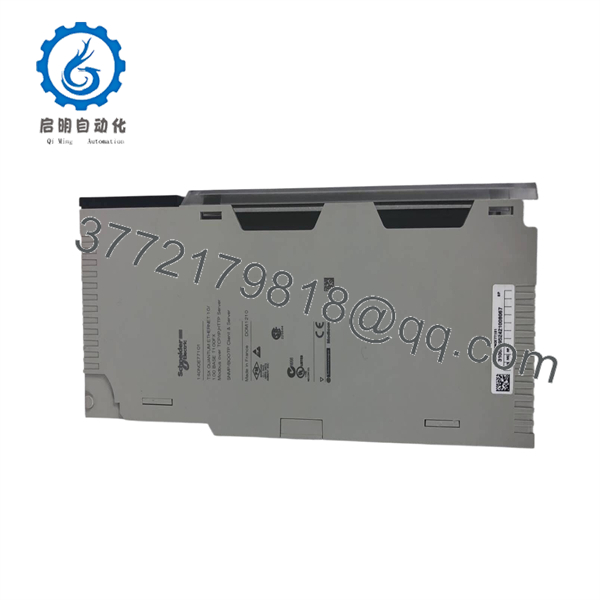
140NOE77101
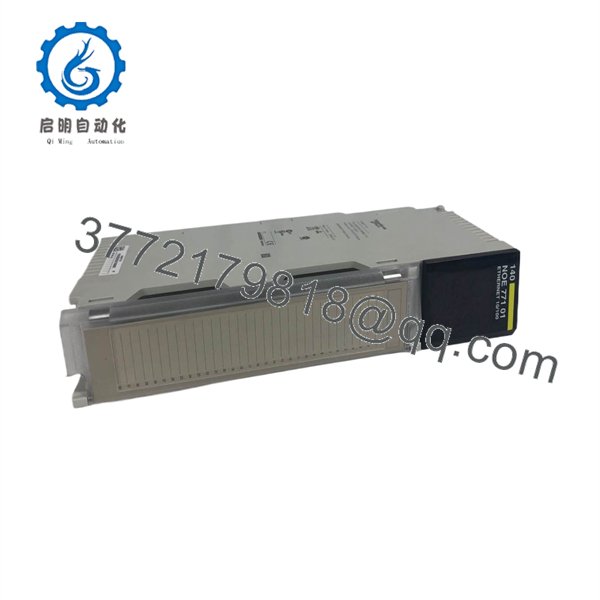
140NOE77101
Frequently Asked Questions (FAQ)
Is the 140NOE77101 still supported by Schneider, or is it obsolete?
This model has been superseded in Schneider’s current Quantum Ethernet lineup by newer NOE modules. It’s not a discontinued-and-forgotten part — plenty of Quantum systems installed 10-15+ years ago still run on it — but new-build specs from Schneider will point you to a current-generation module. If you’re maintaining an existing system, this unit keeps you running without touching your program or wiring.
Can I hot-swap this module while the rack is powered?
No. Pull power to the rack slot before removing or installing the NOE. Hot-swapping communication modules on Quantum backplanes risks backplane bus faults that can affect neighboring modules, not just the one you’re working on.
Will my Modbus TCP configuration and IP settings carry over from the old module?
No, the IP address and network configuration live on the module itself, not the CPU program. You’ll need to reconfigure IP address, subnet, and any SNMP/HTTP settings on the replacement unit through Concept, Unity Pro, or the module’s own web interface.
Why is this cheaper than buying new from Schneider?
Because it’s New Surplus, not factory-fresh-off-the-current-production-line stock. These units are typically pulled from decommissioned equipment, cancelled projects, or excess OEM inventory — factory sealed or unused, but sourced outside Schneider’s direct channel. That’s the entire price difference; there’s no functional compromise on a genuinely new-condition unit.
Is this a direct replacement for my existing 140NOE77101?
If your existing module carries the same part number, yes — it’s a like-for-like swap. If you’re replacing a different NOE variant (77100, 77111, etc.), check firmware and feature compatibility with your CPU first; Quantum NOE modules aren’t all interchangeable across generations.
Do you test these before shipping, or am I taking a chance?
Every unit goes through power-on self-test, Ethernet link/handshake verification, and Modbus TCP communication testing before it ships. We’re not shipping something we haven’t put current through.
What’s your return policy if it doesn’t work in my system?
Standard warranty coverage applies from the ship date. If a unit fails functional testing on your end within the warranty window, contact us with your diagnostic findings — photos of LED states and your config screen speed up the process considerably.



