
 WhatsApp: +86 16626708626
 Email:
  Phone: +86 16626708626
Description
Key Technical Specifications
| Parameter | Value |
|---|---|
| Product type | Ethernet TCP/IP network module |
| Product range | Modicon M340 automation platform |
| Network interface | 1 × RJ45 Ethernet port |
| Ethernet standard | 10BASE-T/100BASE-TX |
| Data rate | 10/100 Mbps |
| Network services | Modbus TCP messaging, I/O scanning, global data, web server, FDR server, SNMP |
| Transparent Ready class | B30 with supplied memory card |
| Supplied memory card | BMXRWSC016M |
| Internal power supply | Via M340 rack backplane |
| Current consumption | 90 mA at 24 V DC |
| Power dissipation | 2.2 W |
| Reset function | RESET pushbutton for cold restart |
| Status indicators | ERR, CARD ERR, ETH 100, ETH STS, RUN, ETH ACT LEDs |
| Operating temperature | 0 to 60 °C |
| Relative humidity | 10–95%, non-condensing |
| Protection rating | IP20 |
| Module format | Standard |
| Approximate weight | 0.2 kg |
| Dimensions | Approximately 29 × 100 × 160 mm |
| Mounting compatibility | Modicon M340 backplane rack |
| Certifications and standards | CE, UL 508, CSA C22.2, IEC/EN 61131-2 |
Schneider Electric identifies the BMXNOE0100 as an M340 Ethernet TCP/IP module with one 10/100 RJ45 port and a flash memory card. The published technical data lists 90 mA consumption at 24 V DC, 2.2 W dissipation, IP20 protection, and a 0–60 °C operating range.
Product Introduction
The Schneider Electric BMXNOE0100 is a Modicon M340 Ethernet TCP/IP network module for PLC communication over a 10BASE-T or 100BASE-TX RJ45 connection. It supports Modbus TCP messaging, I/O scanning, global data, web services, FDR, and network diagnostics.
The module uses the M340 rack backplane for power and includes a BMXRWSC016M flash memory card. Confirm the installed firmware, memory-card condition, rack compatibility, and control-system configuration before replacing an existing NOE module.
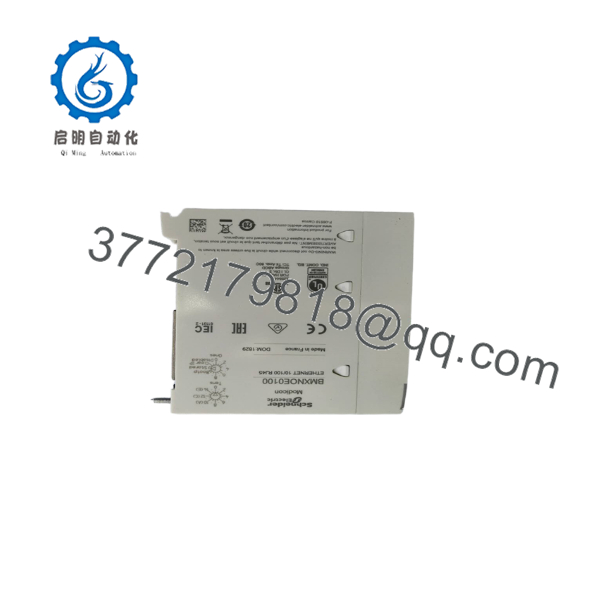
BMXNOE0100
BMXNOE0100
Troubleshooting Quick Reference
| Symptom | Possible Cause | Relevance to This Part | Quick Check Method | Recommendation |
|---|---|---|---|---|
| No LEDs after rack power-up | Rack power or backplane fault | ❌ Low | Confirm rack supply voltage and check adjacent module LEDs | Check the power supply, rack connectors, and backplane before replacing the BMXNOE0100 |
| RUN LED remains OFF | Module boot failure, rack configuration issue, or internal fault | ✅ High | Inspect ERR and CARD ERR LEDs, then review the PLC diagnostic buffer | Replace the module only after verifying rack power and configuration |
| ERR LED is red | Processor fault, configuration problem, or firmware issue | ✅ High | Read the diagnostic buffer and record the exact error code | Compare firmware and configuration requirements before installing another unit |
| CARD ERR LED is red | Missing, damaged, or incompatible flash memory card | ✅ High | Remove power, reseat the BMXRWSC016M card, and inspect its contacts | Test with a known-good compatible card before condemning the Ethernet module |
| ETH 100 LED is OFF | Link is operating at 10 Mbps or no link is established | ✅ Medium | Check the switch port, Ethernet cable, and link LEDs at both ends | Verify cable and switch negotiation; an OFF ETH 100 LED alone does not prove module failure |
| ETH STS LED is OFF | No valid Ethernet connection or network initialization problem | ✅ Medium | Connect a known-good cable to a managed switch and check the switch port status | Replace cables and verify IP configuration before replacing the module |
| ETH ACT LED never flashes | No network traffic or disconnected network | ❌ Low to medium | Ping the module or observe traffic from the PLC and switch diagnostics | Check addressing, subnet, switch port, and application traffic first |
| Modbus TCP connection times out | Incorrect IP address, duplicate IP, cable fault, or PLC configuration error | ❌ Low to medium | Ping the configured address and check for duplicate-address alarms in the switch | Correct network settings and test with an isolated laptop or switch |
| Module appears online but I/O scanning fails | Incorrect scanner configuration, device address, or timeout setting | ❌ Low to medium | Compare I/O scanner entries with the remote device IP and register mapping | Verify application configuration before replacing the BMXNOE0100 |
| Web server or diagnostic page is unavailable | Disabled service, incorrect address, or network-routing issue | ❌ Low | Test from the same subnet and verify the module’s Ethernet parameters | Check service settings and routing; this symptom does not automatically indicate hardware failure |
| Communication fails after module replacement | Firmware, flash-card, or configuration mismatch | ✅ High | Record the old firmware and compare it with the replacement; verify the memory card and IP settings | Use the same approved firmware range and restore the documented configuration |
| Intermittent communication under load | Network loop, excessive broadcast traffic, poor cable, or thermal issue | ❌ Low to medium | Review switch counters, cable diagnostics, CPU load, and cabinet temperature | Correct network design and environmental problems before replacing the module |
Critical warning: Back up the project, IP settings, rack configuration, and memory-card contents before removal. If the fault persists, contact technical support with photos of the nameplate and LEDs, firmware information, network topology, ping results, and PLC diagnostic logs.
Frequently Asked Questions (FAQ)
What does the BMXNOE0100 do?
The BMXNOE0100 adds Ethernet TCP/IP communication to a Modicon system. It provides one RJ45 port for Modbus TCP and related Ethernet services, including I/O scanning, global data, web services, FDR, and SNMP functions.
Is the compatible with Modicon PLCs?
Yes, it is designed for the Modicon automation platform and installs in a compatible backplane rack. Verify the rack reference, controller firmware, Unity Pro or EcoStruxure Control Expert project configuration, and module firmware before ordering.
Does the module include a memory card?
The standard product documentation lists a supplied BMXRWSC016M flash memory card. Check the actual listing carefully because surplus or refurbished units may be missing the card, may include a different card, or may have a card with unknown service history.
Can I replace a with a BMXNOE0110?
Do not treat the two models as automatic plug-in substitutes. They belong to the same Ethernet option family, but supported services and system behavior can differ by model and firmware. Compare the project configuration, required communication services, firmware range, and memory-card requirements before substitution.
Will replacing the erase the PLC program?
The PLC application is normally stored in the CPU and project memory system, not in the Ethernet module itself. However, the replacement still requires the correct IP configuration, rack position, firmware compatibility, and network-service settings. Back up the project and document the existing module before removing it.
Can I hot-swap the ?
Do not assume live replacement is permitted. Follow Schneider Electric’s installation procedure and your site lockout requirements. Power down the rack before removing the module unless the approved system documentation specifically allows the operation.
Why is a surplus cheaper than a factory-supplied unit?
A lower price usually reflects inventory status rather than a different electrical design. The unit may be New Surplus, Factory Sealed, Used, or Refurbished (tested). Require clear photos, serial-number information, memory-card details, test evidence, lead time, and written warranty terms before purchase.



