
 WhatsApp: +86 16626708626
 Email:
  Phone: +86 16626708626
Description
Key Technical Specifications
| Parameter | Value |
|---|---|
| Product Type | VAC discrete input module |
| Platform | Modicon Quantum automation platform |
| Number of Inputs | 16 |
| Channel Grouping | 16 channels in one group |
| Nominal Input Voltage | 230 V AC |
| Input Frequency | 47–63 Hz |
| Input Current | ≤11.5 mA at 57–63 Hz; ≤9.7 mA at 47–53 Hz |
| Guaranteed ON Voltage | 165–264 V AC at 57–63 Hz; 175–264 V AC at 47–53 Hz |
| Guaranteed OFF Voltage | 0–40 V AC |
| Input Impedance | 26,500 Ω capacitive at 57–63 Hz; 31,800 Ω capacitive at 47–53 Hz |
| Leakage Current | ≤2.6 mA |
| Absolute Maximum Input | 264 V AC continuous; 300 V AC for 10 seconds; 400 V AC for one cycle |
| OFF-to-ON Response | 4.9–0.75 ms × line cycle |
| ON-to-OFF Response | 7.3–12.3 ms |
| Addressing Requirement | 1 input word |
| Channel-to-Channel Isolation | 1,780 V RMS for 1 minute |
| Channel-to-Bus Isolation | 1,780 V RMS for 1 minute |
| Bus Current Requirement | 180 mA |
| Power Dissipation | ≤5.5 W |
| Local Signaling | 1 green Active LED; 1 red external-fault LED; 16 green input LEDs |
| Module Format | Standard Quantum module |
| Operating Temperature | 0 to 60 °C |
| Storage Temperature | −40 to +85 °C |
| Relative Humidity | 95% non-condensing |
| Operating Altitude | Up to 5,000 m |
| Weight | Approximately 0.35 kg |
| Certifications | cUL; FM Class I Division 2; CSA C22.2 No. 142; UL 508 |
Schneider Electric lists the 140DAI74000 as a 16-input, 230 V AC discrete input module for Modicon Quantum systems and records it as discontinued on December 31, 2022. The technical datasheet specifies the 47–63 Hz input ranges, 1,780 V RMS isolation, 180 mA bus current, and 5.5 W maximum dissipation.
Product Introduction
The Schneider Electric 140DAI74000 is a 16-channel discrete AC input module for Modicon Quantum PLC racks. It monitors 230 V AC field signals from contactors, limit switches, interlocks, relays, and other high-voltage control devices, then reports each channel state to the Quantum CPU.
This module is not a 24 V DC input card. It requires the documented high-voltage AC range and provides individual input LEDs, channel isolation, and external-fault indication. Verify field voltage, frequency, terminal wiring, and isolation requirements before installation.
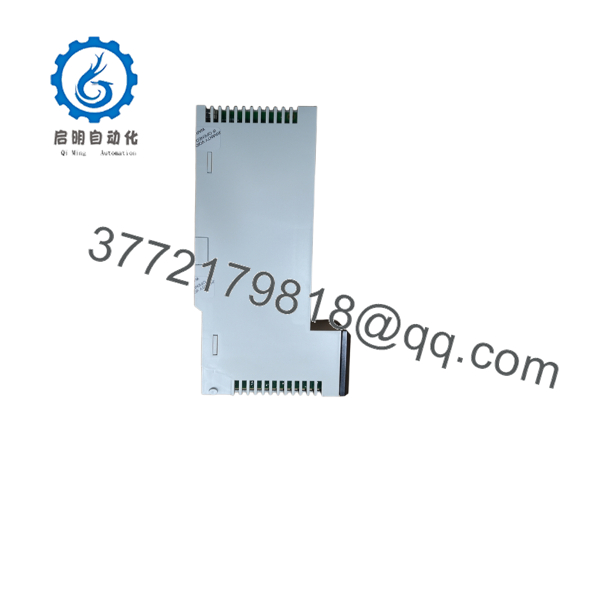
140DAI74000
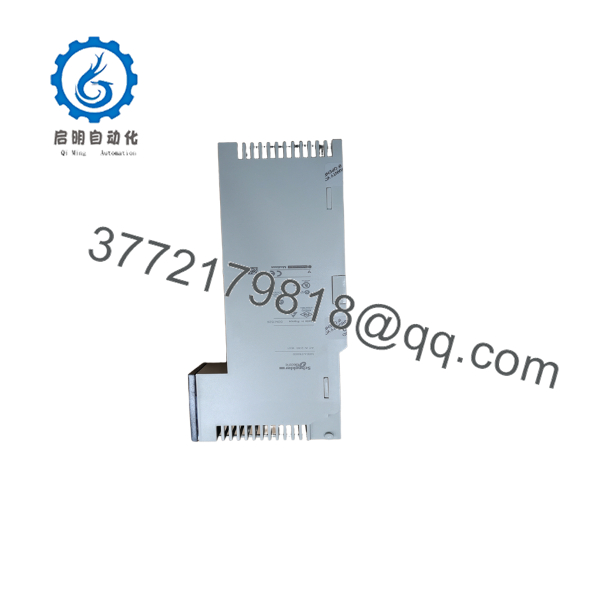
140DAI74000
Troubleshooting Quick Reference
| Symptom | Possible Cause | Relevance to This Part | Quick Check Method | Recommendation |
|---|---|---|---|---|
| No input LEDs are active | Missing 230 V AC field supply, blown fuse, or common wiring fault | ✅ High | Measure AC voltage at the affected input terminal and field common using a properly rated meter | Check the field circuit and fuses before replacing the module |
| One input stays OFF | Open wire, failed contact, insufficient voltage, or failed input channel | ✅ High | Measure the input terminal voltage; it should be within the specified ON range | Repair the field circuit; replace the module only if correct voltage is present |
| One input stays ON | Shorted wiring, welded contact, leakage, or failed input channel | ✅ High | Isolate the field wire and measure voltage at the module terminal | Correct the external circuit; if voltage disappears but the LED remains ON, test the module |
| Several inputs fail together | Shared fuse, common wiring, or group-level field supply failure | ❌ Low to medium | Measure each affected terminal and trace the common AC supply | Repair the common field circuit before changing the input module |
| Input LED flickers | Low voltage, contact bounce, electrical noise, or marginal field device | ✅ Medium | Trend the AC voltage at the terminal while operating the device | Correct the field device or wiring; allow for the documented response time |
| PLC sees an input but the LED is dark | LED fault, backplane communication issue, or status interpretation error | ✅ Medium | Compare the LED with the PLC input word and test using a known-good channel | Review diagnostics and channel mapping before replacing hardware |
| Red external-fault LED is active | Wiring fault, module diagnostic, or configuration issue | ✅ Medium to high | Read the Quantum diagnostic buffer and inspect input wiring for abnormal voltage | Correct the indicated fault; replace the module if the diagnostic follows the card |
| Inputs do not turn ON at 120 V AC | Incorrect voltage class | ✅ High | Measure the applied voltage and compare it with the 165–264 V AC ON range | Do not use this card for 120 V AC circuits; select the correct input module |
| Input remains ON after power removal | Stored charge, external leakage, or wiring through another circuit | ❌ Low to medium | Isolate the field conductors and verify residual voltage with an approved meter | Discharge and correct the external circuit; do not assume the module is defective |
| Rack communication is lost after installation | Poor seating, backplane issue, or incorrect module position | ❌ Low | Check the Quantum Active LED, rack power, and module seating | Correct the rack installation before replacing the card |
| Module overheats | Excessive field leakage, overvoltage, or internal failure | ✅ Medium | Measure input voltage and inspect the module for discoloration or heat damage | De-energize the circuit and investigate; replace the module if damage is confirmed |
| False input transitions occur | AC noise, long unshielded wiring, or contact suppression issue | ❌ Low to medium | Measure waveform and inspect routing near contactors and variable-frequency drives | Improve wiring and suppression before replacing the input card |
This module switches at high-voltage AC levels. Use a properly rated meter, lockout/tagout, and the site’s electrical safety procedure. If the issue persists, contact technical support with photos of the terminal wiring, input LED pattern, measured AC voltage and frequency, red fault LED status, and Quantum diagnostic logs.
Frequently Asked Questions (FAQ)
What voltage does the 140DAI74000 accept?
It is designed for 230 V AC nominal input. The guaranteed ON range is 165–264 V AC at 57–63 Hz and 175–264 V AC at 47–53 Hz. It is not intended for standard 24 V DC or 120 V AC input circuits.
How many inputs does this module have?
The 140DAI74000 has 16 discrete AC inputs grouped as one 16-channel input group. It uses one input word in the Quantum addressing structure.
Can I connect 24 V DC sensors to it?
No. This is a 230 V AC input module. Applying 24 V DC will not meet the specified ON threshold, and connecting a DC sensor system to the wrong module can produce unreliable or absent input states. Use a compatible DC input module instead.
Is the 140DAI74000 still manufactured?
Schneider Electric’s U.S. product page lists it as discontinued on December 31, 2022. Remaining units may be available as New Surplus, Factory Sealed old stock, or Refurbished and Tested inventory.
Is it a direct replacement for another Quantum input module?
Do not substitute by channel count alone. Verify the input voltage class, frequency, terminal arrangement, isolation, addressing, and module revision. A 24 V DC or 120 V AC Quantum input card is not a direct electrical replacement for this 230 V AC model.
Can I hot-swap the 140DAI74000?
Do not assume live removal is permitted. The field terminals can carry hazardous 230 V AC, and the Quantum rack procedure may require power isolation. Follow the hardware manual, lockout/tagout procedure, and site-approved change process before removing the card.
Why is surplus stock cheaper than a factory replacement?
This is an obsolete Quantum module, so lower pricing may reflect discontinued inventory, opened packaging, or refurbished/tested condition. Ask for the exact condition, current label photos, input-channel test results at the specified AC range, red-fault LED status, warranty period, and return terms before purchase.



