
 WhatsApp: +86 16626708626
 Email:
  Phone: +86 16626708626
Description
Key Technical Specifications
| Parameter | Value |
|---|---|
| Product Type | ASCII serial link module |
| Platform | Modicon Quantum automation platform |
| Communication Mode | ASCII |
| Number of Ports | 2 |
| Physical Interface | RS232C, non-isolated |
| Connector Type | Two 9-pin D-shell connectors |
| Transmission Rate | 19.2 kbaud per port |
| Maximum Cable Length | 20 m shielded |
| Message Nesting | 8 levels |
| Input Buffer | 255 characters |
| Output Buffer | 255 characters |
| Maximum Messages | 255 |
| Maximum Message Length | 127 characters plus 1 checksum character |
| RAM | 256 kB for data/program plus 2 kB dual-port RAM |
| Flash-ROM | 128 kB for program and firmware |
| Supported Data Formats | Text; decimal; fixed point; nested write; register pointer; date/time; control codes |
| Programming Software | Modsoft; Concept; Unity Pro / EcoStruxure Control Expert; ProWORX 32; ProWORX NxT |
| Minimum Controller Executive | Quantum controllers with Executive V2.0 minimum |
| Addressing Requirement | 12 input words and 12 output words |
| Bus Current Requirement | 300 mA |
| Power Dissipation | 2 W maximum |
| External Fuse | None internal; external protection at user discretion |
| Battery Backup Module | 140XCP90000 |
| Module Format | Standard Quantum module; one backplane slot |
| Operating Temperature | 0 to 60 °C |
| Storage Temperature | −40 to +85 °C |
| Relative Humidity | 95% non-condensing |
| Dimensions | Approximately 250 × 103.85 × 40.34 mm |
| Weight | 1 kg maximum |
Schneider Electric identifies the 140ESI06210 as a Quantum ASCII serial link module with two non-isolated RS232C ports. The user manual specifies 19.2 kbaud per port, 20 m maximum shielded cable, 255-character input and output buffers, 255 messages, and 127-character messages plus checksum.
The module was discontinued on December 31, 2022, with end-of-service listed for December 31, 2030. It is intended for relatively simple point-to-point ASCII communication with devices such as printers, barcode readers, scanners, scales, and meters.
Product Introduction
The Schneider Electric 140ESI06210 is a dual-port ASCII communication module for Modicon Quantum PLC systems. It exchanges formatted ASCII messages between the Quantum CPU and serial devices through two non-isolated RS232C ports.
The module supports 19.2 kbaud communication, configurable message handling, a built-in command-line editor, 255 message definitions, and 127-character message strings plus checksum. Verify the external device protocol, RS232 pinout, cable length, grounding, and software compatibility before purchasing this obsolete serial interface.
Troubleshooting Quick Reference
| Symptom | Possible Cause | Relevance to This Part | Quick Check Method | Recommendation |
|---|---|---|---|---|
| Port does not receive data | Wrong RS232 pinout, baud rate, parity, or device protocol | ✅ High | Confirm the 9-pin wiring and compare all serial settings with the external device | Correct the port configuration before replacing the module |
| Port transmits but device does not respond | TX/RX wiring, missing signal ground, or device not in receive mode | ✅ High | Use a serial analyzer or oscilloscope to verify TX activity and inspect the pinout | Correct wiring and device settings; do not assume the module is defective |
| Both ports fail simultaneously | Module power, backplane, configuration, or internal logic fault | ✅ High | Check module recognition, rack power, diagnostic status, and both port settings | Investigate the rack and configuration before replacing the module |
| One port fails while the other works | Damaged RS232 transceiver, connector, or cable | ✅ High | Test the suspect port with a known-good cable and loopback or known-good device | Replace the module if the fault stays with the port |
| Messages are truncated | Message exceeds 127 characters plus checksum or buffer handling error | ✅ High | Count the message length and inspect the configured message definition | Shorten the message or revise the message-handling logic |
| Messages are not received in the PLC | Input buffer, message terminator, checksum, or parsing configuration error | ✅ High | Monitor the 255-character input buffer and compare received characters with the configured terminator | Correct delimiters, checksum handling, and parsing logic |
| Data is garbled | Baud, parity, stop-bit, cable, or grounding mismatch | ✅ High | Compare the serial settings at both devices and test with a short shielded cable | Match settings and remove ground or cable faults |
| Communication works intermittently | Cable exceeds 20 m, EMI, poor shielding, or loose connector | ✅ High | Temporarily test with a short shielded cable and inspect the 9-pin connectors | Correct cable length, shielding, routing, and connector retention |
| Port reports no activity | Module not configured, wrong port selected, or CPU addressing error | ✅ Medium to high | Verify the module slot, 12 input/output word allocation, and active port configuration | Correct the Quantum configuration and download it using approved software |
| Module will not accept configuration | Software version, controller executive, or module firmware mismatch | ✅ High | Confirm Concept, ProWORX, Unity/Control Expert version, and Quantum Executive revision | Use a supported software environment; do not force an incompatible download |
| External device receives repeated messages | Trigger bit stuck, message queue not cleared, or acknowledgement logic missing | ✅ High | Monitor the output words and message trigger/complete flags | Correct the PLC handshake and message-clear logic |
| Serial device stops after a power cycle | Configuration not retained or battery/back-up issue | ✅ Medium | Compare settings before and after power cycling and check the approved backup method | Save the configuration and verify the battery backup arrangement |
The RS232C ports are non-isolated. Keep cable runs within 20 m, use shielded cable, verify the exact pinout, and avoid routing alongside high-energy switching conductors. If the problem persists, contact technical support with port settings, serial captures, cable photos, module diagnostics, slot configuration, and the external device protocol.
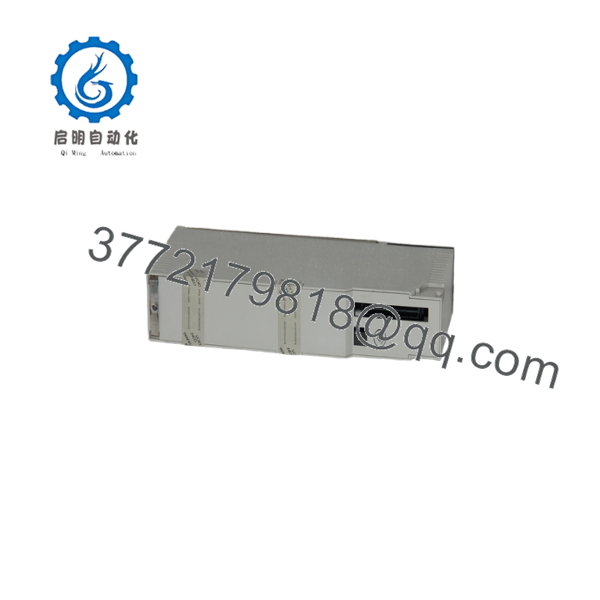
140ESI06210
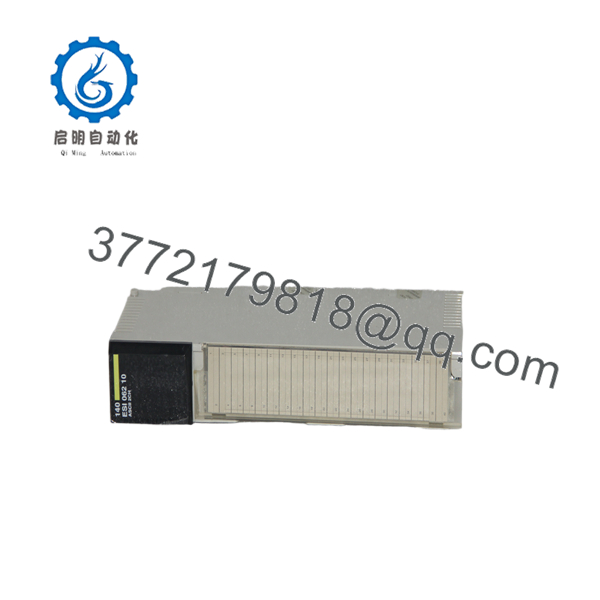
140ESI06210
Frequently Asked Questions (FAQ)
What does the 140ESI06210 do?
It exchanges ASCII messages between a Modicon Quantum PLC and serial devices. Typical applications include barcode readers, printers, weigh scales, meters, scanners, and other point-to-point devices.
Does it support Modbus RTU?
The 140ESI06210 is documented as an ASCII serial link module, not a dedicated Modbus RTU communication module. A connected device may use an ASCII-formatted protocol, but do not assume Modbus RTU support without confirming the application manual and device-specific configuration.
Are the two RS232 ports isolated?
No. Both RS232C ports are non-isolated. Ground potential differences, shield termination, and nearby electrical noise can create communication failures or damage the interface. Use appropriate isolation equipment when the field installation requires it.
What is the maximum RS232 cable length?
The documented maximum is 20 m using shielded cable. Long runs, poor shielding, high EMI, and ground-potential differences can reduce the practical distance. If communication is unstable, test with a short known-good cable before replacing the module.
Is the 140ESI06210 still manufactured?
Schneider Electric lists the module as discontinued on December 31, 2022, with end-of-service scheduled for December 31, 2030. Remaining supply is typically New Surplus, opened stock, or Refurbished and Tested inventory.
Which software can configure the module?
The documentation references Modsoft, Concept, Unity Pro/EcoStruxure Control Expert, ProWORX 32, and ProWORX NxT, depending on the Quantum controller and project generation. Confirm the minimum controller executive and software revision before ordering.
Can I replace it with a standard RS232 communication card?
Not automatically. The 140ESI06210 uses 12 input words and 12 output words and has its own ASCII message engine, buffers, and command interpreter. A different serial module may require PLC program changes, different pinouts, and new message-handling logic.
Why is surplus stock cheaper than a factory replacement?
The module is obsolete, and lower pricing may reflect discontinued inventory, opened packaging, or refurbished/tested hardware. Ask for the exact condition, firmware and software compatibility, loopback or device-communication test results on both ports, warranty terms, and return conditions. A power-on test alone does not prove reliable communication.



