
 WhatsApp: +86 16626708626
 Email:
  Phone: +86 16626708626
Description
Key Technical Specifications
| Parameter | Value |
| Model Number | TSXDEY16D2 |
| Manufacturer | Schneider Electric / Modicon |
| Module Type | Discrete Input Module (Modicon Premium) |
| Number of Inputs | 16 Current-Sinking/Sourcing Channels |
| Nominal Input Voltage | 24 V DC |
| Input Voltage Range | 19.2 to 30 V DC (including ripple) |
| Nominal Input Current | 7 mA per channel |
| Response Time | 1.2 to 5 ms (typical turn-on/turn-off) |
| Sensor Compatibility | 2-wire / 3-wire proximity sensors (IEC 61131-2 Type 2) |
| Power Dissipation | 0.97 W maximum |
| Isolation Voltage | 1500 V RMS between inputs and internal bus |
| Terminal Connection | Screw terminal block (TSXBLY01) or HE10 connector options |
Product Introduction & Supply Chain Strategy
The Schneider Electric TSXDEY16D2 is a 16-channel discrete 24 V DC input module engineered for the Modicon Premium PLC platform. It converts binary field signals from pushbuttons, limit switches, and 2/3-wire proximity sensors into logic-level data for the CPU rack. Featuring Type 2 current-sinking inputs with built-in channel isolation, the module maintains reliable signal integrity across demanding industrial assembly, material handling, and process automation lines.
Procuring this module as New Surplus provides a direct insurance policy against unscheduled plant outages. With the Modicon Premium platform phased into End-of-Life (EOL) status by the OEM, maintaining on-site buffer stock eliminates the immediate capital requirement for a full M580 PAC migration. Unlike refurbished or used parts that suffer from latent optocoupler decay and board contamination, our unused New Surplus units guarantee full OEM insulation resistance and immediate drop-in reliability.
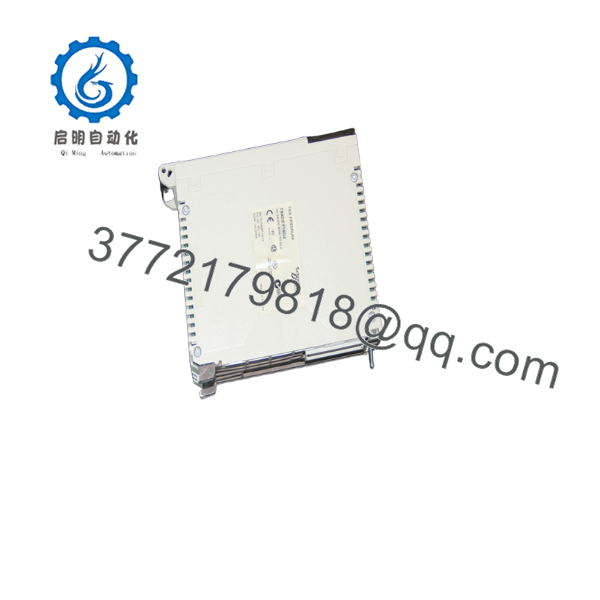
TSXDEY16D2
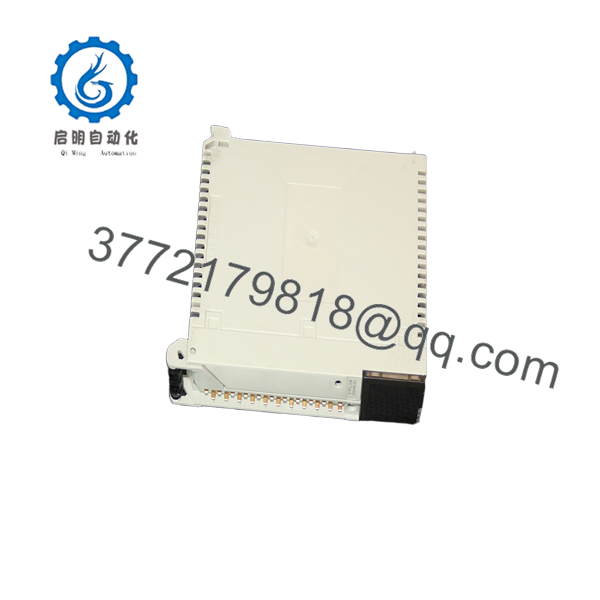
TSXDEY16D2
Installation & Configuration Guide
1.Pre-Installation & Safety Prep:Safety measures and terminal verification.
- Apply Lock-Out/Tag-Out (LOTO) procedures to the control cabinet and isolate the 24 V DC field supply feeding the TSXDEY16D2 rack.
- Put on a grounded ESD wrist strap before handling the module to prevent static discharge to the backplane edge connector.
- Document field wire tagging and capture a photo of the existing terminal block connections to ensure correct re-wiring.
2.Hardware Extraction:
- Unfasten the top and bottom captive locking screws securing the TSXDEY16D2 to the TSXRKY rack slot.
- Pivot the removable terminal block mechanism downward and pull it forward to detach it without disturbing field wiring.
- Slide the module horizontally along its rack card guides until the backplane connector fully disengages.
3.New Hardware Mounting:
- Inspect the backplane gold fingers on the New Surplus TSXDEY16D2 for cleanliness or physical debris.
- Align the module housing with the target rack slot rails and push firmly until the backplane connector seats cleanly.
- Tighten the top and bottom retaining screws to secure the unit against vibration, then snap the terminal block back into place.
4.Power Restoration & Functional Testing:
- Measure the incoming field supply with a multimeter to verify 24 V DC (±10%) tolerance across the supply terminals.
- Re-energize the rack power supply and confirm the module ‘RUN’ LED turns solid green without triggering a ‘FAL’ (Fault) light.
- Actuate connected field devices (e.g., limit switches) and verify that corresponding channel status LEDs cycle ON and OFF in real time.
Firmware/Software Versions & Upgrade Notes
- Programming Compatibility: Fully supported within Unity Pro (XL/Large/Small) and legacy PL7 Pro programming packages.
- Rack Configuration: Assignable to any standard discrete slot within TSXRKY series baseplates using default 16-point I/O mapping.
- Compatibility Watchouts:
- When replacing an older revision TSXDEY16D2 module in a hot-standby system, ensure the internal hardware revision suffix matches the existing peer rack to prevent CPU rack-sync mismatches.
- Migrating from PL7 Pro to Unity Pro requires re-validating the channel task assignment (Periodic vs. Sequential execution). Incorrect task mapping can increase input filtering delays from 1.2 ms up to 10 ms.
Frequently Asked Questions (FAQ)
Why is buying New Surplus better than opting for a refurbished ?
Refurbished I/O cards are usually pulled from active factory floors where they endured years of thermal cycling, vibration, and power surges. Internal components like input optocouplers degradation over time, leading to intermittent signal losses that are difficult to troubleshoot. Our New Surplus units have zero operating hours, preserved dielectric strength, and factory-level reliability.
Is the Modicon Premium officially obsolete?
Yes. Schneider Electric transitioned the Modicon Premium series to End-of-Life (EOL) status. Official OEM production has ended, making New Surplus stock the most cost-effective method to maintain legacy machinery without committing to a costly platform migration.
Does the support hot-swapping under power?
No. Modicon Premium discrete I/O modules do not support hot-swapping (RIOP) unless installed in specific remote rack architectures that explicitly allow live insertion. Pulling the module under power can cause backplane arcing, CPU fault shutdowns, or I/O bus corruption.
How do you confirm that this unit is unused New Surplus?
Every module undergoes rigorous incoming inspection. We verify original anti-static packaging, examine backplane edge pins for zero insertion wear, verify physical casing integrity, and conduct live power-on bench tests prior to warehousing.
Does this module require internal configuration jumpers or DIP switches?
No. The is fully software-configured via Unity Pro or PL7 Pro. Input filtering parameters, task assignments, and fault-latching modes are defined in the CPU hardware configuration tree and loaded automatically upon rack startup.
What warranty covers this New Surplus input module?
We support this with a comprehensive 1-year functional replacement warranty. If any channel fails or exhibits operational defects under normal working parameters, we issue an immediate replacement unit from our active stock.



