
 WhatsApp: +86 16626708626
 Email:
  Phone: +86 16626708626
Description
Key Technical Specifications
| Parameter | Specification |
| Manufacturer | SEW Eurodrive |
| Model / Part Number | DFE32B / 18211626 |
| Compatible Inverters | MOVIDRIVE B, MOVITRAC B (with OPT10B host card) |
| Bus Protocol | PROFINET IO (RT and IRT compliant) |
| Ethernet Interface | Dual RJ45 ports with integrated 2-port switch |
| Baud Rate | 100 Mbit/s (100Base-TX, Full Duplex) |
| Application Protocols | PROFINET IO, Modbus TCP/IP, Ethernet/IP read access |
| Configuration Tools | MOVITOOLS MotionStudio via Ethernet or fieldbus |
| I/O Data Size | Up to 12 Process Data words (PD 1–12) |
| Power Consumption | 3.0 W max (drawn directly from drive backplane) |
| Operating Temperature | 0°C to +50°C (32°F to 122°F) |
Product Introduction & Supply Chain Strategy
This SEW Eurodrive DFE32B option card integrates MOVIDRIVE B and MOVITRAC B frequency inverters into high-speed PROFINET IO industrial networks. Featuring an integrated 2-port switch, it simplifies line and ring network topologies without requiring external switches, reducing total cabinet wiring complexity and point-of-failure risks.
Procuring this module as New Surplus delivers immediate capital efficiency while safeguarding your facility against critical network stock-outs. Buying factory-original New Surplus provides authentic OEM reliability and full expected service life without the high markups or extended factory lead times associated with standard order channels. It completely eliminates the hidden failure risks, degraded internal components, and premature downtime threats common with refurbished or pulled electronics.
Installation & Configuration Guide
Stage 1: Pre-Installation (Prep & Safety)
- Perform Lock-Out/Tag-Out (LOTO) on the main line supply powering the host inverter.
- Wait a minimum of 10 minutes for the inverter DC link capacitors to discharge fully. Verify 0 V DC at the power terminals using a calibrated multimeter.
- Put on a grounded ESD wrist strap before opening the option card housing or touching circuit boards.
- Record existing system parameters in MOVITOOLS MotionStudio and take high-resolution photos of the previous wiring layout.
Stage 2: Removal
- Unplug both Ethernet RJ45 network cables from the front faceplate of the existing card.
- Loosen the retaining screws securing the option card to the inverter Option Slot 1.
- Pull the card straight outward using uniform pressure on the extraction tabs to prevent bending or shearing the backplane connector pins.
Stage 3: Installation (Clone & Seat)
- Verify the replacement DFE32B module is free of physical damage or debris on the rear pin array.
- Carefully align the card with the internal guide rails of Option Slot 1.
- Push the card firmly into place until the backplane connector mates completely with the drive board. Tighten the retaining screws to 0.6 N·m (5.3 lb-in).
- Reattach the RJ45 Ethernet cables to ports 1 and 2 according to your network diagram.
Stage 4: Power-On & Testing
- Re-apply 24 V DC auxiliary power to the drive.
- Check the front diagnostic LEDs: The “RUN” LED should flash green during initialization and turn solid green when cyclic communication is established.
- Ensure the “SYS-FAIL” and “BUS-FAIL” LEDs remain OFF.
- Verify node identification and process data word exchange in MOVITOOLS MotionStudio.
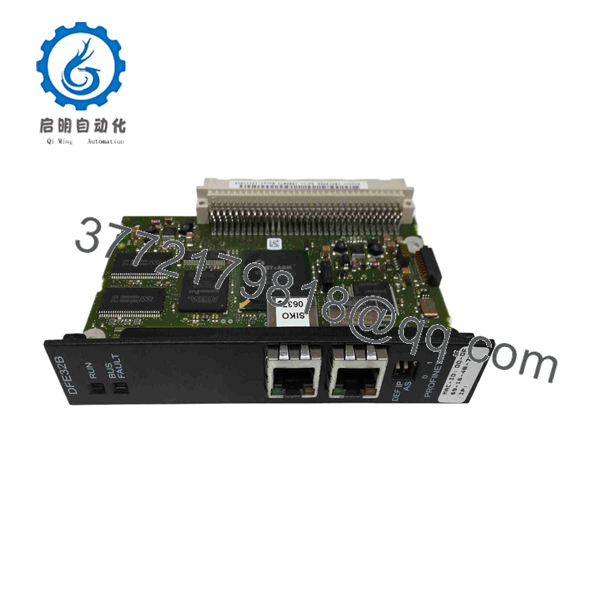
DFE32B
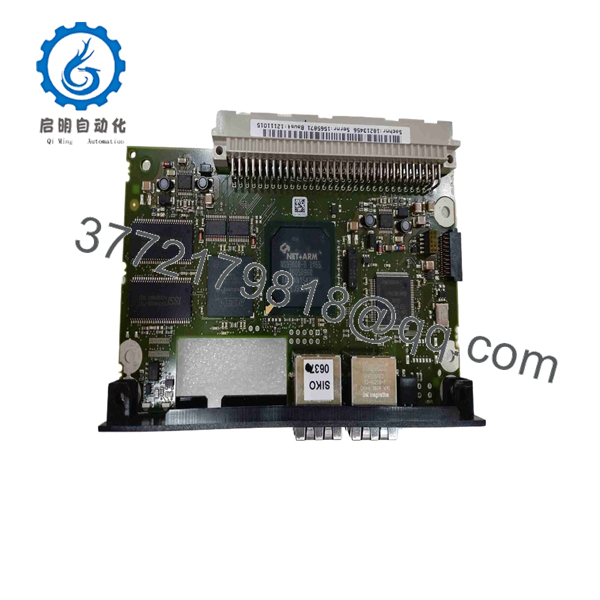
DFE32B
Firmware/Software Versions & Upgrade Notes
- Recommended Firmware: Ensure the DFE32B option card runs firmware revision 18211626/11 or higher for full IRT (Isochronous Real-Time) support and seamless MOVITOOLS MotionStudio V5.80+ integration.
- Compatibility Requirements: Host MOVIDRIVE B units require firmware version 824 854 3.00 or higher. MOVITRAC B drives require the OPT10B option card carrier.
- Upgrade Caution: Never interrupt the 24 V DC control power or Ethernet connection during a firmware update flash via MOVITOOLS. A interrupted flash corrupts the bootloader, requiring factory-level re-flashing. Always back up the drive parameter set (file format .dov / .mov) prior to updating or replacing fieldbus hardware.
Frequently Asked Questions (FAQ)
Why is this New Surplus unit priced lower than OEM list but higher than refurbished options?
Our pricing reflects direct acquisition of genuine, unissued surplus inventory globally. It avoids OEM distribution markups while ensuring you receive 100% factory-fresh components. While refurbished units appear cheaper upfront, they carry aged capacitors and unknown stress histories that introduce massive downtime risks.
Is this DFE32B card brand new or previously used?
This module is a Brand New Surplus unit. It is not used, not pulled from a decommissioned plant, and not refurbished. All modules undergo rigorous quality verification to ensure OEM-level reliability.
What happens if my system experiences an EOL/obsolescence event with this series?
While SEW Eurodrive transitions newer lines to current drive platforms, stocking New Surplus DFE32B units acts as a critical buffer stock strategy. It allows your plant to maintain existing PLC architectures and GSDML device definitions without forcing multi-million-dollar migration projects.
Can I hot-swap the card while the drive is powered?
No. Hot-swapping fieldbus option cards will cause electrical arcing across the backplane pins, damaging both the option card micro-controller and the main drive control board. Always isolate 24 V auxiliary power and line voltage before insertion or removal.
Do I need to re-program the card when replacing a failed unit?
The PROFINET IP address and station name can be assigned automatically by the PROFINET IO controller (PLC) via LLDP topology detection, or manually configured using MOVITOOLS MotionStudio. Drive-specific process data configurations reside in the host drive parameter memory.
What warranty coverage comes with this New Surplus card?
We provide a comprehensive 1-Year functional replacement warranty on all New Surplus inventory. Every unit is inspected for physical integrity, verified for zero pin wear, and shipped in anti-static ESD-safe packaging.



