
 WhatsApp: +86 16626708626
 Email:
  Phone: +86 16626708626
Description
Key Technical Specifications
| Parameter | Value |
|---|---|
| Manufacturer | SEW-EURODRIVE |
| Model | FBG31C-08 |
| Alternate Part Number | FBG31C08 |
| Product Family | MOVITRAC 31C |
| Product Type | Operator panel / control unit |
| Application | MOVITRAC 31C drive operation and parameterization |
| Applicable Drive Rating | 21 / 22 / 23 kW |
| Parameter Transfer | Supports copying parameter sets between MOVITRAC 31C units |
| Adjustable Languages | German, English, French, Spanish, Portuguese |
| Dimensions | Approximately 120 × 90 × 30 mm |
| Weight | Approximately 0.14–0.30 kg |
| Manufacturer Status | Discontinued |
| Related SEW Identification | 0252435 / 822997X references appear in distributor records |
The FBG31C-08 is consistently identified as a MOVITRAC operator panel/control unit for 21/22/23 kW MOVITRAC 31C drives.
SEW-related inventory records also associate FBG31C08 with part/reference numbers 0252435 and 822997X. One documented unit specifies selectable German, English, French, Spanish, and Portuguese languages.
Product Introduction & Supply Chain Strategy
The SEW-EURODRIVE FBG31C-08 is an operator panel used with MOVITRAC 31C drives. It provides local operator access and parameterization, and documentation describing the keypad states that complete parameter sets can be copied from one MOVITRAC 31C unit to another.
This is now a legacy spare rather than a normal replenishment item. The manufacturer discontinuation is documented as January 2, 2016. For plants still running MOVITRAC 31C drives, holding one New Surplus FBG31C-08 as buffer stock can reduce the risk of a control-panel failure becoming a prolonged drive outage.
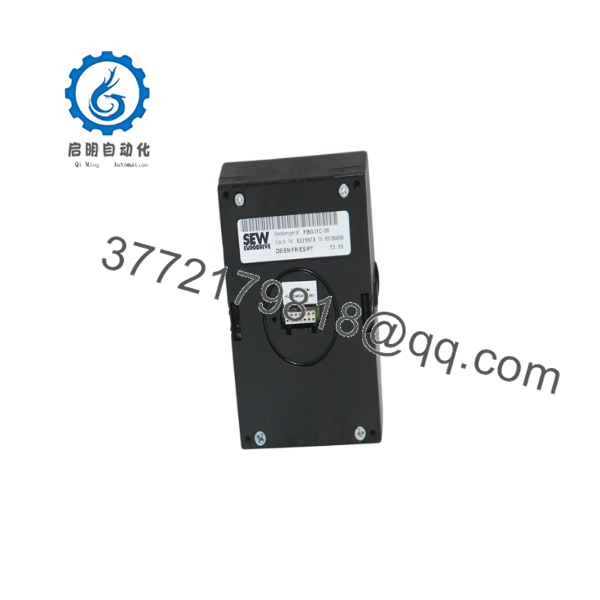
FBG31C-08
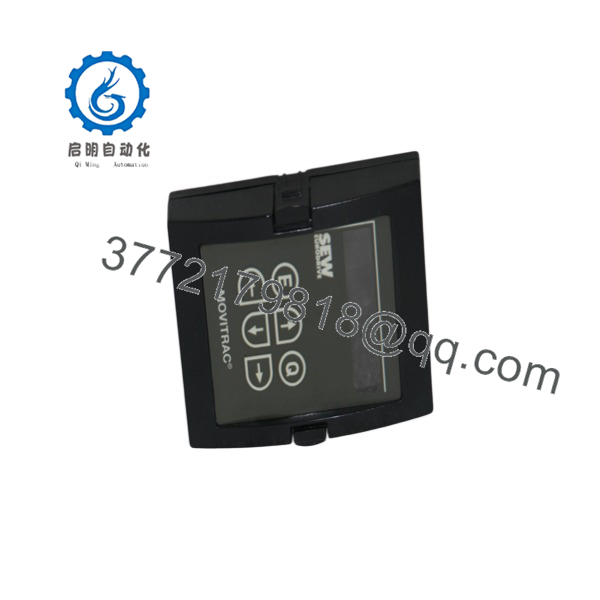
FBG31C-08
Installation & Configuration Guide
Stage 1: Pre-Installation — Prep & Safety
- Apply the plant’s lock-out/tag-out (LOTO) procedure.
- Isolate the MOVITRAC 31C drive from its incoming power source.
- Wait for the DC-link voltage to discharge according to the drive manufacturer’s procedure.
- Wear a grounded ESD wrist strap when handling the operator panel.
- Photograph the existing FBG31C-08 installation before removal.
- Record the drive’s existing parameter settings.
- Confirm that the replacement is specifically FBG31C-08, not another FBG31C variant.
Stage 2: Removal
- Confirm that the drive is fully de-energized.
- Verify the absence of hazardous voltage using the plant’s approved measurement procedure.
- Remove the operator panel from its mounting/interface position without forcing the housing.
- Protect the removed panel from ESD and mechanical damage.
- Inspect the drive-side connector for contamination, bent contacts, or mechanical damage.
Stage 3: Installation — Clone & Seat
- Inspect the repnt before installation.
- Align the operator panel with the MOVITRAC 31C interface.
- Seat the panel squarely without excessive force.
- Confirm that the connector is fully engaged.
- Restore the drive’s power only after completing all mechanical checks.
- Do not change drive parameters simply because the replacement operator panel has been installed.
Stage 4: Power-On & Testing
- Re-energize the drive following the site’s approved startup procedure.
- Confirm he powers up normally.
- Verify the displayed drive information.
- Check access to the parameter menu.
- Compare critical parameters against the recorded values.
- If the application uses parameter transfer, verify the source and destination drive identification before executing a copy.
- Test local control only under controlled commissioning conditions.
- Confirm that the machine’s PLC/interlock sequence remains intact before returning the drive to production.
Firmware/Software Versions & Upgrade Notes
- Operator-panel firmware: A ic firmware revision is not established by the available public records.
- Drive compatibility: The important compatibility point is the MOVITRAC 31C platform and the exact operator-panel variant.
- Parameter retention: Do not assume that replacing the panel restores or modifies the drive’s stored parameter set. Record the drive parameters before replacement.
- Parameter copying: The keypad is documented as supporting parameter-set transfer between MOVITRAC 31C units. One published description specifically references the P820 “COPY FROM = MOVITRAC” and P822 “COPY = YES” functions.
- Upgrade warning: This is a legacy platform. Avoid firmware or drive-parameter changes during a simple operator-panel replacement unless the application documentation requires them.
- Critical precaution: A parameter-copy operation can overwrite destination-drive settings. Verify the source drive, destination drive, and saved parameter record before confirming the transfer.
Frequently Asked Questions (FAQ)
Whahe used for?
It is a MOVITRAC 31C operator panel/control unit used for local drive operation and parameterization. It is associated with 21/22/23 kW MOVITRAC 31C applications.
Is obsolete?
Yes. Current industrial-part records identify it as discontinued by the manufacturer, with January 2, 2016 given as the discontinuation date.
Is FBG31C08 the sameas ?
Available distributor records use FBG31C08, , and as alternative representations of the same model.
Can I use another keypad as a direct replacement?
Do not approve the substitution solely from the prefix. The suffix identifies the particular configuration. Verify the complete part number and the MOVITRAC 31C installation before procurement.
he copy drive parameters?
Yes. Available product information states that the keypad can copy complete parameter sets between MOVITRAC 31C units, including the documented P820/P822 copy procedure.
Should I hot-he ?
No. Do not remove or install the operator panel while the drive is energized unless SEW-EURODRIVE documentation for the exact installation explicitly authorizes that procedure. Treat it as a powered-down maintenance operation.
What stocking level would you recommend?
For a production-critical MOVITRAC 31C installation, I would start with Min 1 / Max 1 te per critical equipment group. If several machines use the same panel, consolidate the buffer at the site level rather than stocking one on every machine. This limits carrying cost while protecting against the long lead time variability associated with a discontinued part.



