
 WhatsApp: +86 16626708626
 Email:
  Phone: +86 16626708626
Description
Key Technical Specifications
| Parameter | Specification |
| Manufacturer | Siemens |
| Model Number | 6ES7716-2CB10-0EC4 |
| Product Line | SIMATIC Field PG M4 Premium Plus |
| Processor | Intel Core i7-35X0M (2.9 GHz, up to 3.6 GHz Turbo) |
| Display | 15.6″ Full HD (1920 x 1080) Widescreen |
| Memory (RAM) | 16 GB (2x 8 GB DDR3) |
| Storage | 300 GB SATA Solid State Drive (SSD) |
| Optical Drive | DVD-RW Drive |
| Hardware Interfaces | S5 Interface, S5-EPROMMER, MPI/PROFIBUS, Industrial Ethernet |
| Pre-Installed OS | Dual Boot (Windows XP Pro SP3 / Windows 7 Ultimate SP1 64-bit) |
| Pre-Installed Software | STEP 7 Prof (V13/2010), WinCC Adv (V13/Flex 2008), STEP 7 Micro/WIN, STEP 5 |
| Included Accessories | S5 PLC Cable, EPROM Adapter, MPI Cable, Power Supply (EU/US plug set) |
Product Introduction & Supply Chain Strategy
The Siemens 6ES7716-2CB10-0EC4 SIMATIC Field PG M4 Premium Plus is a hardened, field-ready programming console designed for commissioning, servicing, and maintaining SIMATIC automation networks. Equipped with an Intel Core i7 processor, onboard MPI/PROFIBUS ports, and legacy S5 PLC interface options, it provides direct hardware-level access to both legacy and modern control architectures.
Because the Field PG M4 is a discontinued, highly sought-after platform, securing a genuine New Surplus unit protects service teams from critical field diagnostics lockouts. Refurbished laptops often carry damaged DB15/MPI pin connectors, degraded battery packs, and unstable dual-boot OS partitions. Sourcing a zero-runtime, New Surplus 6ES7716-2CB10-0EC4 ensures factory-fresh motherboard integrity, original software license keys, and absolute reliability during critical plant outages.
Installation & Configuration Guide
1.Stage 1: Pre-Installation (Prep & Safety):Unpacking & Power Verification.
- Inspect the outer chassis and port covers for physical transit damage.
- Connect the OEM AC power adapter and charge the internal lithium-ion battery to 100% before field deployment.
- Attach an ESD wrist strap prior to inserting or removing EPROM cards from the integrated prommer slot.
- Verify that all required communication cables (MPI, PROFIBUS, S5 TTY) are stored in the protective carrying bag.
2.Stage 2: Removal:Legacy Connections.
- Power down the target PLC interface rack before attaching or removing communications cables to prevent ground loop transients.
- Loosen connector thumbscrews completely before pulling the MPI/PROFIBUS or S5 DB15 cable away from the Field PG ports.
- Never force legacy S5 EPROM cards into the prommer bay; ensure correct physical orientation.
3.Stage 3: Installation (Clone & Seat):OS & License Verification.
- Select the required boot partition (Windows XP for legacy STEP 5 or Windows 7 for TIA Portal/STEP 7 V5.5) at the GRUB boot menu.
- Open Automation License Manager (ALM) to confirm all pre-installed floating licenses are active and healthy.
- Connect the MPI cable directly to the target S7-300/400 CPU or ET 200 interface module.
4.Stage 4: Power-On & Testing:Online Handshake & Testing.
- Launch STEP 7 or TIA Portal and navigate to “Set PG/PC Interface”.
- Select “CP 5711 (MPI)” or “CP 5711 (PROFIBUS)” as the active access point.
- Execute an “Accessible Nodes” search to confirm a clean handshake with the field PLC.
- Perform a test program read/upload to verify data throughput and confirm zero comms timeout errors.
Firmware/Software Versions & Upgrade Notes
- Pre-Installed Software Bundle: Software version V13.0.1.0 combo package including STEP 7 Professional (TIA Portal V13 & STEP 7 V5.5), WinCC Advanced (TIA V13 & WinCC flexible 2008), STEP 7 Micro/WIN V4.0, and STEP 5.
- Dual-Boot OS Requirements: STEP 5 and STEP 7 Micro/WIN execute exclusively within the Windows XP Professional 32-bit partition. TIA Portal V13 and STEP 7 V5.5 execute under the Windows 7 Ultimate 64-bit partition.
- Upgrading TIA Portal: Upgrading the OS beyond Windows 7 will break compatibility with legacy CP 5711 drivers and the integrated S5 EPROMMER software. Keep system software images locked to factory defaults.
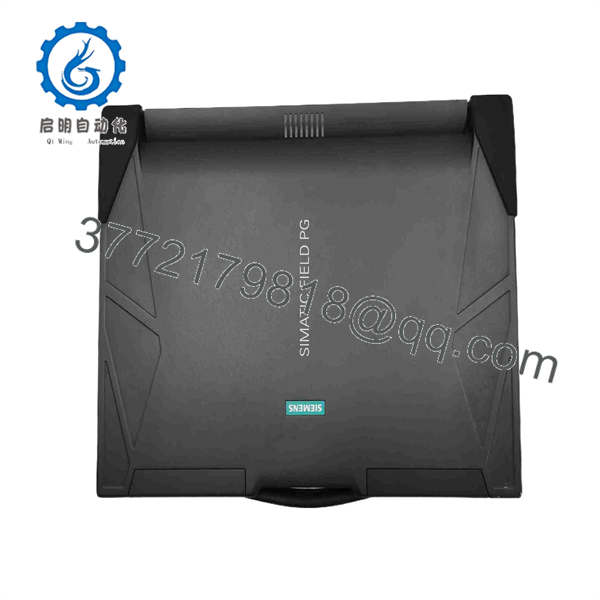
6ES7716-2CB10-0EC4
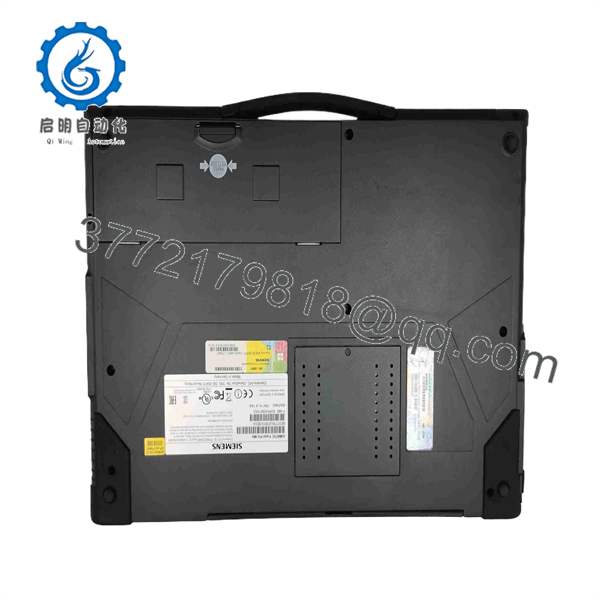
6ES7716-2CB10-0EC4
Frequently Asked Questions (FAQ)
Q: Why is this New Surplus Field PG M4 priced significantly higher than refurbished programming laptops?
A: Refurbished Field PGs typically have thousands of service hours, degraded battery life, worn display hinges, and unstable software licensing. Our New Surplus 6ES7716-2CB10-0EC4 inventory is completely unused, zero-runtime hardware with original factory license keys, ensuring immediate field readiness without diagnostic failure risks.
Q: Does this unit include hardware support for legacy SIMATIC S5 systems?
A: Yes. The “2CB10” variant is a Premium Plus model equipped with the integrated S5 hardware interface, built-in S5-EPROMMER, S5 PLC programming cable, and EPROM socket adapter.
Q: Can I use modern TIA Portal versions (e.g., V17/V18) on this Field PG M4?
A: While the Core i7 processor and 16GB RAM can run higher versions, newer software packages require Windows 10, which disrupts the pre-configured dual-boot environment and invalidates integrated legacy drivers. For legacy and transition plants, maintaining this M4 on its original dual-boot setup is recommended.
Q: Are the software licenses included permanently activated?
A: Yes. The unit comes with pre-installed license keys managed via Siemens Automation License Manager (ALM). Backup images of the factory drive partition should be created immediately upon receipt to protect licensing integrity.
Q: Can I hot-plug the MPI or S5 programming cable into an active PLC?
A: While MPI/PROFIBUS interfaces support hot connection, it is best practice to connect cables to the Field PG first, then attach to the PLC port to equalize ground potentials and avoid static discharge across communication pins.
Q: What warranty coverage comes with this New Surplus programming device?
A: We back this 6ES7716-2CB10-0EC4 unit with a full 1-Year Comprehensive Replacement Warranty. If any hardware defect occurs within 12 months under standard operating conditions, we will replace the unit or issue a full refund.



