
 WhatsApp: +86 16626708626
 Email:
  Phone: +86 16626708626
Description
3. Key Technical Specifications
| Parameter | Specification Value |
|---|---|
| Catalog Part Number | 5136-DNP-CPCI (1120730001) |
| Manufacturer | SST / Woodhead (Molex) |
| Bus Architecture | 3U CompactPCI (cPCI) Eurocard form factor |
| Network Protocol | DeviceNet (CAN-based CANopen / Allen-Bradley DeviceNet profile) |
| Network Roles | Group 2 Master, Group 2 Slave, UCMM Capable |
| Baud Rates | 125 Kbps, 250 Kbps, 500 Kbps (software configurable) |
| Network Isolation | 500V opto-isolated CAN transceiver circuitry |
| Connectors | Standard 5-pin open-style Phoenix pluggable terminal block |
| Operating Power | Bus-powered via cPCI backplane (5V DC); network transceiver powered via 24V DC DeviceNet bus |
| Diagnostics | Front-panel Module/Network status LEDs (MOD/NET) |
4. Product Introduction & Supply Chain Strategy
The SST 5136-DNP-CPCI is a 3U CompactPCI communication interface card engineered to integrate embedded industrial computers into DeviceNet automation networks. Equipped with an onboard processor to manage low-level DeviceNet protocol stacks, the 5136-DNP-CPCI offloads CAN bus traffic management and cyclic I/O messaging from the host CPU, enabling real-time control performance in automated assembly and semiconductor fabrication systems.
This product is a Brand New Surplus unit. It is not used, not pulled from decommissioned machinery, and not refurbished. All internal memory buses, CAN transceivers, and edge connectors undergo full electrical test verification before shipment.
In high-throughput industrial control systems running on CompactPCI backplanes, a failure in the fieldbus communication card completely severes communication with field valves, sensors, and motor drives. Sourcing verified New Surplus SST 5136-DNP-CPCI modules enables immediate hardware swaps without replacing entire embedded controller racks or rewriting software drivers.
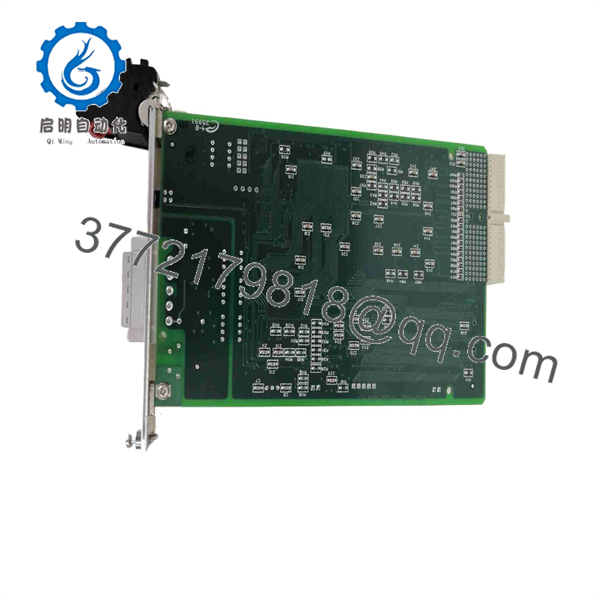
5136-DNP-CPCI
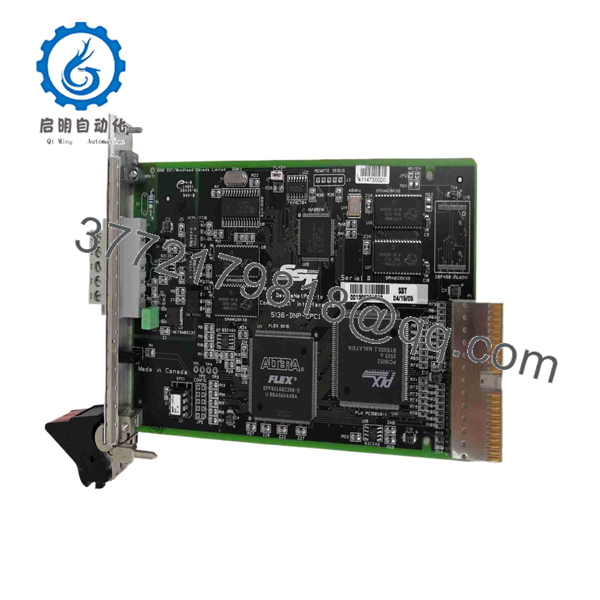
5136-DNP-CPCI
5. Installation & Configuration Guide
ESD & Backplane Voltage Precaution
Electrostatic discharge can destroy CAN transceiver components and cPCI edge connectors. Always wear a grounded anti-static wrist strap and turn off power to the CompactPCI chassis before inserting or removing the card.
1
Chassis Power Isolation
Prerequisite
1.Chassis Power Isolation:Prerequisite.
Power down the CompactPCI chassis. Disconnect main AC power to prevent backplane short circuits during card insertion.
2
cPCI Slot Insertion
Hardware Setup
2.cPCI Slot Insertion:Hardware Setup.
Align the top and bottom edges of the 5136-DNP-CPCI board with the target 3U slot card guides. Slide the card inward until the ejector handles contact the chassis frame.
3
Card Engagement
Seating
3.Card Engagement:Seating.
Press the card ejector handles inward until they snap locked into place, fully seating the backplane connector. Tighten front panel retaining screws.
4
DeviceNet Cable Connection
Wiring
4.DeviceNet Cable Connection:Wiring.
Wire the 5-pin DeviceNet trunk or drop cable to the connector plug (V+, CAN-H, Shield, CAN-L, V-). Plug the connector into the card front panel and torque terminal screws.
5
Driver & LED Status Verification
Verification
5.Driver & LED Status Verification:Verification.
Power up the chassis. Load the SST DeviceNet Configuration Console software on the host OS. Confirm that the front panel MOD/NET status LED turns solid green indicating active network polling.
6. System Compatibility & Maintenance Notes
The SST 5136-DNP-CPCI integrates across specialized industrial computing environments:
- Software Drivers: Supports Windows, QNX, VxWorks, and Linux environments using Molex SST DeviceNet driver utility suites.
- Network Termination: Ensure 120-ohm termination resistors are installed at both physical ends of the main DeviceNet trunk cable to prevent signal reflections.
- Network Power: Requires 24V DC field power present on the DeviceNet cable (V+ and V- pins) to power the isolated CAN transceiver circuitry.
7. Frequently Asked Questions (FAQ)
Q: Is this SST 5136-DNP-CPCI card brand new or refurbished?
A: This product is a Brand New Surplus unit. It is not used, not pulled from a decommissioned system, and not refurbished. All internal electronics undergo complete functional testing.
Q: What software utility is used to configure the 5136-DNP-CPCI card?
A: The board is configured using the Molex SST DeviceNet Configuration Console, which allows node MAC ID assignment, baud rate selection, and I/O scan list construction.
Q: Can this card operate as both a DeviceNet Master and Slave?
A: Yes. The 5136-DNP-CPCI supports Group 2 Master, Group 2 Slave, and UCMM (Unconnected Message Manager) peer-to-peer functionality.
Q: What warranty applies to this New Surplus interface card?
A: We supply this module with a full 1-year functional replacement warranty from the date of shipment to guarantee operational reliability.



