
 WhatsApp: +86 16626708626
 Email:
  Phone: +86 16626708626
Description
3. Key Technical Specifications
| Parameter | Value |
| System Compatibility | SUPCON WebField ECS Series 700 DCS |
| Module Type | Communication Interface Module |
| Communication Protocols | Modbus RTU / Modbus TCP / PROFIBUS DP |
| Field Interfaces | Isolated RS-485 / RS-232 / RJ45 Industrial Ethernet |
| Baud Rates | Up to 115.2 kbps (Serial), 10/100 Mbps (Ethernet) |
| Isolation Protection | Optical isolation between field terminals and system backplane |
| Operating Power Supply | 24 VDC ±10% |
| Power Consumption | < 10 W nominal |
| Diagnostic LEDs | Power (PWR), System Status (RUN), Bus Activity (TX/RX), Fault (ERR) |
| Operating Temperature | −10 to +60 °C |
| Relative Humidity | 5% to 95% RH (non-condensing) |
| Mounting Format | Rack-slot chassis insertion / DIN-rail backplane bus |
4. Product Introduction & Supply Chain Strategy
The SUPCON COM741-S01 is a communication interface module designed for SUPCON WebField Series 700 Distributed Control Systems (DCS). It handles high-speed, deterministic data exchange between process controllers, supervisory HMI stations, and third-party field devices across chemical, power, and refining plants.
This product is a Brand New Surplus unit. It is not used, not pulled from a decommissioned plant, and not refurbished. All modules undergo rigorous quality verification to ensure OEM-level reliability. Stocking New Surplus units guarantees zero pin wear, uncompromised factory capacitors, and immediate drop-in replacement during unplanned outages. This strategy lowers Total Cost of Ownership (TCO) compared to OEM lead times or risky refurbished stock, protecting critical process uptime.
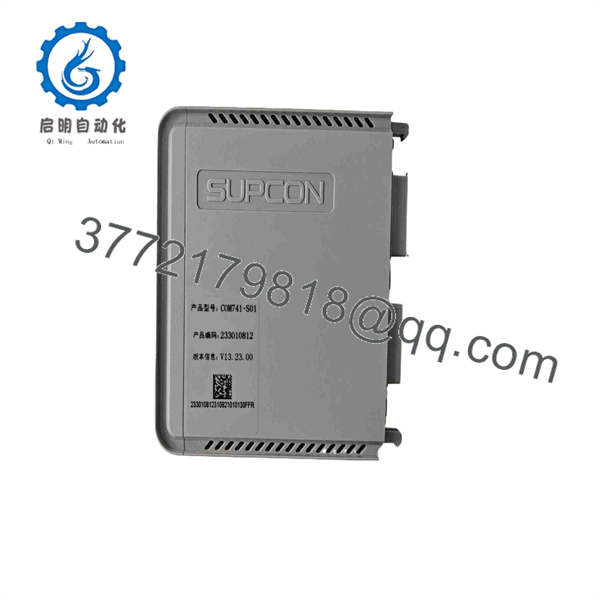
COM741-S01
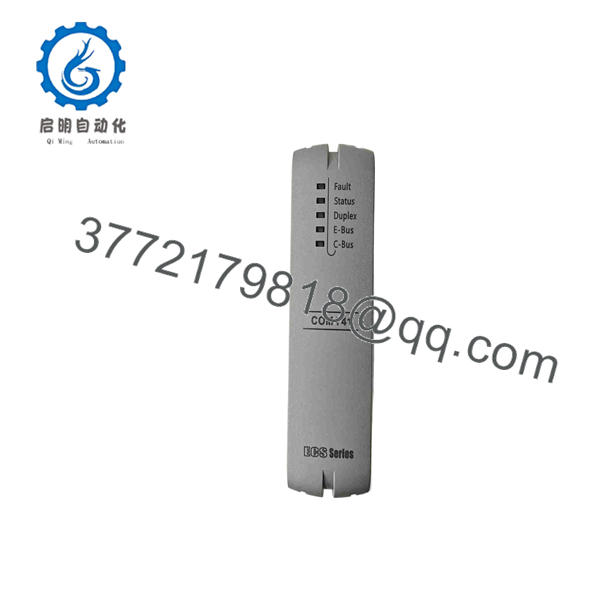
COM741-S01
5. Installation & Configuration Guide
Stage 1: Pre-Installation (Prep & Safety)
- Execute full Lock-Out/Tag-Out (LOTO) procedures on the target I/O cabinet rack power.
- Wear a grounded anti-static wrist strap connected to cabinet earth ground.
- Document and photograph all DIP switch settings, rotary node switches, and field wiring connections on the existing module before extraction.
Stage 2: Removal
- Unfasten the top and bottom retaining screws on the front panel of the existing module.
- Gently disconnect serial communications cables and RJ45 connectors.
- Pull the module ejector levers simultaneously to slide the card out along the rack guides without twisting, protecting backplane connector pins from bending.
Stage 3: Installation (Clone & Seat)
- Verify that all DIP switches on the new COM741-S01 unit match the original unit’s node address, termination resistor positions, and baud rate settings precisely.
- Align the COM741-S01 module card edges with the designated rack card guides.
- Firmly push the card into the backplane until the ejector latches snap closed, then tighten the retaining screws to 0.5 Nm. Reattach all network cables securely.
Stage 4: Power-On & Testing
- Verify the 24 VDC system rail voltage reads between 21.6 VDC and 26.4 VDC using a calibrated digital multimeter before re-energizing the slot.
- Apply rack power and observe the LED diagnostics: the PWR LED must light solid green, followed by the RUN LED blinking/solid green during boot up.
- Verify communication handshakes with the main DCS controller using the SUPCON system software diagnostics tool.
6. Firmware/Software Versions & Upgrade Notes
- Recommended Firmware Version: V3.2 or matched to the current DCS system release level.
- Compatibility Requirements: Firmware build must align with the WebField software environment (e.g., AdvanTrol-Pro or equivalent DCS system suite).
- Cross-Version Risk: Avoid mixing module firmware revisions across redundant communication channels. Firmware jumps across major system revisions without updating controller configuration files can trigger bus communication timeouts or system fault traps. Always upload and backup controller logic prior to replacing hardware.
7. Frequently Asked Questions (FAQ)
Why is this New Surplus COM741-S01 priced higher than refurbished modules but lower than OEM list?
Our pricing reflects the verified procurement of authentic, factory-fresh inventory from global surplus channels. Refurbished parts carry hidden capacitor aging and repair risks that cause catastrophic shutdowns. Our New Surplus units provide 100% genuine OEM lifespan without the high markup or extended lead times of direct OEM factory ordering.
Are these SUPCON COM741-S01 modules genuinely brand new?
Yes. Every unit is New Surplus—manufactured originally by SUPCON, preserved in ESD packaging, and never installed in an operational industrial plant. Packaging is opened solely by our quality engineers for ESD-safe visual inspection and functional test verification.
What is the obsolescence status of the SUPCON COM741-S01?
Depending on your specific WebField Series 700 generation, factory direct production cycles may be restricted or in mature lifecycle phases. Carrying 1–2 units of on-site buffer stock shields your facility from long global lead times or sudden End-of-Life (EOL) part shortages.
Can I hot-swap the module while the rack is powered?
Hot-swapping depends on your specific Series 700 rack chassis configuration. While certain redundant backplanes support live replacement, standard practice requires powering down or placing the redundant pair in manual standby first to prevent backplane voltage spikes or bus communication interruptions.
What warranty coverage is included with this unit?
All New Surplus SUPCON modules come with a full 1-year functional warranty. If any operational anomaly or hardware defect occurs under standard operating conditions, we provide immediate exchange or repair support.



