
 WhatsApp: +86 16626708626
 Email:
  Phone: +86 16626708626
Description
Key Technical Specifications
- Function: I/O rack (card cage) within the SUPCON WebField JX-300XP distributed control system
- Platform Context: JX-300XP is SUPCON’s mid-to-large scale DCS offering, used across process industries including refining and petrochemicals
- Related Rack Types in Same Family: FW212 (integrated card cage), FW253 (power cage) — FW214 is the dedicated I/O cage variant
- Cards Designed to Populate This Rack: FW351(B) (8-channel standard signal input), FW352(B) (8-channel thermocouple input), FW353(B) (8-channel RTD/thermal resistance input), FW351H/FW372H (HART signal processing), FW000 (blank filler card)
- Power Indication: Typically paired with an FW221 power indicator card within the same rack assembly
- Main Controller Interface: Rack connects into the JX-300XP control system alongside main control cards (F243X) and main controllers (FW247) via the system’s SCnet network
- ⚠️ Not independently confirmed for FW214 specifically: number of card slots, backplane voltage/current rating, physical dimensions, and weight. Several third-party marketplace listings for related FW-series racks show inconsistent weight figures between products — don’t carry those numbers over to FW214 without a supplier-confirmed datasheet.
Product Introduction
The SUPCON FW214 is an I/O rack (card cage) built for the WebField JX-300XP distributed control system, providing physical slots for signal input cards like the FW351 standard signal input, FW352 thermocouple input, and FW353 RTD input families. It’s a backplane/chassis component, not a processing card itself — its job is housing and interconnecting the I/O cards that do the actual signal conditioning.
Plants running JX-300XP systems keep spare I/O racks like the FW214 on hand because a cracked backplane or damaged card slot takes an entire bank of I/O offline, not just one channel. Sourcing a genuine FW214 as a direct swap keeps existing FW351/352/353 cards and FW221 power indicators compatible without re-engineering the rack layout.
Troubleshooting Quick Reference
| Symptom | Possible Cause | Relevance to this Part | Quick Check Method | Recommendation |
|---|---|---|---|---|
| Entire I/O bank shows offline at the controller | Rack backplane fault or power feed loss to the rack | ✅ High | Check the FW221 power indicator card status on the rack before suspecting individual I/O cards | If the whole rack is dark, look at the rack/power path first, not each card |
| One card slot shows no response, others in the same rack work fine | Card-level fault, not a rack fault | ❌ Low | Swap the affected card (FW351/352/353) into a known-good slot in the same rack | If the fault follows the card, the rack itself is likely fine |
| Intermittent I/O dropouts across the rack | Loose backplane connector or card seating issue | ✅ Moderate | Reseat all cards in the rack; inspect backplane connector pins for damage | Physical seating issues are common causes of intermittent rack-wide faults |
| Rack won’t power up at all | Power cage (FW253) or power indicator card fault upstream | ❌ Low-Moderate | Verify power cage output before condemning the I/O rack itself | Isolate the power supply chain first — a dead power feed mimics a dead rack |
If you’re stuck after these checks, send us photos of the rack’s card layout and the power indicator card’s status lights — that’s usually enough to tell whether it’s the rack itself or a card/power issue upstream.
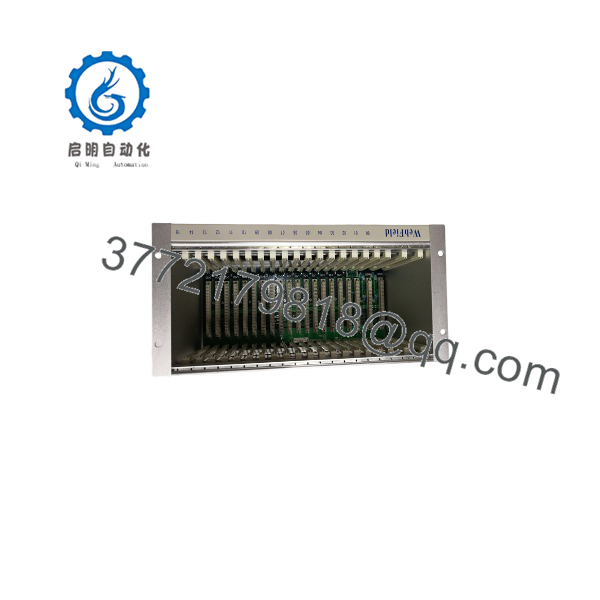
FW214
Frequently Asked Questions (FAQ)
Is the a processing card, or just a rack?
Just a rack — it’s the physical card cage that houses I/O signal cards in the JX-300XP system. It doesn’t do any signal processing itself; that work happens in the cards you plug into it (FW351, FW352, FW353, etc.).
Which cards can I put in this rack?
Based on how it’s documented alongside the rest of the JX-300XP card family, it’s designed for the FW351(B)/FW352(B)/FW353(B) signal input cards, HART processing cards (FW351H/FW372H), and an FW221 power indicator card. If you’re populating unused slots, an FW000 blank card fills the gap.
Can I swap this rack without losing my existing card configuration?
Physically, cards move over with you — but document the exact slot each card occupies before you pull anything. JX-300XP addresses I/O by rack and slot position, so putting cards back in the wrong slots will scramble your I/O mapping even though every card is fine.
Is this new or used stock?
Given how long the JX-300XP platform has been in the field, most racks in circulation come through used/surplus DCS parts channels rather than new manufacture. Get a written condition statement (tested-used, refurbished, or new-surplus) before you commit.
Why don’t you have exact dimensions or backplane voltage listed?
Because I couldn’t verify those specific numbers against an actual SUPCON datasheet for this rack — and several related listings I checked show inconsistent weight and spec figures between what should be the same or similar products, which tells me that data isn’t reliable enough to hand you as fact. If you need exact mechanical specs for a panel retrofit, get them directly from SUPCON or your integrator.
Will this rack work with a different generation of JX-300 controller?
Don’t assume cross-generation compatibility without checking. DCS rack architectures like this are often tied to a specific controller generation’s backplane and communication protocol (SCnet, in this case) — verify against your system’s documentation or with SUPCON support before mixing rack and controller generations.



