
 WhatsApp: +86 16626708626
 Email:
  Phone: +86 16626708626
Description
Key Technical Specifications
| Parameter | Value |
|---|---|
| Manufacturer | Triconex / Invensys |
| Model | CM3201 |
| Product Type | Communication Module |
| System | Trident TMR Safety System |
| Associated Processor | MP3101 |
| Communication Function | Trident controller-to-external-system interface |
| Serial Interfaces | RS-232 / RS-485 |
| Ethernet | Ethernet communication, implementation dependent on system configuration |
| Supported Communications | Modbus and TSAA; application-dependent |
| Software Interface | TriStation |
| Module Dimensions | Approximately 22 × 16.9 × 4.4 cm according to reseller listings |
| Operating Temperature | Verify against the exact hardware revision before installation |
| System Architecture | Triple Modular Redundant (TMR) |
| Application | Safety instrumented and critical process-control systems |
A technical reference specifically identifies CM3201 as the Trident communication module and states that it provides the interface from the MP processors to external hosts, DCS systems, open networks, and printer networks.
A TSAA driver document also records tested configurations using Trident MP3101 + CM3201, including TriStation/TSAA communication environments.
Specification caution: Some current reseller listings publish conflicting electrical, dimensional, temperature, memory, and protocol figures for CM3201. Those figures should not be treated as OEM specifications unless they can be matched to the module’s nameplate and revision.
Product Introduction
The Triconex CM3201 is a communication module used with the Trident TMR safety system, providing an interface between the Trident main processors and external systems such as DCS, host computers, and industrial networks. Technical documentation specifically identifies the CM3201 with the MP3101 Trident Main Processor.
For replacement work, the important point is system generation. should not be treated as a generic Triconex Ethernet or Modbus card. Confirm the installed Trident hardware, MP3101 configuration, firmware, communication driver, and connector arrangement before substitution.
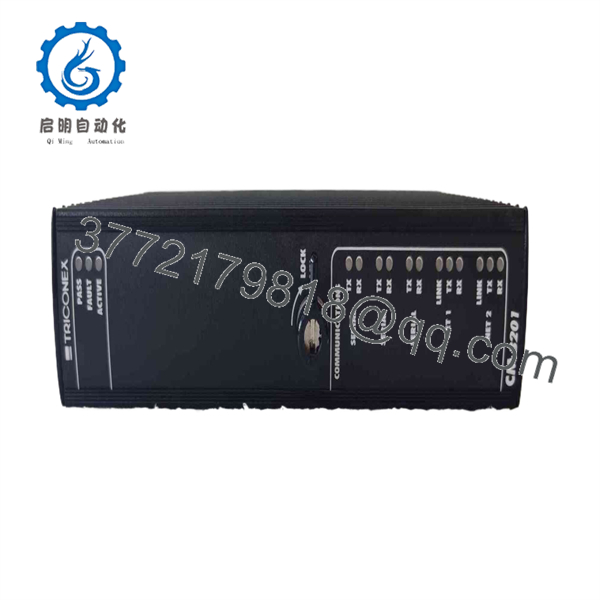
CM3201
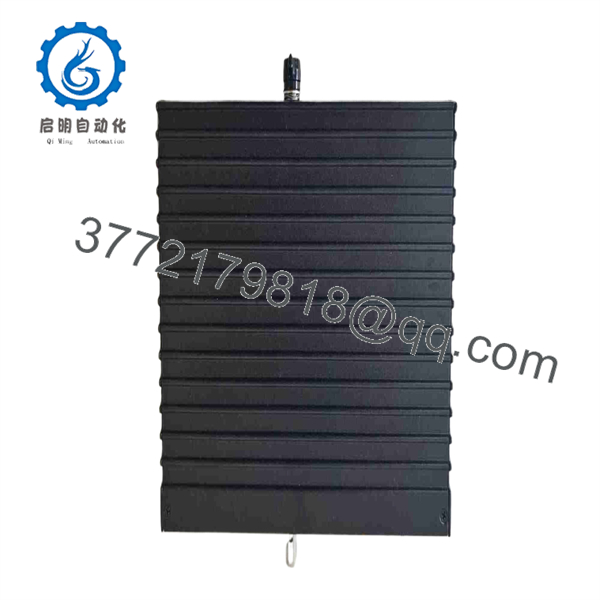
CM3201
Installation & Configuration Guide
Stage 1: Pre-Installation Preparation — Approximately 5–10 Minutes
⚠️ Safety First: Trident systems can perform emergency-shutdown and other safety-instrumented functions. Follow the site’s approved maintenance procedure, bypass/interlock procedure, and LOTO requirements. Do not assume that a communication module can be removed under power simply because a supplier describes it as hot-swappable.
Tools Required:
- ESD wrist strap
- PH1 screwdriver where applicable
- Digital multimeter
- Wire labels
- Smartphone or camera
- Approved engineering workstation
- Current Trident/ documentation
Data Backup:
- Record the complete nameplate information.
- Photograph the installed module and connector arrangement.
- Record the associated MP3101 processor configuration.
- Record network addresses and communication parameters.
- Record serial-port settings if used.
- Record installed firmware and TriStation software revision.
- Back up the existing application and communication configuration.
❗ Do not rely on “” alone when ordering a replacement. Record hardware revision and system configuration before removing the original.
Stage 2: Removing the Old Module — Approximately 5 Minutes
- Put the Trident system into the approved maintenance state.
- Apply LOTO where required by the site procedure.
- Verify the equipment is safe to work on.
- Photograph all connectors and indicators.
- Label each communication cable.
- Disconnect cables without pulling on the conductors.
- Release the module’s retaining mechanism.
- Pull the straight out from its installed position.
- Inspect the connector and mating backplane for contamination or damaged contacts.
⚠️ Keep the original available until commissioning is complete. Its physical configuration is the fastest reference if a connector or setting is questioned during startup.
Stage 3: Installing the New Module — Approximately 5 Minutes
- Connect the grounded ESD strap before handling the replacement.
- Compare the replacement nameplate against the original.
- Confirm and the applicable hardware revision.
- Check the mating connector for contamination or damage.
- Reproduce the original communication configuration.
- Insert the module straight into its designated position.
- Fully engage the retaining mechanism.
- Reconnect the communication cables according to the photographs and labels.
- Check that every connector is seated.
Self-Checklist:
- model verified
- Hardware revision checked
- MP3101 compatibility verified
- Communication settings documented
- Cables returned to correct ports
- Module fully seated
- Retaining mechanism locked
Stage 4: Power-On & Testing — Approximately 10–15 Minutes
- Perform a final visual inspection.
- Verify that no loose conductor or foreign object remains inside the chassis.
- Restore power according to the approved site procedure.
- Observe status indicators during initialization.
- Verify that the Trident system recognizes the communication module.
- Connect the approved TriStation engineering workstation.
- Verify the communication-module configuration.
- Check firmware and hardware identification.
- Test the configured communication path.
- Verify data exchange with the DCS, host, or other connected system.
- Review diagnostic and event information.
- Return the system to service only after the approved functional checks pass.
⚠️ A successful module boot does not prove that the external communication path is correct. Check application-layer communication as well as module status.
If communication fails:
- No host communication: Check cable, port, IP configuration, and network equipment.
- Modbus timeout: Check station address, serial parameters, register mapping, and protocol configuration.
- TriStation communication failure: Verify the driver/software revision and configured Trident hardware.
- Module not recognized: Check compatibility, hardware revision, and physical seating.
- Intermittent data: Inspect connectors, shielding, grounding, and network diagnostics.
Frequently Asked Questions (FAQ)
Can the Triconex be hot-swapped?
Do not assume it can be hot-swapped in every Trident installation. Some supplier documentation describes as supporting hot replacement, but the safe procedure depends on the actual Trident hardware revision and site safety procedure. Verify the OEM documentation for the installed system before removing the module under power.
Is used with the Trident ?
Yes. Technical documentation explicitly identifies a Trident Main Processor Module + Communication Module configuration.
What does the communicate with?
The provides the communication interface from the Trident processors to external equipment. A technical description identifies external host computers, DCS systems, open networks, and printer networks as communication destinations.
Does support Modbus?
-based Trident communication configurations can use Modbus-related communication. However, protocol availability depends on the installed software, driver, hardware generation, and application configuration. Do not purchase the module based on a protocol list from a generic reseller page alone.
Will replacing erase the Trident application?
Replacing a communication module is not equivalent to erasing the application running in the main processors. However, communication configuration, network parameters, aliases, mappings, and driver settings must be checked after replacement. Back up the configuration before starting the replacement.
Is obsolete?
belongs to the Trident generation associated with the processor. Current replacement planning should therefore start with the installed Trident hardware and software revision rather than assuming that a newer Triconex communication module is a direct substitute. The documented / pairing is a useful compatibility reference.
Is a New Surplus the same as a refurbished unit?
No. New Original/New Surplus normally means the module has not been previously installed in service, although storage history still matters. Refurbished means the unit has undergone some form of inspection, repair, or testing. Ask for the serial number, photographs of the nameplate, condition declaration, and functional test report before purchasing.
For a replacement, the most useful information to provide a supplier is the existing module’s nameplate photo, hardware revision, associated revision, and the Trident system generation.



