
 WhatsApp: +86 16626708626
 Email:
  Phone: +86 16626708626
Description
Key Technical Specifications
| Parameter | Specification |
|---|---|
| Manufacturer | UniOP / Exor International |
| Model | ETT-VGA-0045 |
| Product Type | Industrial HMI / operator panel |
| Display | 10.4-inch TFT color graphic display |
| Resolution | 640 × 480 pixels, VGA |
| Colors | 256 colors according to technical documentation |
| Backlight | CCFL |
| Touchscreen | Resistive |
| Function Keys | 8 user function keys |
| System Keys | 3 |
| User LEDs | 8 |
| System LEDs | 6 |
| Text Capacity | 30 rows × 80 columns |
| User Memory | Ordering description specifies 32 MB; technical-data section specifies 8 MB SSFDC with 64 KB reserved for protocol |
| Recipe Memory | 16 KB |
| Alarm Capacity | 1,024 alarms |
| Event List | 256 events |
| PLC Port | RS-232 / RS-422 / RS-485 / CL 20 mA |
| PC/Printer Port | Yes |
| Auxiliary Port | Yes, optional fieldbus modules |
| External Keyboard Port | Yes |
| Power Supply | 18–30 V DC |
| Maximum Consumption | Approximately 700 mA at 24 V DC |
| Operating Temperature | 0–50 °C |
| Storage Temperature | –20 to +70 °C |
| Humidity | 5–95% RH, non-condensing |
| Front Protection | IP65 |
| Front Dimensions | 311 × 220 mm |
| Panel Cutout | 292 × 202 mm |
| Maximum Panel Thickness | 5 mm |
| Weight | Approximately 2.7 kg |
| RTC | Hardware RTC with battery |
| Network | UniNET Client/Server |
| Installation | Panel mount |
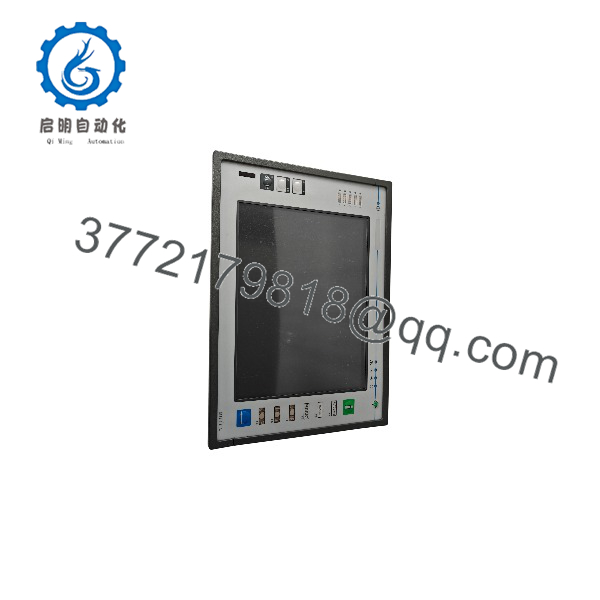
The Exor technical note identifies ETT-VGA-0045 specifically as a 10.4-inch TFT color graphic unit with 640 × 480 resolution, touchscreen, 11-key keypad, PLC/PC-Printer/Aux ports, and a 32 MB user-memory configuration in its ordering information. The same document’s general technical table lists 8 MB SSFDC user memory, so the memory specification should be checked against the actual hardware revision before procurement or replacement.
The same documentation specifies 18–30 V DC input, approximately 700 mA maximum consumption at 24 V DC, 0–50 °C operating temperature, IP65 front protection, 311 × 220 mm front dimensions, and a 292 × 202 mm panel cutout.
Product Introduction
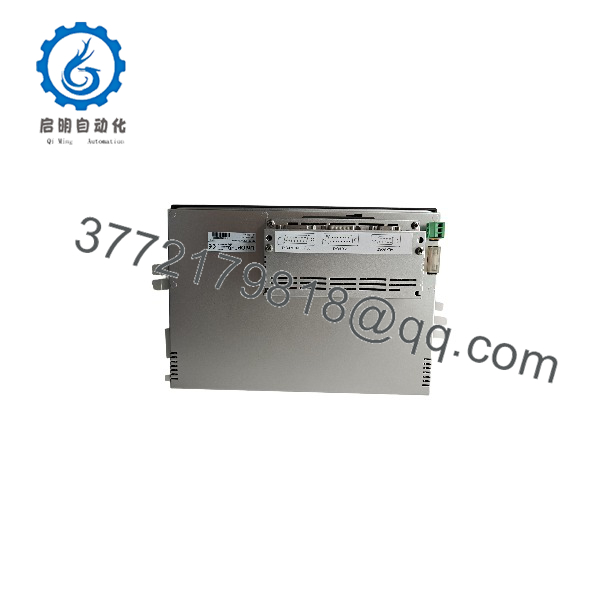
The UniOP ETT-VGA-0045 is a legacy 10.4-inch industrial HMI designed for operator visualization and control of PLC-based automation equipment. It provides a 640 × 480 VGA TFT display, resistive touchscreen, 11 physical keys, RS-232/RS-422/RS-485 serial communication, and optional fieldbus connectivity.
Its panel-mounted construction uses an IP65-rated front face and supports 18–30 V DC operation. The combination of serial PLC interfaces, recipe and alarm functions, hardware RTC, and UniNET support makes it suitable as a replacement interface for legacy machine-control installations where the existing project and communications configuration must be retained.
ETT-VGA-0045
ETT-VGA-0045
Installation & Configuration Guide
Stage 1 — Pre-Installation | ~5 minutes
- Disconnect the 18–30 V DC supply before removing the existing HMI.
- Record the existing serial wiring, communication parameters, connector orientation, and any external fieldbus module.
- Photograph the old unit before disassembly. This is particularly important for RS-232/422/485 wiring because connector pin assignments and communication mode must match the PLC configuration.
- Back up the existing HMI project before changing hardware.
- Confirm the cabinet cutout is 292 × 202 mm and that the panel thickness does not exceed 5 mm.
⚠️ Do not assume another UniOP ETT or ECT model is a direct replacement solely because the display size or VGA designation is similar. Verify the communication ports, project compatibility, mounting dimensions, and hardware revision.
Stage 2 — Remove the Existing Panel | ~5 minutes
- Isolate the DC supply and verify that the HMI is de-energized.
- Label each communication and power cable.
- Disconnect the PLC communication cable, auxiliary connections, and power wiring.
- Release the rear mounting hardware.
- Remove the old HMI carefully without damaging the cabinet gasket or cutout.
Stage 3 — Install ETT-VGA-0045 | ~10 minutes
- Inspect the replacement unit for damaged connectors, touchscreen damage, loose hardware, or evidence of storage damage.
- Verify that the front dimensions and cabinet opening correspond to 311 × 220 mm front size / 292 × 202 mm cutout.
- Reconnect the power and communication wiring exactly according to the original installation documentation.
- Verify the PLC interface type: RS-232, RS-422, RS-485, or CL 20 mA.
- Reinstall any optional auxiliary/fieldbus module required by the original configuration.
- Secure the mounting hardware evenly so the front gasket seats correctly.
- Check that no conductive debris or loose wiring is present behind the panel.
Stage 4 — Power-On & Commissioning | ~10 minutes
- Apply the specified 24 V DC nominal supply within the 18–30 V DC operating range.
- Confirm that the display and backlight initialize correctly.
- Check touchscreen response across the complete active area.
- Verify all 11 keys.
- Confirm PLC communication using the original baud rate, protocol, station/node settings, and serial interface.
- Load or restore the correct UniOP project if the replacement unit does not retain the required application.
- Test representative HMI functions: status display, command inputs, alarms, recipes, and communications.
- Confirm the machine remains in a safe operating state before returning it to production.
⚠️ If the display powers up but the PLC does not communicate, check the physical interface first. RS-232, RS-422, and RS-485 are electrically different interfaces; changing the communication cable without verifying the interface type can create a nonfunctional installation.
FAQ
1. What is the UniOP ETT-VGA-0045?
It is a 10.4-inch UniOP industrial HMI/operator panel with a 640 × 480 TFT display, resistive touchscreen, 11 keys, serial PLC interfaces, and optional fieldbus connectivity.
2. What power supply does the ETT-VGA-0045 require?
The documented supply range is 18–30 V DC, with maximum consumption of approximately 700 mA at 24 V DC. Confirm the cabinet power supply and wiring before installation.
3. Is obsolete?
It should be treated as a legacy UniOP/Exor HMI. The available Exor technical documentation is dated 2012, while current aftermarket listings continue to identify the exact part number. Availability therefore depends on remaining new-old-stock, used, or refurbished inventory.
4. Does use a touchscreen?
Yes. The technical documentation specifies a resistive touchscreen in addition to the 11-key keypad.
5. What is the panel cutout size?
The required cabinet cutout is 292 × 202 mm, with a front dimension of 311 × 220 mm. Maximum documented panel thickness is 5 mm.
6. Can another UniOP HMI replace directly?
Do not assume direct interchangeability. A replacement must be checked for mechanical dimensions, communication interfaces, electrical requirements, project/software compatibility, keypad arrangement, and optional fieldbus hardware. Similar-looking UniOP models can have different hardware configurations.
7. Why do different sources show different memory capacities?
The original Exor technical note itself contains two different memory references: its technical-data section lists 8 MB SSFDC user memory, while the ordering description specifies 32 MB user memory. This should be treated as a hardware/documentation revision issue rather than silently choosing one value. Verify the memory marking or exact revision on the unit being purchased.



