
 WhatsApp: +86 16626708626
 Email:
  Phone: +86 16626708626
Description
Key Technical Specifications
| Parameter | Value |
|---|---|
| Manufacturer | Vibro-Meter / Meggitt Sensing Systems |
| Product Series | VM600 Machinery Protection System |
| Card Type | MPC4 Machinery Protection Card |
| Part Number 1 | 200-510-017-019 |
| Part Number 2 | 200-510-111-013 |
| System Application | Machinery vibration protection |
| Input Channels | 4 programmable vibration/displacement channels |
| Speed Inputs | 2 programmable speed/phase inputs |
| Rack Interface | VM600 ABE04x rack |
| Communication Interface | VME-compatible interface (standard MPC4 versions) |
| Signal Processing | Digital signal processing with programmable filtering |
| Front Panel | BNC raw signal outputs, LED status indicators |
| Companion Card | IOC4T I/O card |
| Safety Versions | Standard, separate circuits, and MPC4SIL variants |
The VM600 MPC4 is the core machinery protection card in the Vibro-Meter VM600 MPS platform. It provides vibration, displacement, speed, and phase monitoring functions with programmable alarm thresholds and signal processing.
The MPC4 ordering format follows 200-510-SSS-xHh, where the version identifier distinguishes standard, separate-circuit, and SIL safety versions.
Product Introduction
The Vibro-Meter VM600 MPC4 (200-510-017-019 / 200-510-111-013) is a machinery protection card used in VM600 monitoring systems for rotating equipment. It processes vibration, displacement, speed, and phase signals from industrial machinery such as turbines, compressors, and generators.
The MPC4 operates as part of an /IOC4T card pair inside a VM600 rack. It provides configurable measurement channels, alarm processing, and machine protection functions required for condition monitoring and trip protection applications.
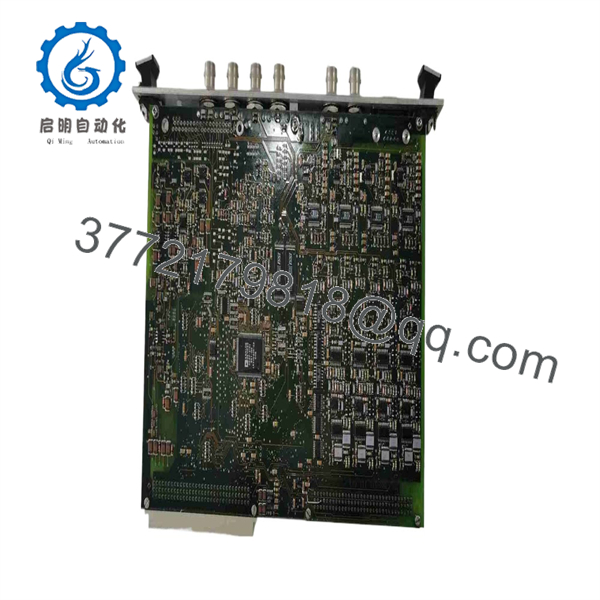
200-510-111-013 VM600 MPC4
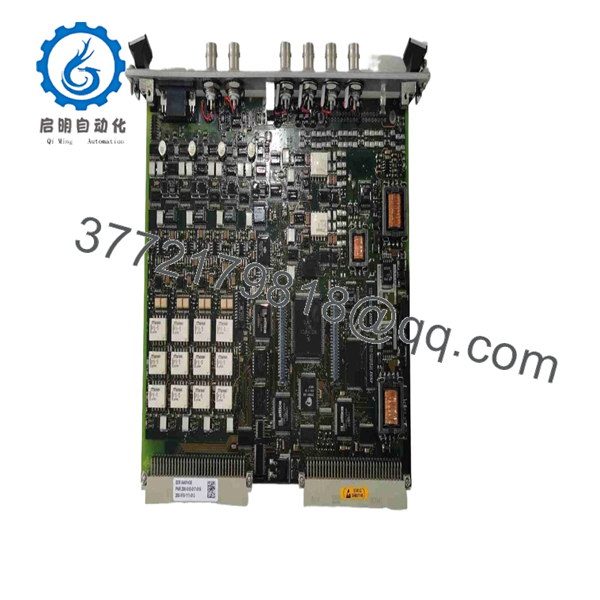
200-510-111-013 VM600 MPC4
Installation & Configuration Guide
Estimated replacement time: 30–60 minutes for a trained maintenance engineer.
Commissioning time: May require additional verification of channel configuration and alarm settings.
Stage 1: Pre-Installation Preparation
⚠️ Safety First
- Notify operations before removing the protection card.
- Confirm the monitored machine is in a safe shutdown condition.
- Apply lockout/tagout before accessing the rack.
- Verify that connected machinery cannot start unexpectedly.
- Follow plant machinery protection procedures before disabling monitoring functions.
Tools Required
- ESD wrist strap
- ESD-safe work surface
- Phillips screwdriver
- Multimeter
- Connector labels
- Smartphone/camera
- MPS configuration software access
Data Backup
Before removing the existing :
- Record the complete part number:
- 200-510-017-019
- 200-510-111-013
- Photograph the front panel label.
- Record rack position and slot number.
- Export existing configuration files.
- Record:
- Channel assignments
- Alarm levels
- Trip logic
- Sensor types
- Speed settings
- Photograph IOC4T connections.
❗ Do not replace an without preserving configuration data. A physically identical card with incorrect parameters can create false alarms or remove required protection functions.
Stage 2: Removing the Old Module
- Confirm the rack is safe for maintenance.
- Open the rack access panel.
- Photograph the installed position.
- Release the card locking handle.
- Disconnect any front-panel connections if installed.
- Pull the card straight out from the rack slot.
- Inspect the backplane connector.
- Check for:
- Bent pins
- Dust contamination
- Oxidation
- Mechanical damage
⚠️ Keep the original until the replacement has completed functional verification.
Stage 3: Installing the New Module
- Wear ESD protection.
- Verify the replacement card identification.
- Confirm the version matches:
- Standard
- Separate circuits
- MPC4SIL safety version
The manual identifies different versions through ordering-number formats and front-panel identification markings.
- Insert the card into the correct rack slot.
- Ensure the locking handle fully engages.
- Reconnect front-panel connections if applicable.
- Verify the associated IOC4T card configuration.
Self-Checklist
- Correct part number verified
- Firmware/hardware revision checked
- Rack slot confirmed
- Locking handle secured
- IOC4T pairing verified
- Configuration backup available
Stage 4: Power-On & Testing
- Restore rack power.
- Observe LED indicators.
- Verify rack communication.
- Connect MPS configuration software.
- Confirm:
- Card recognition
- Channel configuration
- Sensor inputs
- Alarm thresholds
- Relay outputs
- Perform sensor simulation or controlled input testing.
- Verify alarm and trip behavior.
- Return the protection system to service.
⚠️ Do not bypass machine protection alarms during commissioning without formal approval. Incorrect alarm settings can affect equipment safety.
Frequently Asked Questions (FAQ)
1. What is the Vibro-Meter ?
The is the main machinery protection card in the MPS platform. It processes vibration, displacement, speed, and phase signals for rotating equipment protection applications.
2. What is the difference between 200-510-017-019 and 200-510-111-013?
Both are identified as cards. The exact difference depends on firmware, hardware revision, and configuration level. The ordering structure uses firmware and hardware identifiers, so the full part number should be matched before replacement.
3. Can I install any card into a rack?
No.
You must verify:
- version
- Firmware compatibility
- Hardware revision
- Rack configuration
- IOC4T compatibility
- Safety requirements
The platform includes standard, separate-circuit, and SIL safety variants.
4. Does require an card?
For normal machinery protection applications, the operates as part of an / card pair. The provides field signal connection functions while the performs signal processing and protection logic.
5. Can the be hot-swapped?
Do not assume hot swapping is permitted.
Although systems are modular, follow the applicable maintenance procedure before removing a protection card. Removing a live protection module can create false trips, loss of monitoring, or hardware damage.
6. What should be checked before ordering a replacement?
Provide:
- Complete part number
- rack model
- Existing firmware/hardware revision
- part number
- Machine type
- Sensor configuration
- Photos of the front panel label
This prevents ordering a card with an incompatible revision.
7. Is refurbished acceptable for turbine or compressor protection?
Yes, provided the refurbishment process is documented.
Request:
- Functional test report
- Front-panel LED test
- Channel input verification
- Configuration verification
- Warranty period
For critical rotating equipment, a tested refurbished card is preferable to an untested surplus board.
8. What standards are relevant to applications?
machinery protection systems are commonly applied in safety-related rotating machinery monitoring environments. Relevant engineering practices include IEC 61508-based functional safety considerations where applicable.



