
 WhatsApp: +86 16626708626
 Email:
  Phone: +86 16626708626
Description
Key Technical Specifications
- Product Type: CPU/Processor Module for simplex MicroNet Digital Control systems
- CPU Class: Pentium, 233 MHz
- Memory: 64 MB RAM
- Storage: Solid-state hard drive, Windows file system
- Operating System: Windows NT 4.0
- Mounting Type: VME, installed in an expansion chassis
- Redundancy Type: Simplex only — requires a Main Transceiver (XCVR) and a Remote XCVR
- Communication Ports: Dual RS-232 serial ports, one Ethernet port
- Service Tool Compatibility: AppManager Service Tool (application startup and loading over Ethernet)
- Operating Temperature: 0 °C to 50 °C
- Standards/Certifications: LRS, DNV, CE (EMC)
- Applicable Manuals: 26166V1, 26166V2, 26166V3
Note: distributor listings disagree on physical dimensions and weight for this part (figures ranging from roughly 3 lbs to over 9 lbs turn up across different pages). Confirm the physical footprint against your existing rack and the OEM manual set above before ordering.
Product Introduction
The Woodward 5466-409 is the Pentium-class CPU module used in simplex MicroNet Digital Control applications. It runs on Windows NT 4.0 from a solid-state hard drive, mounts in an expansion chassis, and requires a Main Transceiver (XCVR) plus a Remote XCVR to communicate with the rest of the control rack. Dual RS-232 ports and a single Ethernet port handle serial and network communication, including application loading through Woodward’s AppManager Service Tool.
Woodward has discontinued this module, and it’s simplex-only — it won’t drop into a redundant MicroNet Plus rack expecting a TMR or dual-CPU configuration. Plants running older simplex MicroNet systems keep spares on hand because a CPU failure here means the whole control application is down until the module is replaced.
Troubleshooting Quick Reference
| Symptom | Possible Cause | Relevance to this Part | Quick Check Method | Recommendation |
|---|---|---|---|---|
| Module won’t boot / no activity on power-up | Failed power supply upstream, or a dead onboard regulator | ❌ Low | Measure backplane supply voltage feeding the CPU slot | Check the rack power supply before condemning the CPU module |
| Boots but AppManager can’t connect over Ethernet | Network cable/switch issue, or wrong IP configuration loaded on the module | ⚠️ Medium | Verify link lights on the Ethernet port and confirm IP settings match your network | Rule out cabling and network configuration before assuming CPU failure |
| No communication with the expansion chassis | Main XCVR or Remote XCVR fault, not necessarily the CPU | ⚠️ Medium | Check XCVR status indicators at both ends of the link | Isolate the XCVR pair before replacing the CPU module |
| Application won’t load or repeatedly faults after loading | Solid-state drive corruption or an application/firmware mismatch | ✅ High | Attempt to reload the application via AppManager and check for load errors | If reload fails consistently, the module’s storage is the likely fault |
| Intermittent resets under normal operation | Ambient temperature exceeding the 0–50 °C rating, or a marginal backplane connection | ✅ High | Check enclosure temperature and reseat the module fully in its slot | Address cooling or the slot connection before replacing the CPU |
If these checks don’t resolve it, contact technical support with your application version, the manual number you’re working from (26166V1/V2/V3), and any AppManager error codes.
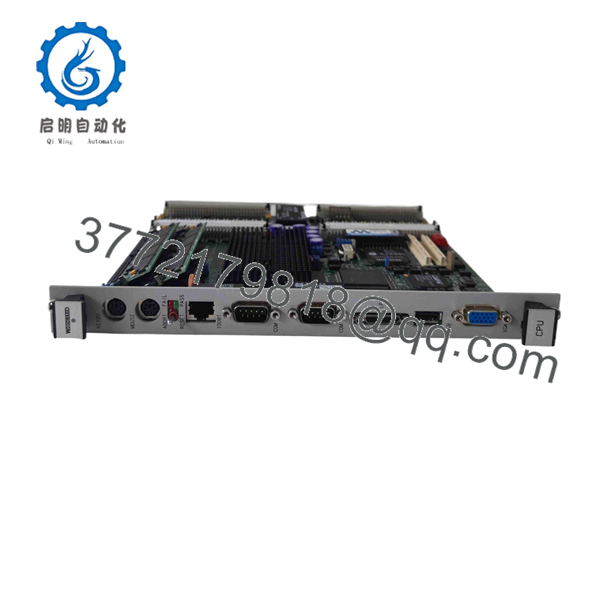
5466-409
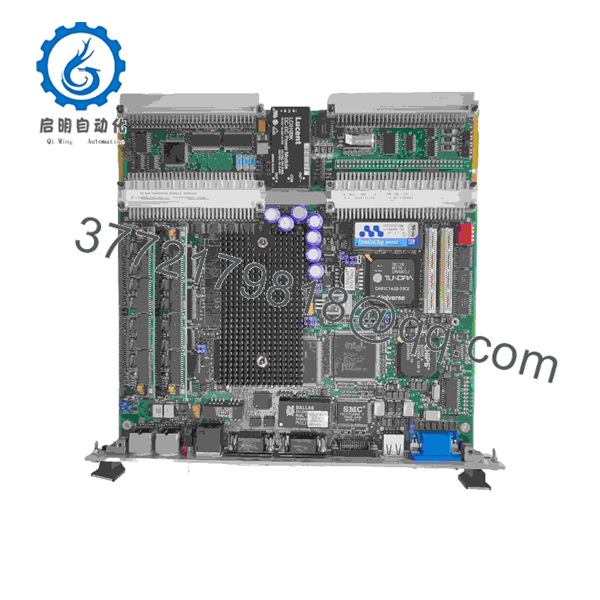
5466-409
Frequently Asked Questions (FAQ)
Is the 5466-409 still available new from Woodward?
No — it’s discontinued by the manufacturer. What you’ll find now is new surplus stock, remanufactured exchange units, or used-and-tested cores, not a current factory build.
Will this module retain my application if I swap it in as a replacement?
No. The application lives on the module’s solid-state drive and needs to be loaded through the AppManager Service Tool after installation. Back up your current application before pulling the old CPU, and confirm the firmware/OS version on the replacement matches what your system expects.
Can this run in a redundant MicroNet Plus configuration?
No. This is a simplex-only CPU module — it’s designed for a single-CPU control application, not a triple-redundant or dual-CPU setup. Don’t try to fit it into a redundancy scheme it wasn’t built for.
Do I need anything besides the CPU module itself to get this running?
Yes. It has to be installed in an expansion chassis and paired with a Main Transceiver (XCVR) and a Remote XCVR — without those, the CPU has no path to communicate with the rest of the rack.
Can I hot-swap this while the control system is running?
No. Pulling the CPU module live means losing your control application entirely, and risks damage to the module or backplane. Follow your system’s documented shutdown procedure first.
Why does this run Windows NT 4.0 — is that a problem?
It’s simply the operating system this hardware generation was built on, and it’s part of why the module is discontinued rather than actively developed. It doesn’t affect the module’s ability to run your existing application, but don’t expect any OS-level security patching from Woodward on hardware this old.
What condition should I expect — new, surplus, or used?
All three show up under this part number. “New” typically means unused factory stock, “new surplus” is unused stock pulled from decommissioned equipment, and “used, clean and tested” means a functional pull that’s been checked out. Confirm which applies and ask what testing was actually performed before you buy.
What warranty comes with this part?
It varies by seller — some quote 12 months, others up to 24 months on tested or remanufactured units. Get the specific terms in writing, especially since replacement lead time on a discontinued CPU module can run longer than you’d like if this one fails again.



