
 WhatsApp: +86 16626708626
 Email:
  Phone: +86 16626708626
Description
Key Technical Specifications
| Parameter | Value |
|---|---|
| Model | 5501-365 |
| Brand | Woodward |
| Product Family | MicroNet Digital Control |
| Module Series | 5501 |
| Product Type | Control / CPU Module |
| System Application | Turbine and engine control |
| Control Platform | Woodward MicroNet |
| Installation | MicroNet control chassis |
| Backplane Interface | MicroNet system backplane |
| Configuration | Application-specific |
| Firmware | Verify installed revision |
| Software Compatibility | Verify MicroNet/Coder version |
| Lifecycle | Legacy hardware |
| Replacement Compatibility | Application and system revision dependent |
Product Introduction
The Woodward 5501-365 is a MicroNet control-system module used in Woodward industrial control architectures. The 5501-series hardware forms part of the MicroNet platform used for turbine and engine control applications.
For a replacement, the part number alone is not enough to establish compatibility. The installed MicroNet CPU architecture, application software, firmware revision, I/O configuration, and chassis generation should be checked before procurement and commissioning.
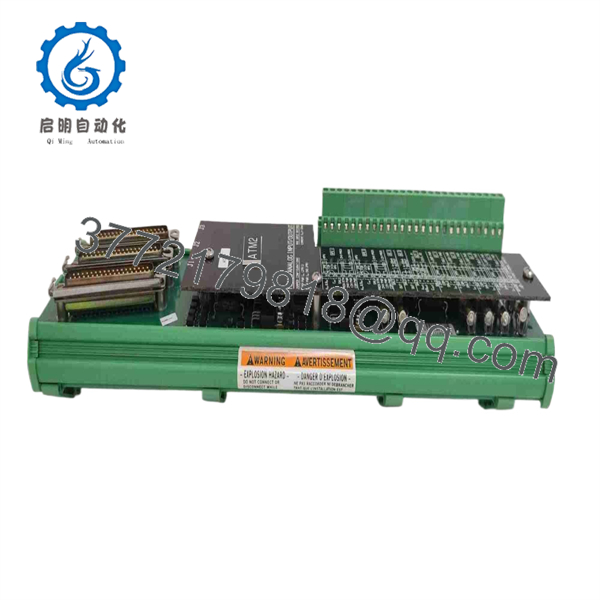
5501-365
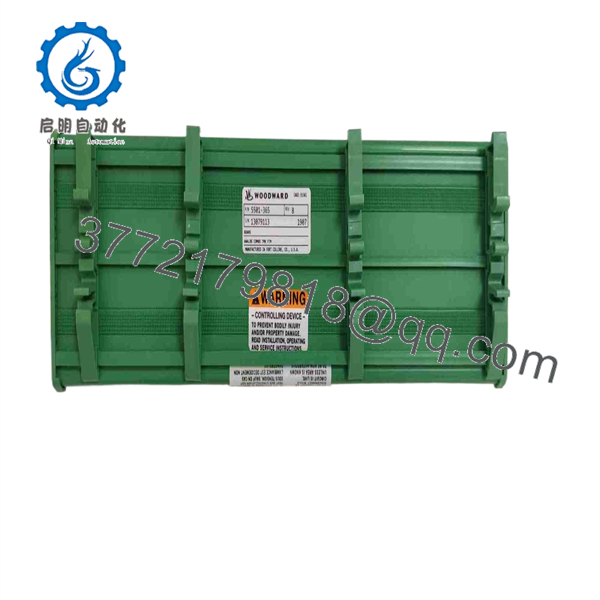
5501-365
Installation & Configuration Guide
Stage 1: Pre-Installation Preparation — 5–10 Minutes
⚠️ Safety First: Put the turbine or engine control system into its approved maintenance state. Follow the plant’s lockout/tagout procedure and the applicable Woodward maintenance documentation.
Tools Required:
- ESD wrist strap
- Digital multimeter
- Appropriate screwdriver
- Wire labels
- Smartphone or camera
- MicroNet system drawings
Data Backup:
- Record the complete 5501-365 nameplate information.
- Photograph the installed module and chassis position.
- Record the MicroNet CPU/controller configuration.
- Record firmware and Coder/software revisions where available.
- Save the current application configuration.
- Photograph adjacent I/O modules and termination connections.
Stage 2: Removing the Old Module — 5 Minutes
- Place the controlled machine in the approved maintenance state.
- Remove power according to the Woodward maintenance procedure.
- Wear an ESD wrist strap.
- Identify the module’s exact chassis position.
- Release the module retaining mechanism.
- Pull the module straight from the chassis.
- Inspect the backplane connector for bent contacts or contamination.
- Keep the original module available for comparison.
⚠️ Do not disturb adjacent I/O wiring unless the installation procedure requires it.
Stage 3: Installing the New Module — 5–10 Minutes
- Verify the replacement is exactly 5501-365.
- Compare hardware markings and revision information.
- Inspect the module connector.
- Align the module with the chassis guides.
- Insert it straight into the backplane.
- Fully engage the retaining mechanism.
- Verify adjacent modules remain correctly seated.
- Confirm the system configuration corresponds to the installed module position.
Self-Checklist:
- 5501-365 verified
- Hardware revision recorded
- MicroNet chassis verified
- Firmware recorded
- Coder/software version recorded
- Module fully seated
- Adjacent modules checked
Stage 4: Power-On & Testing — 10–20 Minutes
- Check the control-system DC supply before energizing.
- Restore power following the approved Woodward procedure.
- Observe CPU/module status indicators.
- Check the MicroNet diagnostic interface.
- Confirm the controller initializes without module faults.
- Verify the application configuration loads correctly.
- Check communication with connected I/O modules.
- Verify representative input signals.
- Test outputs only under the approved commissioning procedure.
- Confirm normal controller diagnostics before returning the machine to service.
⚠️ Do not assume a successful CPU boot proves the turbine-control system is ready for operation. Verify I/O, application execution, communications, and control outputs as a complete system.
Frequently Asked Questions (FAQ)
What is the Woodward 5501-365?
The 5501-365 is a Woodward MicroNet control-system module from the 5501 hardware family. It is associated with MicroNet turbine and engine control architectures.
Is the 5501-365 a standalone controller?
No. It should be treated as a component of a complete MicroNet control architecture. The installed chassis, I/O configuration, software, firmware, and application determine how the module functions in the system.
Is the 5501-365 obsolete?
It is legacy MicroNet hardware. Availability therefore depends heavily on existing inventory and surplus stock. Before purchasing, confirm the exact part number, hardware revision, condition, and test status.
Can I replace a 5501-365 with another 5501-series module?
Not automatically. A similar 5501-series part can have different hardware or application requirements. Verify the exact part number, MicroNet generation, firmware, Coder/software revision, and application configuration before substitution.
Will replacing the 5501-365 erase the control program?
Do not assume that the replacement module contains the existing application. Back up the MicroNet configuration and application before removing the original hardware, then verify the required software/configuration after installation.
Can the 5501-365 be hot-swapped?
Do not assume live replacement is permitted. Unless the specific MicroNet chassis documentation explicitly authorizes hot replacement, isolate power before removing the module.
What should I verify before buying a used or surplus 5501-365?
Request the following information:
- Exact part number: 5501-365
- Hardware revision
- Firmware revision
- MicroNet CPU/chassis compatibility
- Coder/software version
- Functional test report
- Connector condition
- Physical condition
- New Original / New Surplus / Refurbished status
- Warranty and return terms
For this type of legacy Woodward hardware, matching the complete MicroNet system configuration is more important than matching the 5501-series number alone.



