
 WhatsApp: +86 16626708626
 Email:
  Phone: +86 16626708626
Description
Key Technical Specifications
| Parameter | Specification |
|---|---|
| Manufacturer | Yokogawa Electric Corporation |
| Model | ALE111-S01 |
| Module Type | Ethernet Communication Module |
| System | Yokogawa FIO / Field Control System |
| Physical Layer | IEEE 802.3 10BASE-T |
| Communication Method | Point-to-point |
| Connector | RJ-45 |
| Transmission Speed | 10 Mbps |
| Transmission Mode | Half-duplex |
| Cable | 100 Ω twisted-pair, unshielded |
| Maximum Segment Distance | 100 m |
| Number of Ports | 1 |
| Media Access | CSMA/CD |
| Current Consumption | 0.5 A |
| Weight | Approx. 0.3 kg |
| Installation | FIO field control units / bus node units |
| Environmental Gas Class | ISA Standard G3 for the S01 configuration |
| Explosion Protection | No explosion protection indicated by the -S01 suffix |
Yokogawa’s documentation identifies ALE111 as an Ethernet communication module for FIO systems. The module provides a single 10BASE-T Ethernet port with an RJ-45 connector and 10 Mbps communication.
The ALE111-S01 suffix is important. Yokogawa documentation identifies the base ALE111 as the communication module, while the suffix structure distinguishes standard type, explosion-protection configuration, and ISA Standard G3 environmental classification. The S01 configuration is associated with the ISA Standard G3 option.
Supported System Installation
Yokogawa documentation lists ALE111 installation on several FIO-related platforms, including AFV10, AFV30, AFV40, AFF50, ANB10, ANB11, and ANR10 configurations, depending on the system architecture.
The module can be used for communication between a Yokogawa field control station and external subsystems. Yokogawa examples include FA-M3 and other subsystem communication applications.
Product Introduction
The Yokogawa ALE111-S01 is a 10BASE-T Ethernet communication module used with Yokogawa FIO-based field control systems. It provides one RJ-45 Ethernet port for point-to-point communication with external subsystems, using 100 Ω twisted-pair cable and a maximum segment length of 100 m.
For maintenance and replacement work, the critical consideration is that is a legacy 10 Mbps industrial communication interface, not a modern 100/1000 Mbps Ethernet adapter. A replacement should therefore be checked against the existing FCS configuration, subsystem protocol package, cable installation, and module suffix before installation.
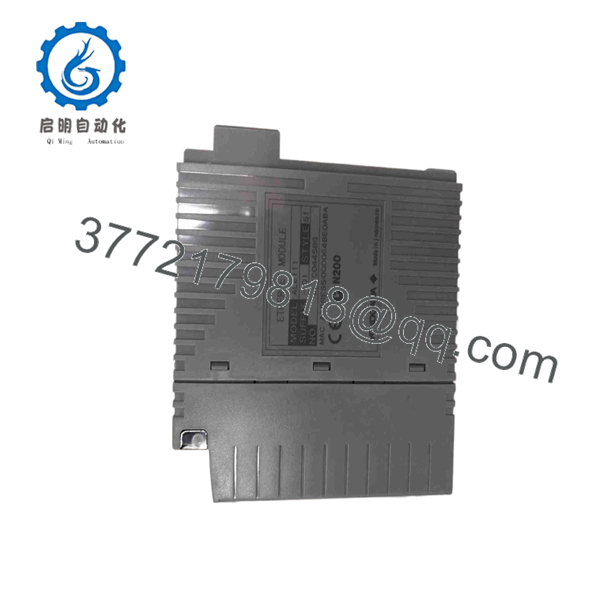
ALE111-S01
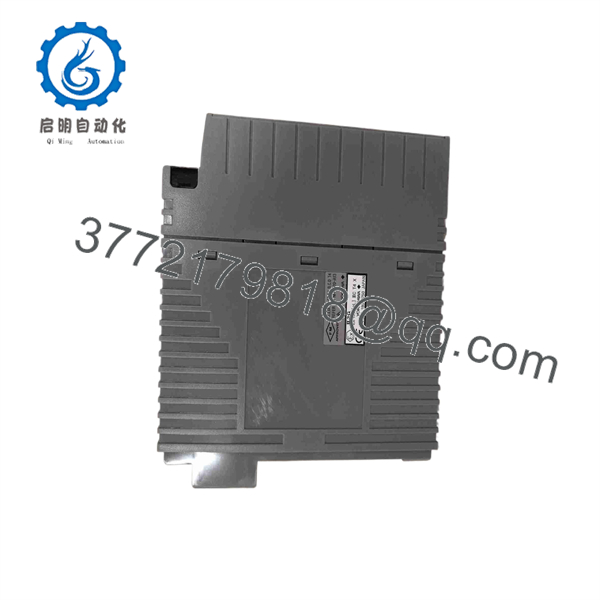
ALE111-S01
Installation & Configuration Guide
Stage 1 — Pre-Installation Preparation
- Confirm the complete part number as .
- Verify the host Yokogawa FCS, node unit, and module position.
- Record the existing Ethernet cable routing and subsystem connection.
- Back up relevant FCS and subsystem communication configuration.
- Confirm that the replacement has the same suffix and environmental classification.
⚠️ Do not substitute a different suffix solely because the base model number matches. The suffix can define environmental or protection characteristics.
Stage 2 — Removing the Existing Module
- Place the control system in the appropriate maintenance state.
- Follow the site’s electrical isolation procedure.
- Identify and label the RJ-45 communication cable.
- Disconnect the Ethernet cable without pulling on the connector body.
- Release the module retaining hardware.
- Remove the existing module and inspect the connector and mounting interface.
Stage 3 — Installing the -S01
- Confirm the replacement label reads -S01.
- Check the module for physical damage and contamination.
- Install it in the designated FIO-compatible position.
- Secure the module according to the Yokogawa hardware procedure.
- Reconnect the RJ-45 Ethernet cable.
- Verify cable routing and strain relief.
- Confirm that the external subsystem connection corresponds to the original configuration.
Stage 4 — Power-On & Testing
- Restore the system according to the plant commissioning procedure.
- Check the module status through the applicable Yokogawa engineering or maintenance interface.
- Verify communication between the FCS and the connected subsystem.
- Confirm that the expected data exchange is occurring.
- Check for communication errors or abnormal diagnostics.
- Perform a controlled data read/write or communication test before returning the system to normal operation.
⚠️ The uses 10BASE-T at 10 Mbps. Do not assume that a physical Ethernet connection proves application-layer compatibility; the subsystem communication package and configured protocol must also be validated.
FAQ
What is the Yokogawa -S01?
It is a Yokogawa Ethernet Communication Module for FIO systems, providing 10BASE-T Ethernet communication between a Yokogawa field control station and external subsystems.
What Ethernet speed support?
The documented physical interface is IEEE 802.3 10BASE-T at 10 Mbps. Claims that this exact module provides 100 Mbps or 1 Gbps Ethernet should not be used without additional OEM documentation.
use an RJ-45 connector?
Yes. Yokogawa’s specifications identify an RJ-45 connector and one Ethernet port.
What is the maximum Ethernet cable distance?
The documented maximum is 100 m per segment using 100 Ω twisted-pair cable.
a digital I/O module?
No. It is a communication module, not a discrete input/output module. Some reseller pages incorrectly categorize it as an I/O interface module; Yokogawa’s own documentation identifies as an Ethernet Communication Module.
What does the S01 suffix mean?
The available Yokogawa-related documentation identifies -S as Standard Type and -1 as the ISA Standard G3 option. The -S01 configuration therefore corresponds to the standard configuration with the G3 environmental classification option.
Can I re with a newer Ethernet module?
Not as an automatic drop-in replacement. The physical interface, FIO mounting architecture, communication software, subsystem protocol, module suffix, and system revision should all be checked before selecting an alternative. For an operating CENTUM/FIO installation, matching the existing Yokogawa configuration is generally safer than selecting a replacement solely by Ethernet speed.



