
 WhatsApp: +86 16626708626
 Email:
  Phone: +86 16626708626
Description
Key Technical Specifications
| Parameter | Value |
| Manufacturer | ABB |
| Part Number | CP450C (3BSE018158R1) |
| Display Type | Color TFT LCD |
| Display Size | 10.4 inches |
| Resolution | 640 x 480 pixels (VGA) |
| Operating System / Software | Control Builder / Panel Builder 800 Compatibility |
| Serial Communication Interfaces | RS-232C, RS-422, RS-485 |
| Power Supply Voltage | 24 V DC (18 V DC to 30 V DC range) |
| Power Consumption | ~18 W |
| Front Panel Protection | IP65 / NEMA 4X (Water and Dust Tight) |
| Operating Temperature | 0°C to +50°C (32°F to 122°F) |
| Dimensions / Weight | 310 mm x 232 mm x 60 mm |
Product Introduction & Supply Chain Strategy
The ABB CP450C is a rugged industrial operator terminal engineered for real-time visualization and process control within ABB Advant OCS and Compact Products 800 architectures. Featuring a 10.4-inch color display and heavy-duty serial connectivity, the CP450C enables plant operators to monitor system alarms, adjust setpoints, and manage process diagnostics directly on the factory floor.
This product is a Brand New Surplus unit. It is not used, not pulled from a decommissioned plant, and not refurbished. All modules undergo rigorous quality verification to ensure OEM-level reliability. Maintaining a New Surplus CP450C panel in critical spares inventory protects continuous manufacturing operations. Sourcing refurbished HMI terminals exposes plants to degraded CCFL/LED backlights, worn touch membranes, and aged power supply capacitors that risk sudden screen blackouts. Installing an uncommissioned, factory-fresh unit guarantees maximum display lifespan, preserves operator visibility, and eliminates the multi-day downtime associated with emergency panel migrations.
Installation & Configuration Guide
- Stage 1: Pre-Installation (Prep & Safety)
- Shut off 24 V DC power to the enclosure panel and apply lockout/tagout (LOTO) protocols.
- Wear a grounded anti-static wrist strap before touching internal communication terminals or memory cards.
- Document and label all connected serial communication cables and power wiring.
- Stage 2: Removal
- Unplug the 24 V DC terminal block and disconnect serial communication lines from the rear of the panel.
- Loosen the rear panel mounting clamps using a standard screwdriver.
- Carefully push the existing CP450C terminal forward out of the panel cutout without scratching the enclosure opening.
- Stage 3: Installation (Clone & Seat)
- Check the panel seal gasket on the new CP450C to ensure an IP65 watertight seal against the enclosure door.
- Insert the unit into the cutout and secure it using the integrated mounting clamps; tighten evenly to prevent bezel warp.
- Reattach serial communication lines and the 24 V DC power connector.
- Stage 4: Power-On & Testing
- Apply 24 V DC power to the terminal.
- Observe the startup boot sequence and verify successful application project loading from system memory.
- Test touchscreen touch points and confirm active serial communication with the connected controller (e.g., AC 800M or Advant Controller).
Firmware/Software Versions & Upgrade Notes
- Configuration Tooling: The relies on ABB Panel Builder configuration software for project loading and screen layout definitions.
- Firmware Transfer: Project applications transferred from Panel Builder include runtime firmware dependencies. Ensure the target panel firmware version matches the configuration project file to prevent system boot errors.
- Compatibility Warning: When replacing an older CP400 series terminal, verify that serial baud rates, DIP switch configurations, and protocol drivers match your active control network. Incompatible baud rate settings can lead to comm-fail alarm flags.
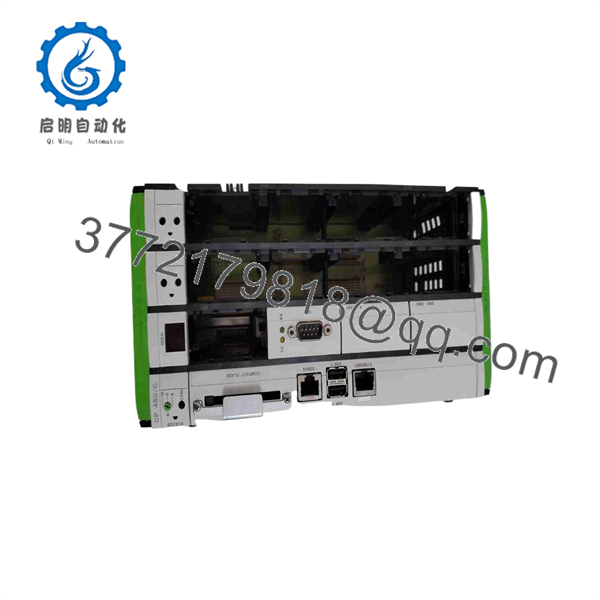
CP450C
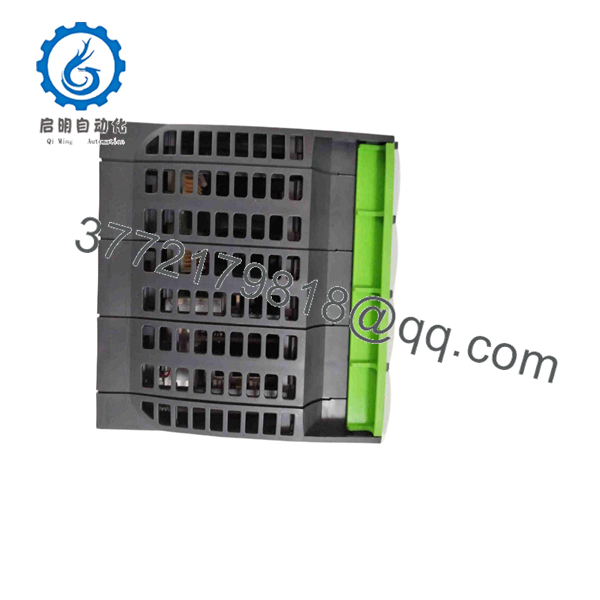
CP450C
Frequently Asked Questions (FAQ)
Q: Why is this New Surplus priced higher than used or refurbished alternatives?
A: Our price reflects the market value of acquiring clean, uncommissioned ABB stock. Refurbished HMIs frequently suffer from degraded backlights and micro-cracks in the touch membrane. Saving a small amount on a used panel can result in thousands of dollars in lost production if the display fails during live operation.
Q: Is this ABB panel brand new?
A: Yes. This is a New Surplus unit preserved in original anti-static packaging in a climate-controlled warehouse. Units are unsealed only for quality verification and functional inspection prior to dispatch.
Q: Has the ABB reached End of Life (EOL)?
A: Yes, the CP400 series has been legacy-classified by ABB in favor of newer Panel 800 display lines. Securing New Surplus stock lets you keep legacy lines running without re-engineering screen projects or modifying physical panel cutouts.
Q: Can I replace the while the control cabinet is live?
A: No. Always isolate 24 V DC power before removing or attaching wiring to the unit. Pulling connectors on a live panel risks electrical transients that can damage the internal serial transceiver circuits.
Q: What warranty coverage comes with this unit?
A: Every ABB New Surplus terminal comes with a full 1-year replacement warranty.



