
 WhatsApp: +86 16626708626
 Email:
  Phone: +86 16626708626
Description
- Key Technical Specifications
- Auxiliary supply voltage (Uaux): 110-240 VAC or 110-220 VDC
- Nominal frequency: 50/60 Hz
- Current inputs (In): 1 A or 5 A (configurable)
- Voltage inputs (Un): 100-120 V (phase-to-phase or phase-to-neutral)
- Main protection: Three-phase stabilized differential (87T) with instantaneous stage
- Backup protection: Non-directional overcurrent (50/51), earth-fault (50N/51N), restricted earth-fault (87N high-impedance or stabilized)
- Additional functions: Thermal overload (49T), negative sequence (46), restricted earth-fault on HV/LV sides
- Binary inputs/outputs: Varies by variant (typically 15+ digital inputs, multiple trip/signal relays in base configs)
- Communication: SPA, LON, IEC 60870-5-103, Modbus RTU (via rear ports); front optical/local port
- Operating temperature: -10°C to +55°C (extended range possible with derating)
- Dimensions: ≈ 255 × 240 × 35 mm (half-19″ rack width typical)
- Weight: ≈ 1.3–2.5 kg (depending on module population)
- Mounting: Panel or rack (flush/semi-flush)
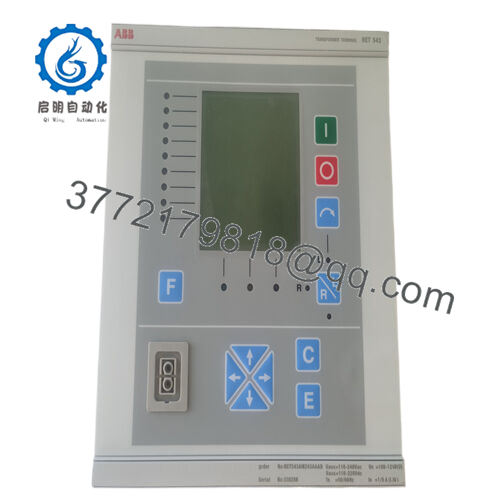
- Product Introduction The ABB RET541AM230AAAA is a transformer terminal relay from the RET 54_ series, built for protecting, controlling, measuring, and supervising two-winding power transformers in medium-voltage distribution, industrial plants, and generator applications. It provides primary differential protection plus backup overcurrent, earth-fault, and thermal functions.
In hundreds of field installations I’ve commissioned or debugged, these units prove reliable in harsh environments thanks to their numerical stabilization (handles CT saturation well) and vector group compensation without external interposing CTs. They remain popular for legacy upgrades where full migration to newer Relion series would mean major rewiring and downtime.
- Installation & Configuration Guide
Stage 1: Pre-Installation Preparation (≈ 30–60 minutes) ⚠️ Safety First: Isolate transformer HV/LV sides, lock out/tag out breakers, ground bus bars, discharge any stored energy (wait ≥5 minutes; verify zero voltage with multimeter). Coordinate outage with operations. Tools Required: Grounded ESD wrist strap, torque screwdriver (0.5–1 Nm), multimeter, insulation tester (Megger), wire labels, smartphone for photos, PC with CAP 505/Relay Configuration Tool or PCM600 equivalent for legacy. Data Backup: Export existing settings via serial port (use SPA protocol or ABB tool), photograph all terminal wiring (analog CT/VT, binary I/O, comms), note DIP/jumper settings if any, record firmware/software version (e.g., 1MRS110031-xxx).
Stage 2: Removing the Old Module (≈ 20–40 minutes)
- Confirm zero voltage on all terminals and aux supply.
- Label and disconnect wiring (CT/VT short CT circuits first to avoid open-CT hazard).
- Remove front cover/HMI if attached, then unscrew panel/rack fixings.
- Pull unit straight out carefully—inspect rear backplane for dust or bent pins. ⚠️ Keep old unit for reference/comparison until new one is fully commissioned.
Stage 3: Installing the New Module (≈ 30–60 minutes)
- Ground yourself with ESD strap. Verify new RET541AM230AAAA matches order code exactly.
- Configuration Clone (Crucial): Load backed-up settings file or manually replicate parameters (differential ratio, vector group, CT ratios, trip settings) via front port or tool. Match any hardware jumpers/links from photos.
- Insert into panel/rack, secure screws (torque evenly).
- Reconnect wiring terminal-by-terminal (short CTs open only after connection; torque per spec). Self-Checklist: [ ] Settings/parameters match old unit, [ ] Wiring polarity correct (CT phasing critical for differential), [ ] All terminals tight, [ ] No open CT circuits.

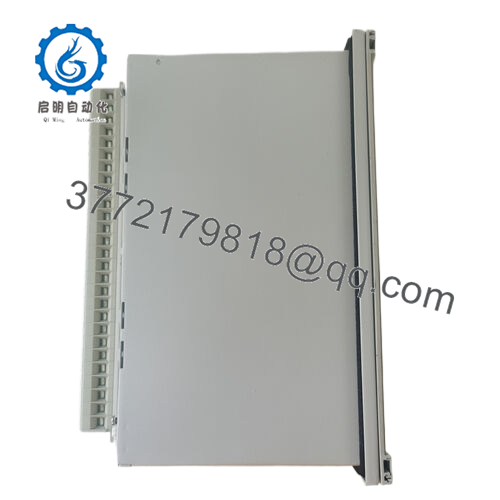
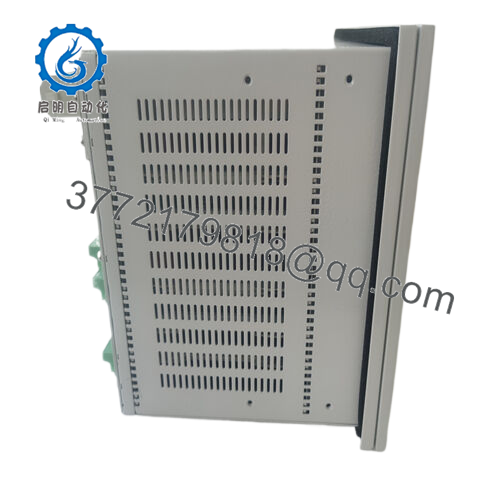
- RET541AM230AAAA
Stage 4: Power-On & Testing (≈ 60–180 minutes) Pre-Power Check: Measure insulation resistance (>10 MΩ at 500 V) on CT/VT circuits to ground; verify no shorts on aux supply. Power-On Steps:
- Apply aux power only—observe power LED and HMI boot (no ERR/alarm).
- Connect to configuration tool; confirm firmware version and download settings if needed.
- Simulate inputs (e.g., inject test currents/voltages) to verify differential balance and trip logic.
- Energize transformer gradually; monitor no differential pickup on inrush.
- Perform full functional test: overcurrent pickup, REF operation, trip output contacts. ⚠️ Troubleshooting Note: Differential trip on energization? Check CT polarity/phase rotation or vector group setting. No HMI? Verify aux voltage range. Communication fail? Confirm port settings (SPA baud rate default 9600).
- Frequently Asked Questions (FAQ)
Can this RET541 be hot-swapped? No. Power down aux supply and isolate transformer first. Live insertion risks incorrect differential operation or damage from open-CT voltages—always kill power and discharge.
Is the RET541AM230AAAA obsolete, and is your stock genuinely new? Yes, discontinued by ABB (no new production; legacy status since ~2020–2022). We offer new surplus/original units from verified excess or decommissioned sources. Each gets inbound traceability check, visual inspection (no corrosion/rework), power-on self-test (LEDs/HMI), basic I/O actuation, and insulation testing. Test photos/videos available on request.
What is the direct replacement if this is out of stock? No exact plug-and-play—terminal layout and I/O differ. ABB recommends migration to Relion RET670/RET620 series for modern IEC 61850 support, but that requires rewiring, new panels, and engineering. Tested surplus RET541 units are the quickest path for minimal downtime on existing installations.
Will swapping the RET541 erase the protection settings? No—if you export/download the configuration file beforehand via serial/tool. The unit holds settings in non-volatile memory. Always reload and verify after swap (especially differential curve, ratios, vector group).
Why is your price lower than original ABB list? This is new surplus (unused, factory-original from older batches/project spares), not current production. We add independent testing but skip OEM overhead. For critical substation use, check with ABB service or your utility for certification/compatibility notes.



